WhyFi 1.4.3

WhyFi — Your menu-bar Wi‑Fi detective.
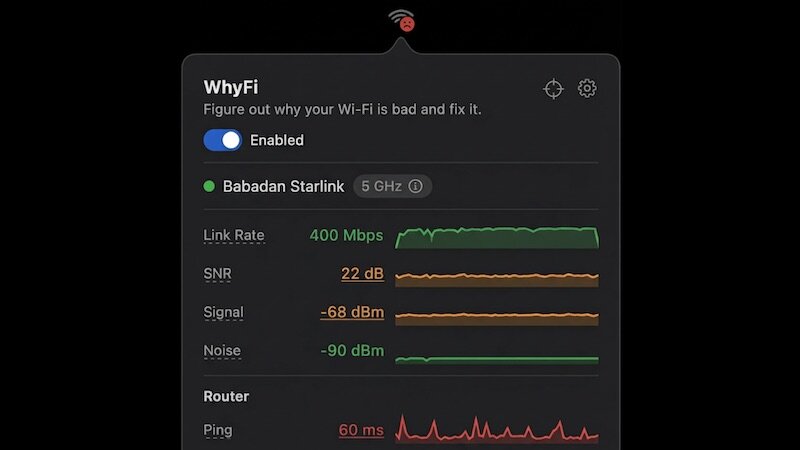
Keep your Mac’s Wi‑Fi fast and reliable without the guesswork. WhyFi lives in your menu bar and continuously monitors signal, router latency, internet quality, and DNS so you can see exactly what’s slowing you down — and how to fix it.
Key features
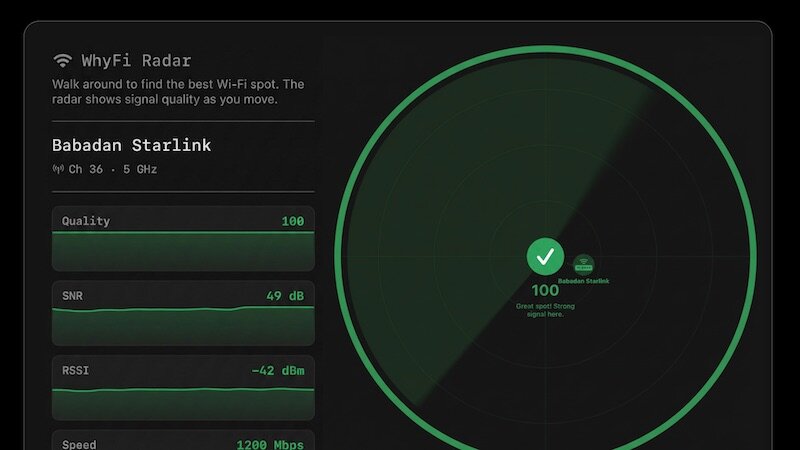
- Radar: real‑time signal map that updates 4×/second. Walk around with your laptop to find the strongest spot—scored 0–100—with live prompts like “keep going” or “go back.”
- Nearby networks: see other SSIDs and their signal strengths to spot crowded channels and interference.
- Speed tests with bufferbloat detection: quick download/upload tests (via Cloudflare) plus latency-under-load checks to show whether video calls or gaming will hold up.
- Layered diagnostics: separates problems into Wi‑Fi signal (Mac → router), router/LAN latency, and internet/WAN latency so you know whether to move, reboot hardware, or call your ISP.
- Exportable diagnostics: generate a detailed report you can paste into ChatGPT, Claude, or share with support for faster troubleshooting.
Find what’s actually wrong — and fix it fast.
What's New:
- official site does not provide any info about changes in this version.
Screenshots:

- Title: WhyFi 1.4.3
- Developer: Babadan Labs LLC
- Compatibility: macOS 13.0 or later
- Language: English
- Includes: K'ed by EDiSO
- Size: 5.73 MB
- visit official website
Users of Guests are not allowed to comment this publication.