Sketch 2026.3.1
Sketch vector design software for precise digital interfaces and illustrations
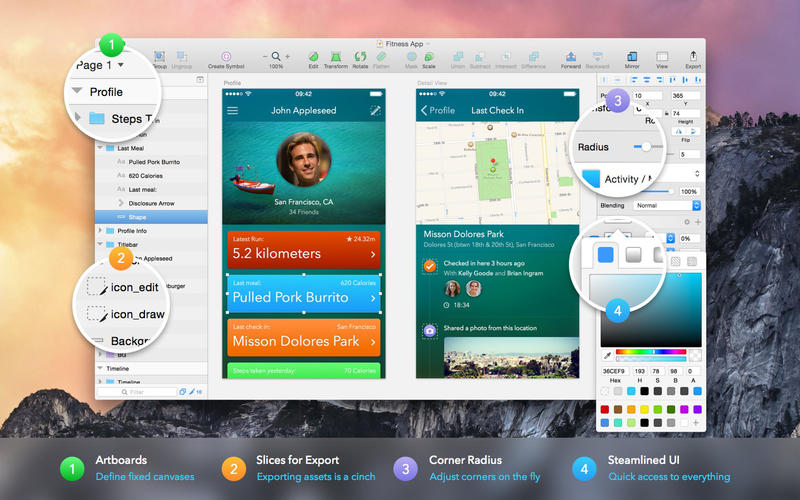
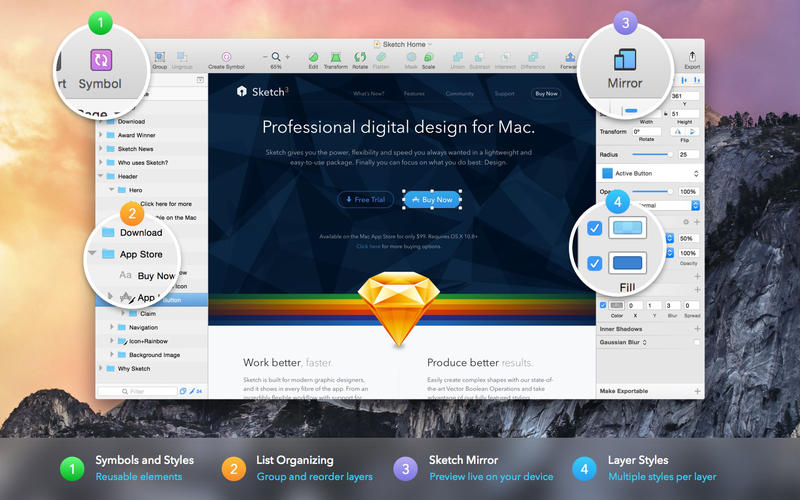
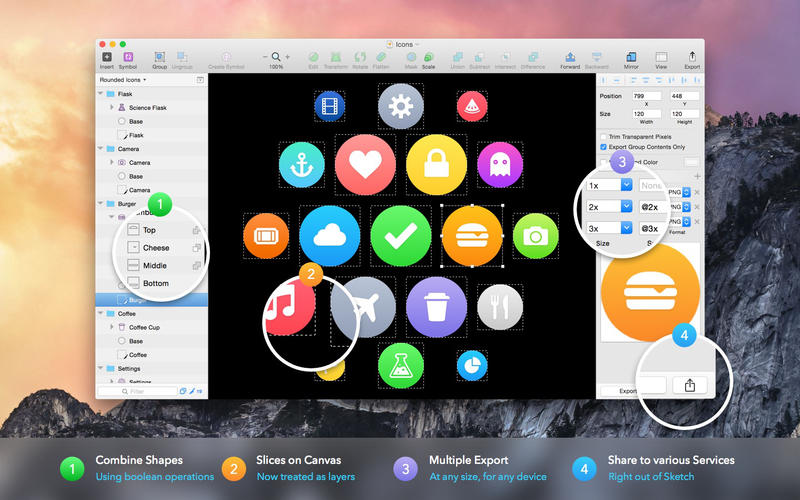
Sketch combines powerful design tools with an elegant, intuitive interface—everything you need to create beautiful digital experiences without the unnecessary complexity.
Design with multiple fills, borders, and shadows on every layer. Use flexible, non-destructive Boolean operations to build and refine complex shapes while keeping your work fully editable. Smart pixel alignment ensures precision, and streamlined export tools make it easy to create slices and export assets at multiple resolutions.
From icons and illustrations to websites and user interfaces, Sketch gives you a versatile foundation of vector tools and basic shapes. Enhance your designs with gradients, noise, blending modes, background blur, and multiple fills and shadows.
Bring images into your designs to rotate, scale, crop, and mask them with ease. With native font rendering and a powerful text tool, you can create polished typography that looks accurate on screen.
Symbols let you reuse groups of elements throughout your designs—perfect for buttons, headers, footers, and other interface components. Update a Symbol once, and every instance changes automatically.
Built for Mac, Sketch supports macOS Versions and Auto Save so you can focus on designing instead of constantly saving. Keep your work synchronized across Macs with iCloud, and use full-screen mode to make the most of your canvas.
All of this comes together in a focused, single-window interface that keeps powerful tools close at hand without getting in your way. Sketch makes professional digital design feel simple, precise, and enjoyable.
New in Sketch 2026.3
Frequently asked questions
How do I install the app?
Mount the image, drag the app into the "Applications" folder and launch it. If the system blocks the launch, allow it in "System Settings → Privacy & Security".
The app is damaged or won't launch
Reinstalling from a fresh image usually helps. Make sure your macOS version matches the one listed in the compatibility specs.
How do I update?
Download the new version from the site and install it over the current one — your settings will be preserved.
The download link doesn't work
Try a mirror or a download manager. For large files the browser often drops the connection.
How do I completely remove the app?
Use an uninstaller utility — it cleans up the service files that remain after moving the app to the trash.


Choose a download source
Sketch 2026.3.1 · 101.59 MB
Previous versions
Sketch 2026.3.1
Previous versions are available to registered users.
Comments 2