PDF Photo Album 1.1
Mac Apps / Photography

PDF Photo Album 1.1

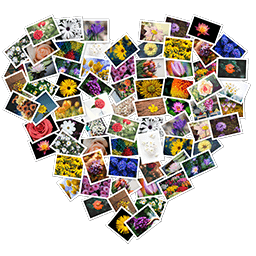
PDF Photo Album is the complete solution for creating beautiful Photo Albums and Collages. Customise the page layout and background of your album down to the smallest detail and apply artistic effects to make your album photos stand out.
  • macOS 10.13 or later
Photo Blur FX - Image Blur 1.3
Mac Apps

Photo Blur FX - Image Blur 1.3

Photo Blur FX is the complete solution for applying blur and focus effects to your photos. Designed to satisfy the needs of both amateur and professional photographers and featuring an impressive set of blur and focus effects.
  • macOS 10.13 or later
Video GIF Creator - GIF Maker 1.3
Mac Apps / Photography

Video GIF Creator - GIF Maker 1.3

Video GIF Creator is the complete solution for converting videos and images to animated GIFs. Designed to satisfy the needs of both casual users and professional web designers and featuring an impressive set of editing options, Video GIF
  • macOS 10.13 or later
Color Ray - Photo Color & Blur 1.5
Mac Apps / Photography

Color Ray - Photo Color & Blur 1.5

Bring your photos to life with Color Ray by applying spectacular color and blur effects. Select the area of your photo that you want to keep colored and paint the rest in black and white for a dramatic effect. Do you want to apply a focus
  • macOS 10.13 or later
zCommander - File Manager 6.34
Mac Apps

zCommander - File Manager 6.34

zCommander is advanced and comprehensive file management software. It looks like simple but is actually beautiful and powerful and rapid. Must-have Software for all users (especially for immigrators from PC and power-users). No more
  • macOS 10.10 or later
zGallery - Image Viewer 4.65
Mac Apps / Photography

zGallery - Image Viewer 4.65

zGallery is the elegant software that shows, browses and edits images and photos in your folder and disk. It is very easy to use but provides all must-have powerful functions.
  • macOS 10.7 or later
Clipboard Action 1.5.7
Mac Apps / Utilities

Clipboard Action 1.5.7

Clipboard Action is smart clipboard history manager, which allows execute actions with every content in the clipboard history. Define your custom actions using AppleScript or Automator Workflow or use a default application actions.
  • macOS 10.12 or later
Leap 4.0.7
Mac Apps / Productivity

Leap 4.0.7

Leap is a combination Spotlight, Bridge, Finder, and more. The Finder on macOOS is slow, cumbersome, and limited. The Finder search interface is very cumbersome. Leap shows you all your files and more importantly - where they are on your
  • macOS 10.13 or later
Fresh 4.0.7
Mac Apps / Utilities

Fresh 4.0.7

Fresh allows you to instantly find attachments you download, no matter what weird name they have. Rename files that you just downloaded, then file them with a single click. Filed Documents is a place where Fresh will file items by date,
  • macOS 10.13 or later
Photo Plus - Image Editor 1.2
Mac Apps / Photography

Photo Plus - Image Editor 1.2

Photo Plus is the complete solution for editing, enhancing and fine-tuning your photos. Designed to satisfy the needs of both amateur and professional photographers, and featuring an impressive set of artistic effects and overlay designs,
  • macOS 10.13 or later
Worksheet Crafter Premium Edition 2023.1.5.163
Mac Apps

Worksheet Crafter Premium Edition 2023.1.5.163

Create Your Own Worksheets. Quickly and Easily. Make the perfect teaching templates, worksheets and class tests for your primary & special students in just a few clicks. Craft your own worksheets in a few clicks. It’s fun to use,
  • macOS 10.10 or later
Viwizard Audible Converter 3.2.0
Mac Apps / Music & Audio

Viwizard Audible Converter 3.2.0

A unique and innovative Audible audiobook DRM cracker designed to losslessly convert any DRM-protected Audible audio book from AA, AAX formats to MP3, M4A, M4B, WAV, AAC, AC3, FLAC and other DRM-free popular audios in an easiest yet
  • macOS 10.10 or later
Image Crop - Batch Crop Photos 1.4
Mac Apps / Photography

Image Crop - Batch Crop Photos 1.4

Crop, convert and rename thousands of image files in batch mode with Image Crop. Crop your images to remove unwanted areas or to give them a specific aspect ratio. Also, if your original image files are poorly named, you can use Image
  • macOS 10.14.6 or later