
FE File Explorer Pro 3.4.2
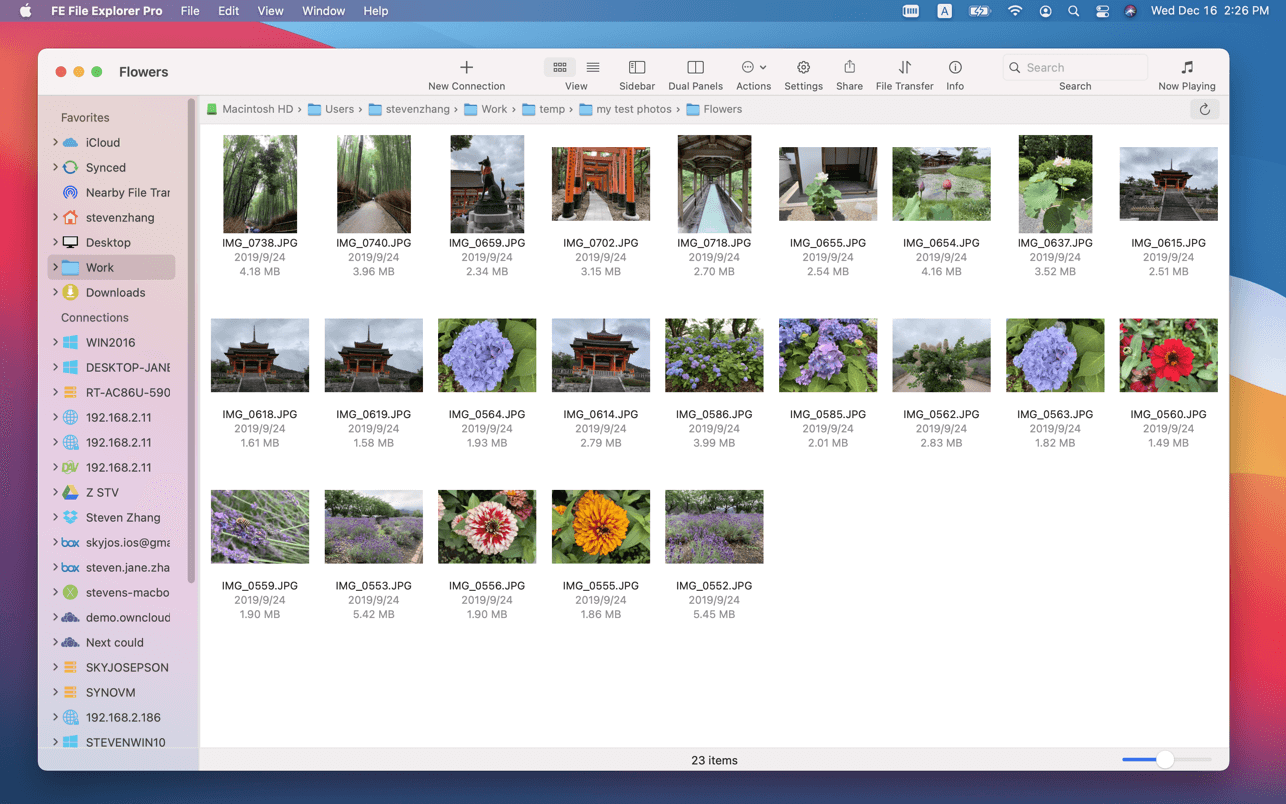
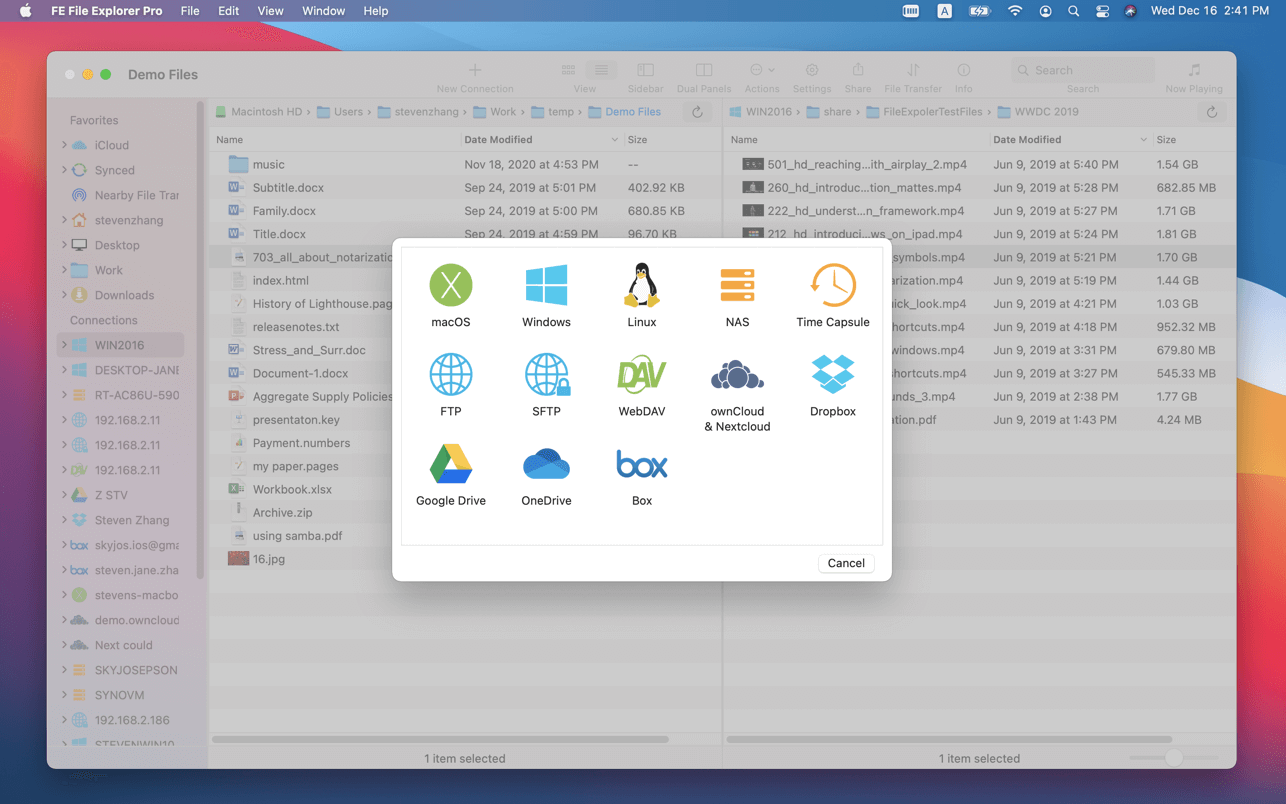

FE File Explorer Pro is a powerful file manager app on iOS. Now, we bring it on macOS. It can access files on FTP, SFTP, WebDAV servers and network shares. Transfer files among those locations. Stream movies and songs to your Mac. Directly view and edit documents, photos, files on remote locations without downloading.
FEATURES:
- Access network shares on macOS, Windows, Linux, NAS via SMB/CIFS protocol.
- Access WebDAV, FTP and SFTP Servers
- Access cloud storages: OwnCloud, Dropbox, Google Drive, OneDrive, OneDrive for Business, Box.
- In-app FTP server: A simple FTP server for file transfer between FE File Explorer iOS version and macOS version.
- Automatically discover computers, servers and NAS when you setup new connections.
- View, copy, move, rename and delete files
- Stream movies and musics from network shares, servers or cloud drives to Mac.
- Transfer files between network shares, servers, cloud drives and Mac.
- Transfer files between nearby iPhone, iPad and Mac.
- Sync files between macOS and remote locations.
- Search files by file name.
- Dark Mode
- Support both of single panel and dual panels
- Photo Gallery: JPG, PNG, GIF, CR2, NEF, ARW, DNG etc.
- Music Player: MP3, AAC, AIFF, WAV, FLAC, APE etc.
- Music Playlist: CUE, M3U
- Video Player: MOV, MP4, AVI, XVID, MKV, RMVB, WMV, FLV etc.
- Unarchive: ZIP, RAR, 7ZIP, TAR
- Archive: ZIP
Version 3.4.2
- Bug fixes and stability improvements.
Frequently asked questions
How do I install the app?
Mount the image, drag the app into the "Applications" folder and launch it. If the system blocks the launch, allow it in "System Settings → Privacy & Security".
The app is damaged or won't launch
Reinstalling from a fresh image usually helps. Make sure your macOS version matches the one listed in the compatibility specs.
How do I update?
Download the new version from the site and install it over the current one — your settings will be preserved.
The download link doesn't work
Try a mirror or a download manager. For large files the browser often drops the connection.
How do I completely remove the app?
Use an uninstaller utility — it cleans up the service files that remain after moving the app to the trash.


Choose a download source
FE File Explorer Pro 3.4.2 · 40.26 MB