FineTune 1.5.0

macOS doesn’t let users customize the volume of individual applications, unless the apps themselves have a dedicated volume slider. It also can’t route app audio to specific output devices, which is very helpful in many situations.
FineTune is an open-source app that offers both of these features, along with a couple others. It’s a native, lightweight menu bar utility that gives you extensive control over app volume and output, an equalizer, and audio boosting.
Control app volume and output device
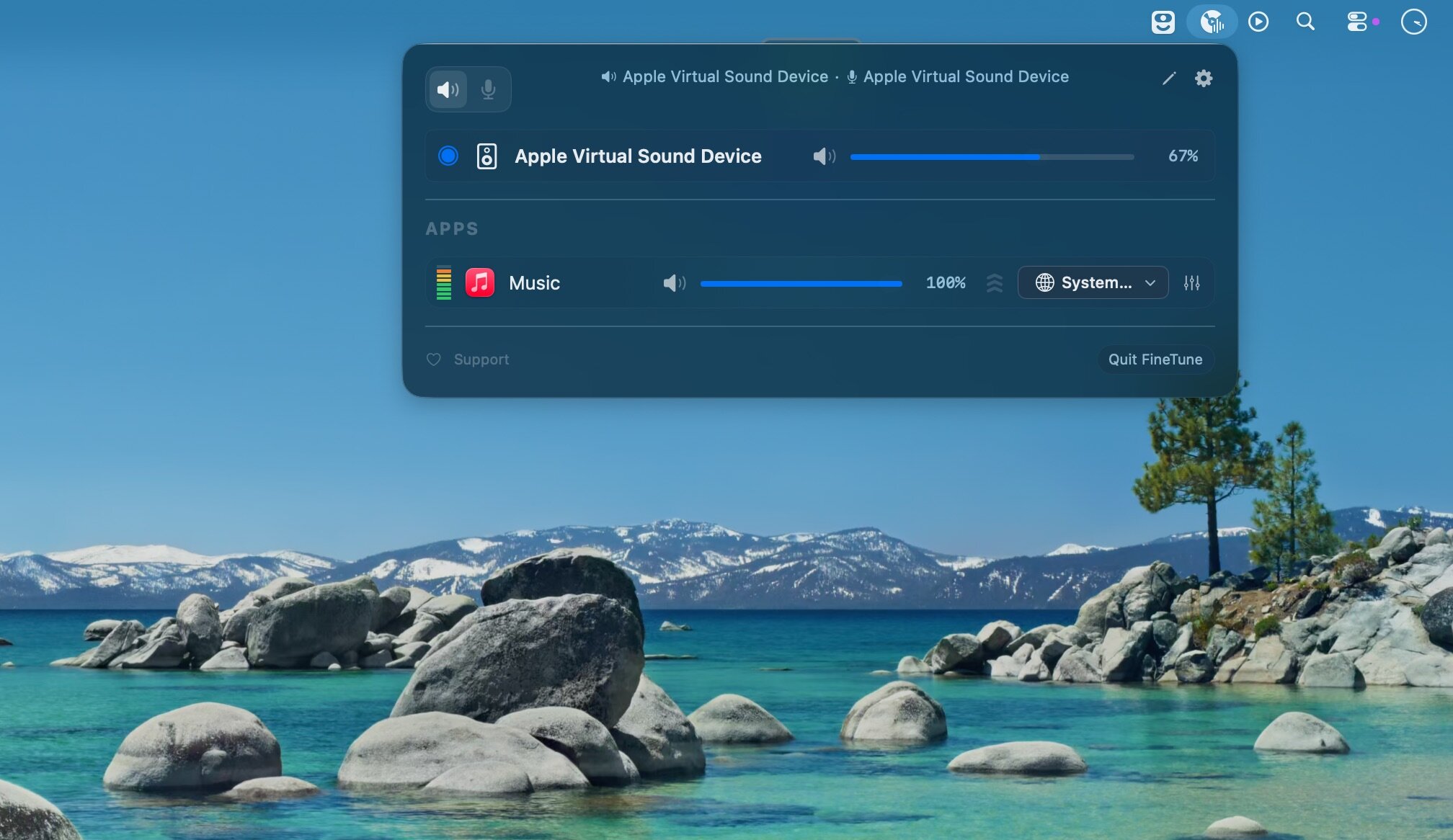
- Any app that’s playing audio will be visible in the app window, where you can change its volume and set its preferred output device. This is done via a simple slider and drop-down list, and your settings are persistent.
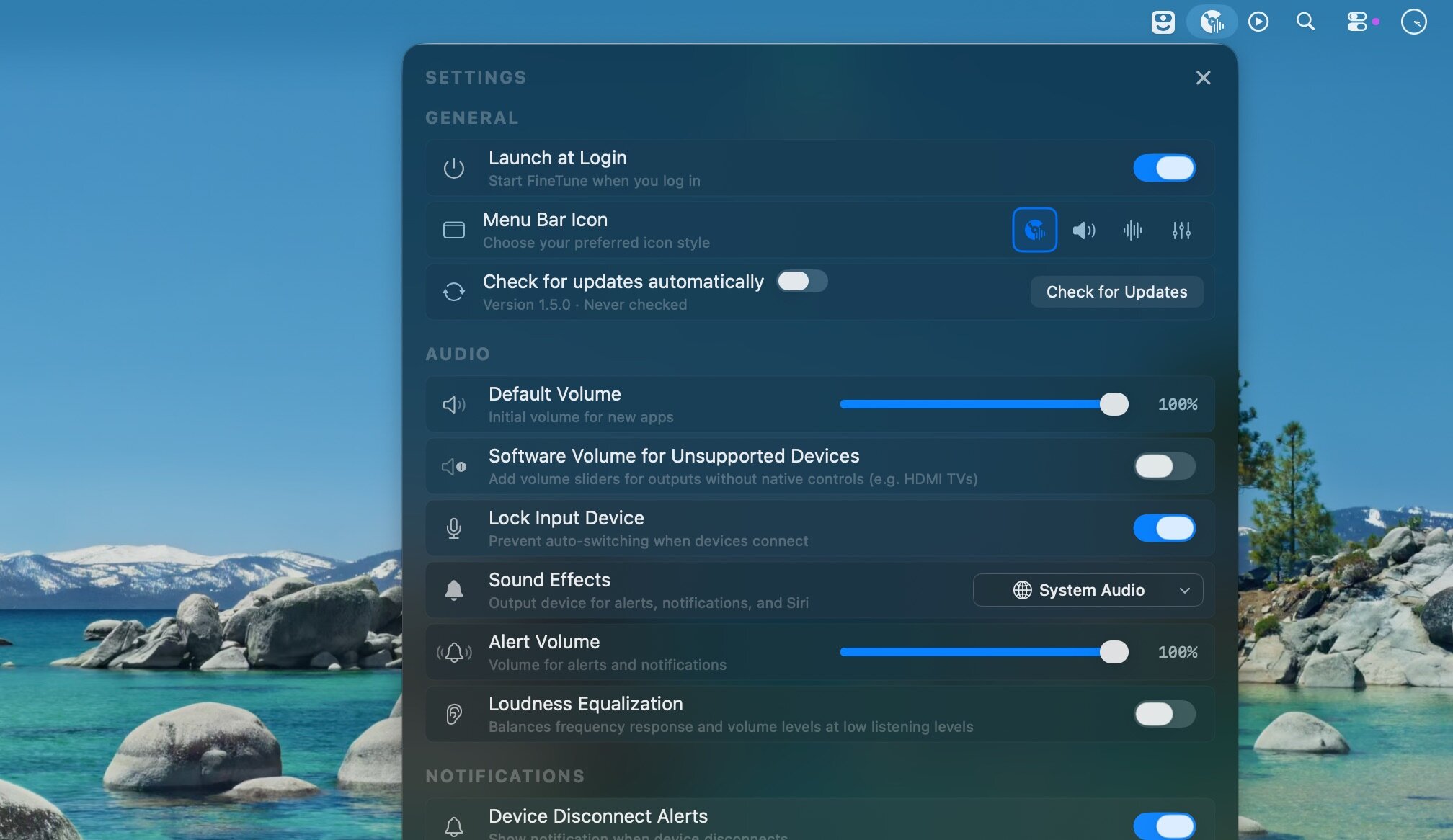
- You can also see all available output devices and change their default system volume—the volume level macOS uses whenever it switches to that specific audio device. The default device for system sound effects can be set from the app’s settings.
- When audio output is routed, your Mac’s volume keys will only control the overall volume of the default output device, which means you may not be able to manage said app’s volume via hotkeys. FineTune can’t intercept media key input, a cool feature available in BetterAudio.
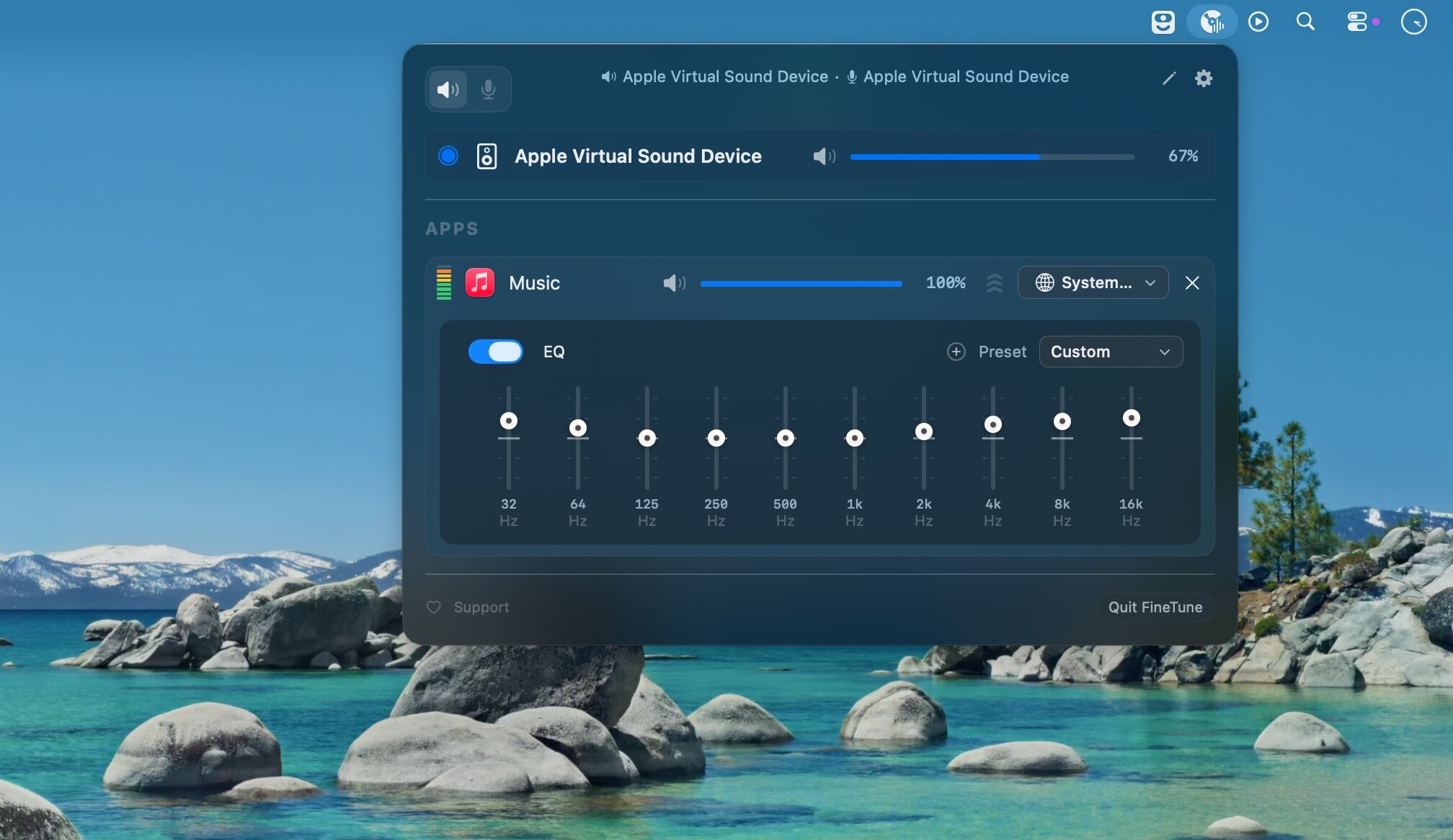
10-band equalizer and volume boosting
- The optional equalizer can be enabled from the same window, and it comes with several presets, organized into categories. You can tweak frequencies, but you can’t save your own presets.
- Volume boosting is useful if your Mac can’t quite drive a powerful set of speakers or headphones. Naturally, though, audio quality will be affected. If you’re not a fan, you can disable boosting entirely.
- FineTune is a surprisingly useful app, given that it’s so lightweight and doesn’t cost anything. It gives you so much more control over your Mac’s audio output, all via a unobtrusive menu bar interface.
What's New:
Version 1.5.0
New Features:
- Loudness Compensation & Equalization:
- Fletcher-Munson correction — At low volumes, human hearing loses sensitivity to bass and treble. FineTune now applies frequency-dependent EQ based on ISO 226:2023 equal-loudness contours to compensate, driven by your device and per-app volume
- Real-time loudness equalization — Measures signal loudness using K-weighted (ITU-R BS.1770) RMS and applies wideband gain with a soft-knee compressor to keep perceived loudness near a target
- Both features behind a single toggle in settings, disabled by default
Alert Volume:
- Control macOS alert and notification volume directly from FineTune settings
- Live sync with System Settings via periodic polling
Software Device Volume: - Volume control for output devices that don't support hardware volume (e.g., some USB DACs)
- Opt-in via Settings — off by default to avoid conflicts with hardware volume
Improvements:
- User EQ presets — Save, rename, and delete custom EQ configurations per device
- AutoEQ panel redesign — Flat layout with mini toggles, cleaner search and profile browsing
- EQ preset name validation — Discoverable delete and inline rename
Bug Fixes:
- Fixed muted icon not showing when displayed volume is 0% (#120)
- Fixed double audio taper on device volume slider — volume curve now matches System Settings
- Fixed USB DAC volume quantization feedback loop causing slider jitter
- Fixed external headphones not getting EQ applied (PR #203)
- Fixed DDC volume slider mixed up on multi-monitor setups (PR #192)
- Fixed dropdown layout issue with LazyVStack (PR #184)
- Fixed AutoEQ correction toggle to be non-destructive (PR #208)
- Fixed alert volume write path using osascript subprocess and debounce
Screenshots:
- Title: FineTune 1.5.0
- Developer: Ronit Singh
- Compatibility: macOS 14.2 or later
- Language: English
- Size: 4.43 MB
- visit official website
Users of Guests are not allowed to comment this publication.