Pixelmator Pro Creator Studio 4.3

Pixelmator Pro is now part of Apple Creator Studio, an amazing collection of Apple’s most powerful creative apps designed to help you bring your ideas to life. The suite includes Final Cut Pro, Logic Pro, Pixelmator Pro, Motion, Compressor, and MainStage — plus premium content and intelligence features in Keynote, Pages, Numbers, and Freeform*, all in one simple plan.
New Features
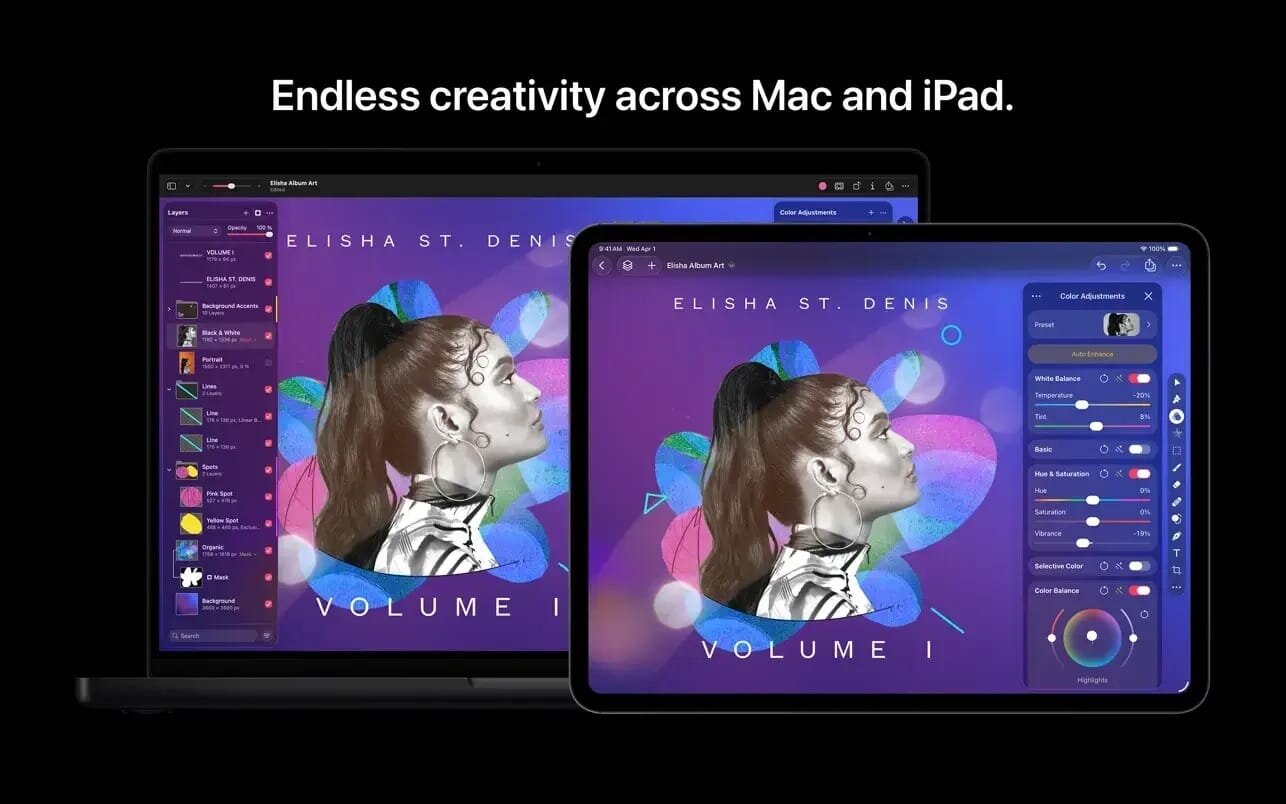
Pixelmator Pro for iPad
- Enjoy a completely reimagined editing experience, with Pixelmator Pro tools for design, photography, painting, and illustration now fully optimized for touch
- Design and paint with pixel-perfect precision using Apple Pencil, with full support for hover, squeeze, double-tap, and palm rejection
Insert photos to your compositions directly from your iPad camera as new layers - Easily roundtrip between Pixelmator Pro for iPad and Mac, syncing edits through iCloud, and pick up projects wherever you left off
Warp Tool and Mockups
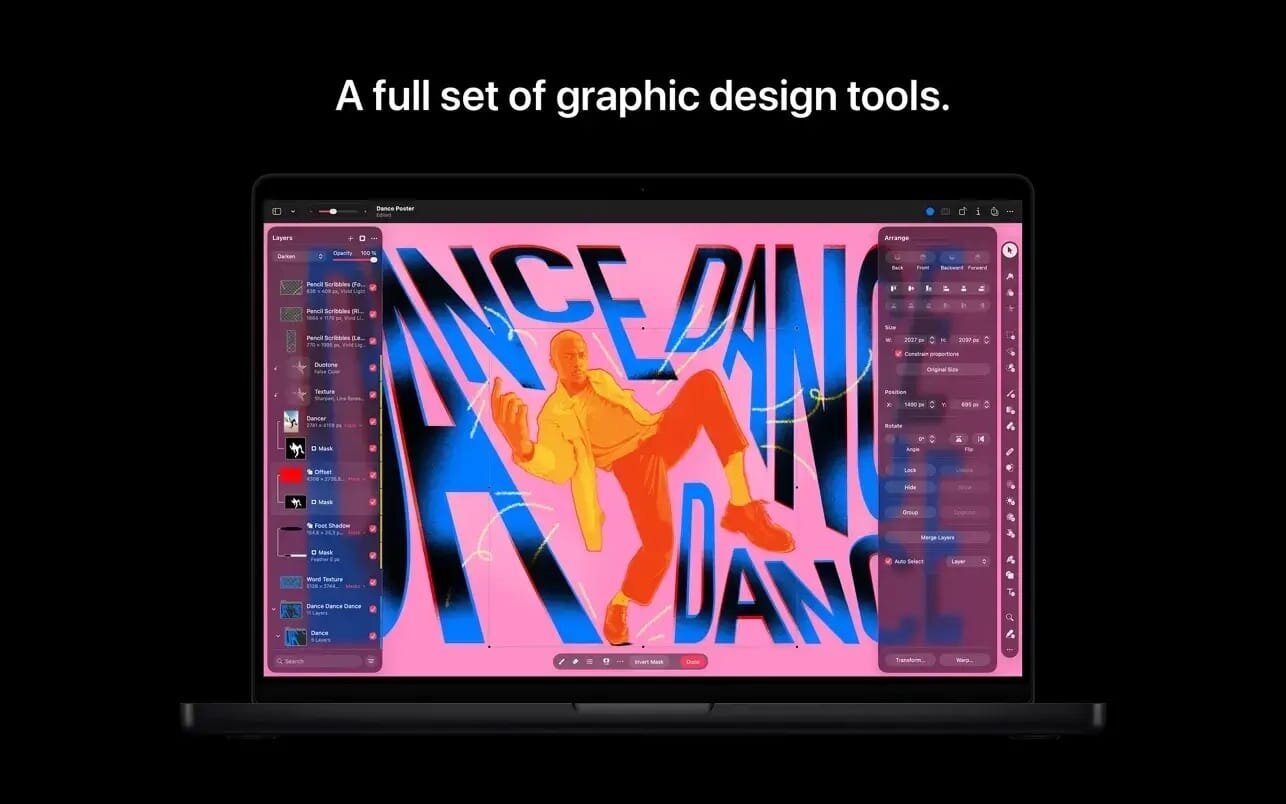
- Use the all-new Warp tool to twist and bend images, shapes, text, and even video layers by pushing and pulling individual points on a warp grid
- Automatically warp layers into common shapes like cylinder, arc, flag, and more with 12 smart warp presets, or quickly split layers into 3×3, 4×4, or 5×5 warp grids
- Explore 2 new collections of premium product and apparel mockups that make the most of the new warp functionality to quickly showcase your designs on t-shirts, mugs, and more
Overview
- Pixelmator Pro has everything you need to create designs, edit photos, draw illustrations, paint digital art, and be creative in just about any way you can imagine.
Edit and Enhance
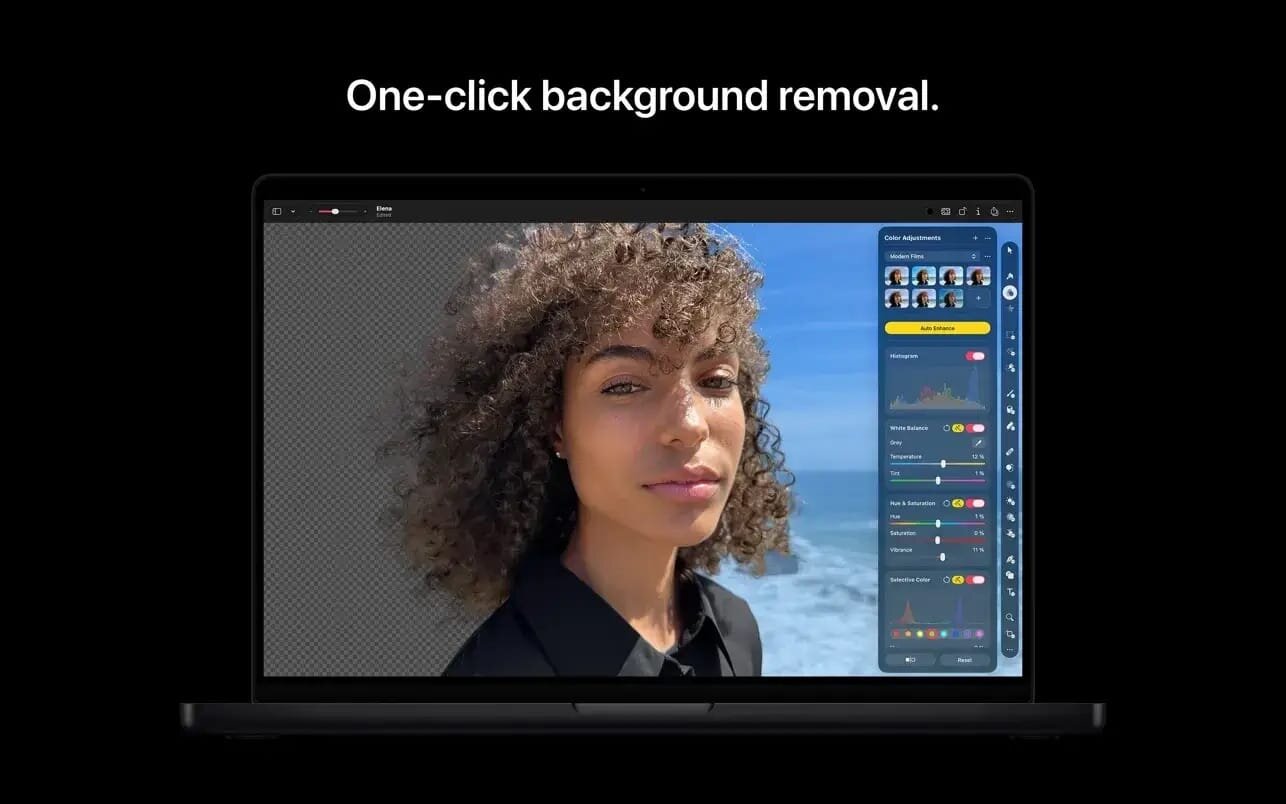
- Adjust the colors in your photos and even videos in any way you want using a powerful collection of pro-grade color adjustments
- Use machine learning-powered tools to automatically remove image background, enhance colors, increase resolution, and more
Quickly make good-looking shots spectacular with over 40 color adjustment presets and combine any of over 70 versatile effects to develop any artistic or special looks you can imagine - Enjoy full support for RAW photos from over 750 of the most popular digital cameras
Create Stunning Designs
- Harness the full power of layer-based editing with support for vector shapes, typography features, and even video to design posters, webpages, or apps from scratch
- Customize the look of layers using layer styles, such as Fill, Stroke, Drop Shadow, and Inner Shadow
- Create beautiful designs in moments with a vast collection of beautiful templates and premium, fully customizable mockups
Draw and Illustrate
- Design vector graphics using a full set of vector tools, including Pen and Freeform Pen tools
- Speed up creating illustrations with stunning shapes including categories like arches, plants, and organic shapes
- Add customizable Smart Shapes to quickly create your custom shapes
Sketch and Paint
- Paint naturally with a collection of beautiful, handcrafted dual-texture brushes
- Take advantage of full support for Apple Pencil on iPad and graphics tablets on Mac to paint with pressure and tilt sensitivity
- Enjoy incredibly fast and responsive painting thanks to a cutting-edge painting engine powered by Metal graphics technology
Compatibility
- Open files in popular image and video formats, including JPEG, TIFF, PNG, PSD, HEIF, SVG, AI, Illustrator EPS, PDF, GIF, BMP, TGA, WebP, JPEG-2000, AVIF, MP4, MOV, HDR images, videos, and more
- Share your images or videos to Photos, Mail, AirDrop, and other locations
- Premium content and features in Freeform are not currently available and are expected to be included in the Apple Creator Studio subscription later this year.
What's New:
Version 4.3:
Pixelmator Pro 4.3 includes the following features and enhancements:
Content Hub
- Explore high-quality photos, graphics, shapes, illustrations, and more in the Content Hub.
- Find inspiration faster with collections of content curated by experts.
- Insert photos, graphics, shapes, and illustrations from the Content Hub as standalone layers, or quickly swap out placeholders in templates and mock-ups.
- Edit and customize vector graphics and shapes using vector tools, the Style tool, and more.
Advanced Image Creation and Editing
- Create stunning images and graphics right in your designs using powerful generative AI models.
- With Generate Image, describe the image you want, choose a style, and generate a custom, high-resolution image.
- Use Generate from Image to make simple edits to an image just by describing them, or completely transform the image into anything you can imagine.
Generate Shape
- Generate custom vector shapes from a simple text description, then easily explore shape variations.
- Refine your generated shapes with full vector controls to create exactly the shape you need.
- Easily find your previously generated and inserted shapes anytime from within the Shapes browser.
- Use Pixelmator Pro with Keynote, Pages, and Numbers
- Send images from Keynote, Pages, or Numbers directly to Pixelmator Pro, edit them using your favorite tools, and save them right back to your documents.
- Make additional adjustments to images at any time with all your layers, edits, and effects fully preserved.
Accessibility Improvements
- Navigate and interact with layers directly on the canvas using enhanced support for Switch Control and VoiceOver.
- Seamlessly add or remove layers from your current layer selection.
Screenshots:
- Title: Pixelmator Pro Creator Studio 4.3
- Developer: Apple Inc.
- Compatibility: macOS 26.0 or later
- Language: Multilingual
- Includes: K'ed by Antibiotics
- Size: 588.93 MB
- visit official website
Users of Guests are not allowed to comment this publication.