Nimble Commander Pro 1.2.9


Nimble Commander is a free dual-pane file manager designed specifically for Mac. Optimized for efficiency, Nimble Commander provides a blazing performance and momentary user interface feedback. Offering traditional powerful dual-panel manager concepts, Nimble Commander maintains minimalist and clean UI design at the same time.
Features
- Classic tabbed dual-pane interface with different presentation modes: traditional UI and monospaced text-based variant
- Full keyboard access with the fastest way to handle file management tasks
- Nearly instantaneous launch, small memory footprint, and blazing-fast operation
- Configurable keyboard shortcuts
- Background operations processing
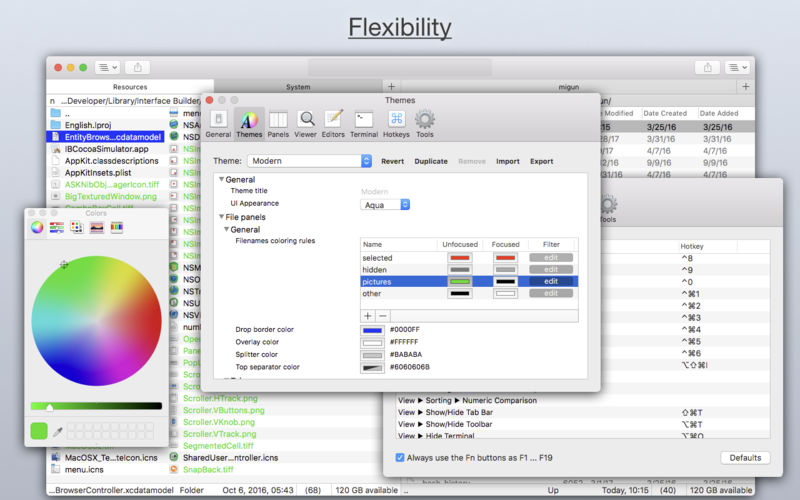
- Font and color customization
- Different file panel viewing modes: short, medium, full, and wide
- Instant files searching and filtering by typing
- File editing in editors of your choice, based on file extensions
- File search by name, size, or content
- QuickLook support
Advanced Features
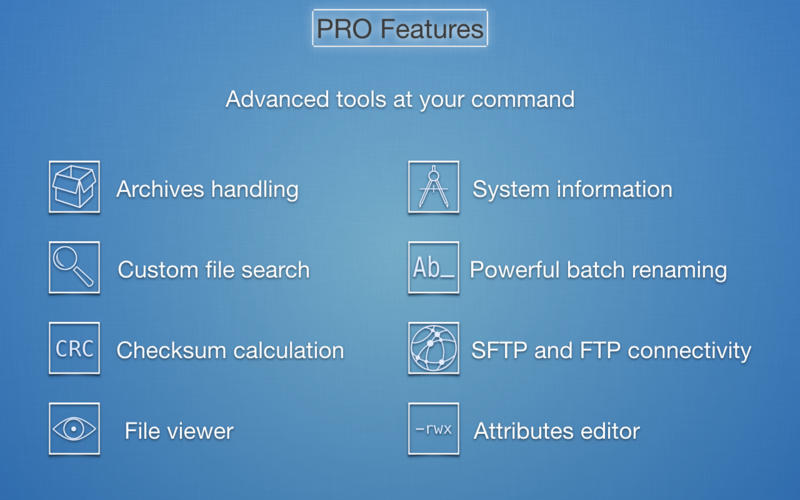
- Built-in file attributes editor and file viewer with textual/hexadecimal presentation
- Showing file search results as a file panel
- Lightweight search with Spotlight
- Browsing archives (zip, tar, bz2, gz, pax, cpio, lha, ar, cab, mtree, iso, warc, rar) like folders
- Archives building
- Extended attributes modification
- Powerful batch renaming
- Ability to connect to remote FTP and SFTP servers
- System and volumes information, showing processes list as a folder
- Checksum calculation
Version 1.2.9
- Now contains a universal binary for ARM64 and x86-64.
- Updated for macOS Big Sur.
- Panel items are now automatically deselected after a file operation.
- Added a new action “Follow Symlink”: Cmd+Right.
- Fixed defaults paths to system applications.
- Fixed support for large directories in Dropbox VFS.
- Now a Deletion operation can be stopped during a scanning phase.
- Now file time representations are updated when a system date changes.
- Preview request now automatically expands a collapsed panel.
- SFTP VFS now supports ED25519 keys.
- FTP VFS now supports Active Mode.
- Numerous other bug fixes and improvements.
Frequently asked questions
How do I install the app?
Mount the image, drag the app into the "Applications" folder and launch it. If the system blocks the launch, allow it in "System Settings → Privacy & Security".
The app is damaged or won't launch
Reinstalling from a fresh image usually helps. Make sure your macOS version matches the one listed in the compatibility specs.
How do I update?
Download the new version from the site and install it over the current one — your settings will be preserved.
The download link doesn't work
Try a mirror or a download manager. For large files the browser often drops the connection.
How do I completely remove the app?
Use an uninstaller utility — it cleans up the service files that remain after moving the app to the trash.
VersionNimble Commander Pro 1.2.9
DeveloperMichael Kazakov
CompatibilitymacOS 10.15 or later
LanguageEnglish, Russian
IncludesK'ed by TNT



Information
Visitors in the group Guests cannot leave comments on this publication.
Choose a download source
Nimble Commander Pro 1.2.9 · 9.53 MB