Final Cut Pro 12.3

Final Cut Pro combines revolutionary video editing with powerful media organization and incredible performance to let you create at the speed of thought.
Revolutionary Video Editing
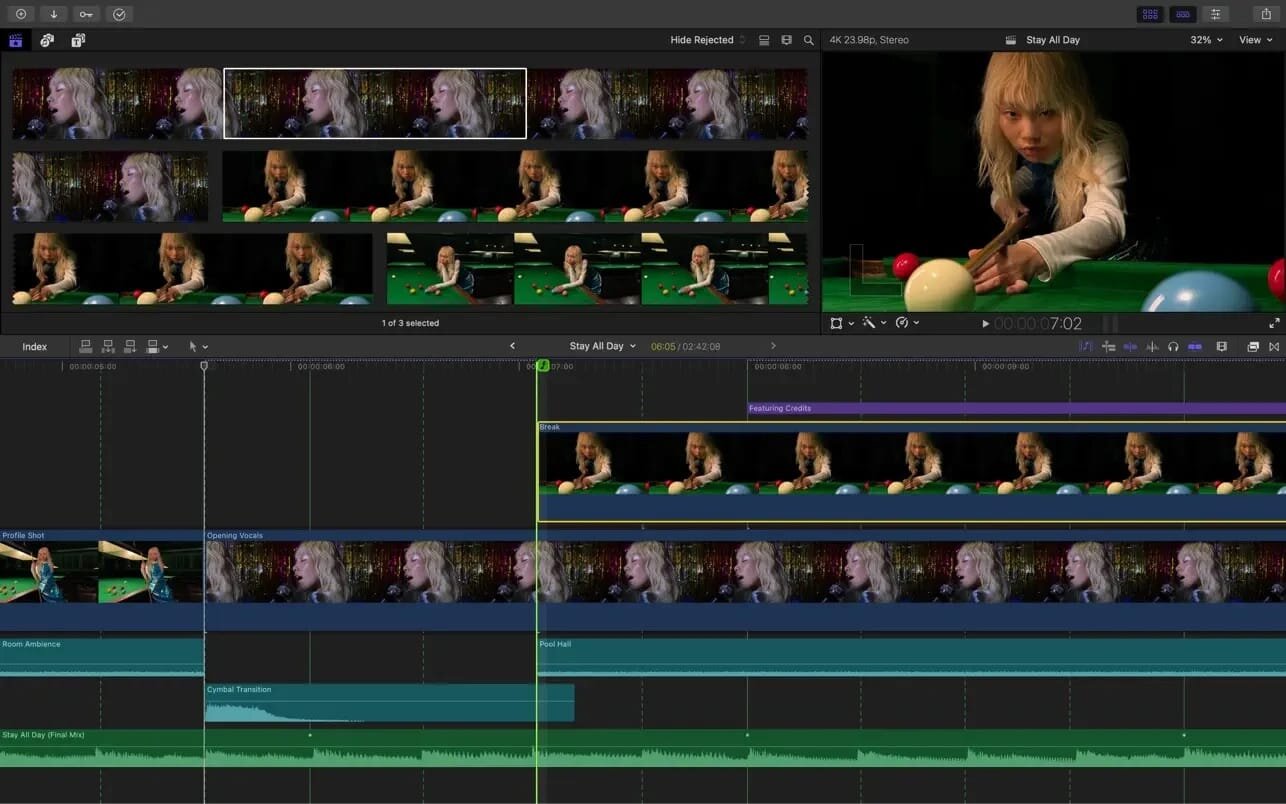
- The Magnetic Timeline uses advanced metadata and Clip Connections for faster, easier editing
- Transcribe to Captions uses Al to generate closed captions in the timeline by analyzing spoken audio
- Al-powered Magnetic Mask automatically tracks and isolates people, objects, and shapes in any footage
- Automatically transform projects for square or vertical delivery with Smart Conform
Powerful Media Organization
- Organize your work within libraries for efficient media management
- Apply custom keywords or favorites on the fly as you select clip ranges
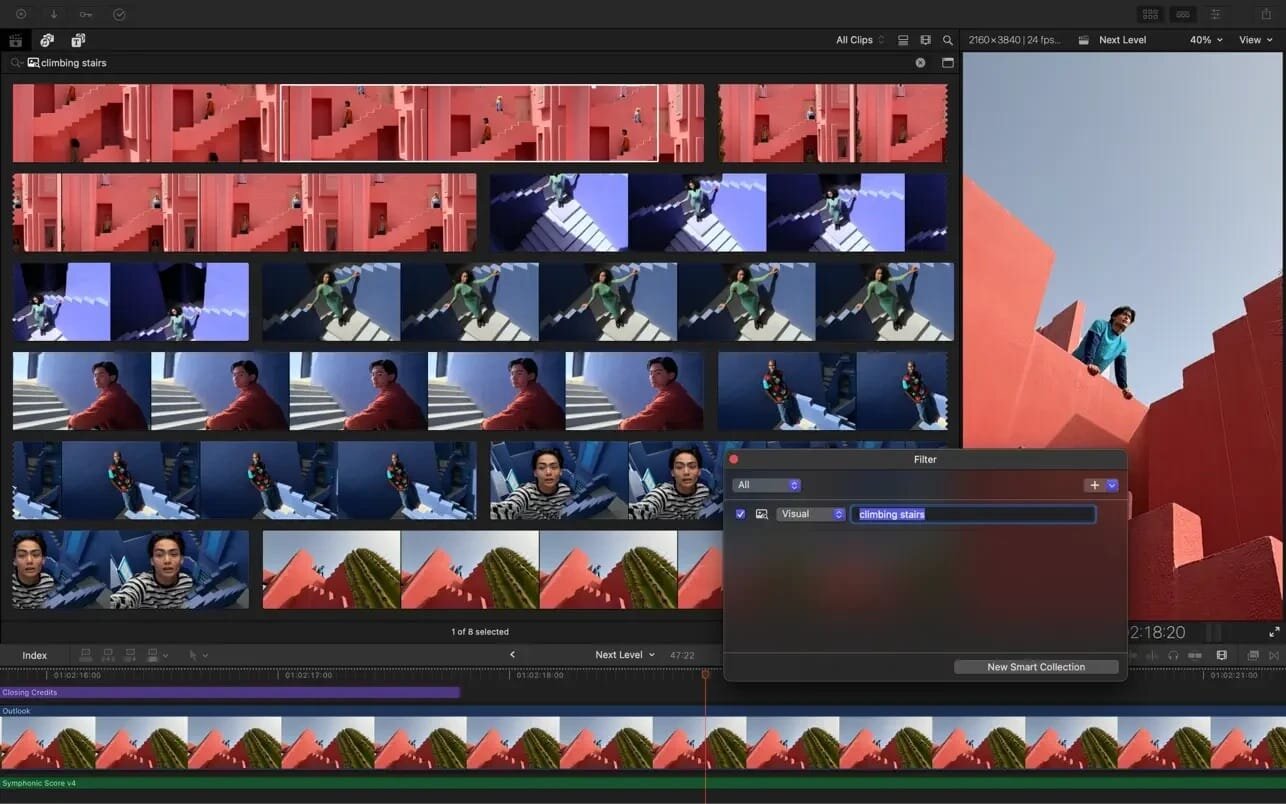
- Smart Collections dynamically organize content for you to quickly find any shot in a few clicks
Incredible Performance
- Unrivaled speed and efficiency with optimizations for the latest generation of Apple silicon
- Work with a broad range of formats including ProRes, ProRes RAW, RED, XAVC, AVCHD, Avid DNxHR®, Avid DNxHD®, H.264, HEVC, and more
Compelling, Customizable Effects
- Beautifully animated, easily customizable 2D and 3D titles
- Change the look of titles, transitions, and effects using intuitive controls
- Choose from an ecosystem of third-party FxPlug plug-ins with custom interfaces
Integrated Audio Editing
- Assign roles during import to easily track and organize your project
- Expand and edit multichannel audio files directly in the timeline
- Apply audio effects and reduce background noise to isolate vocals using powerful plug-ins and technology from Logic Pro
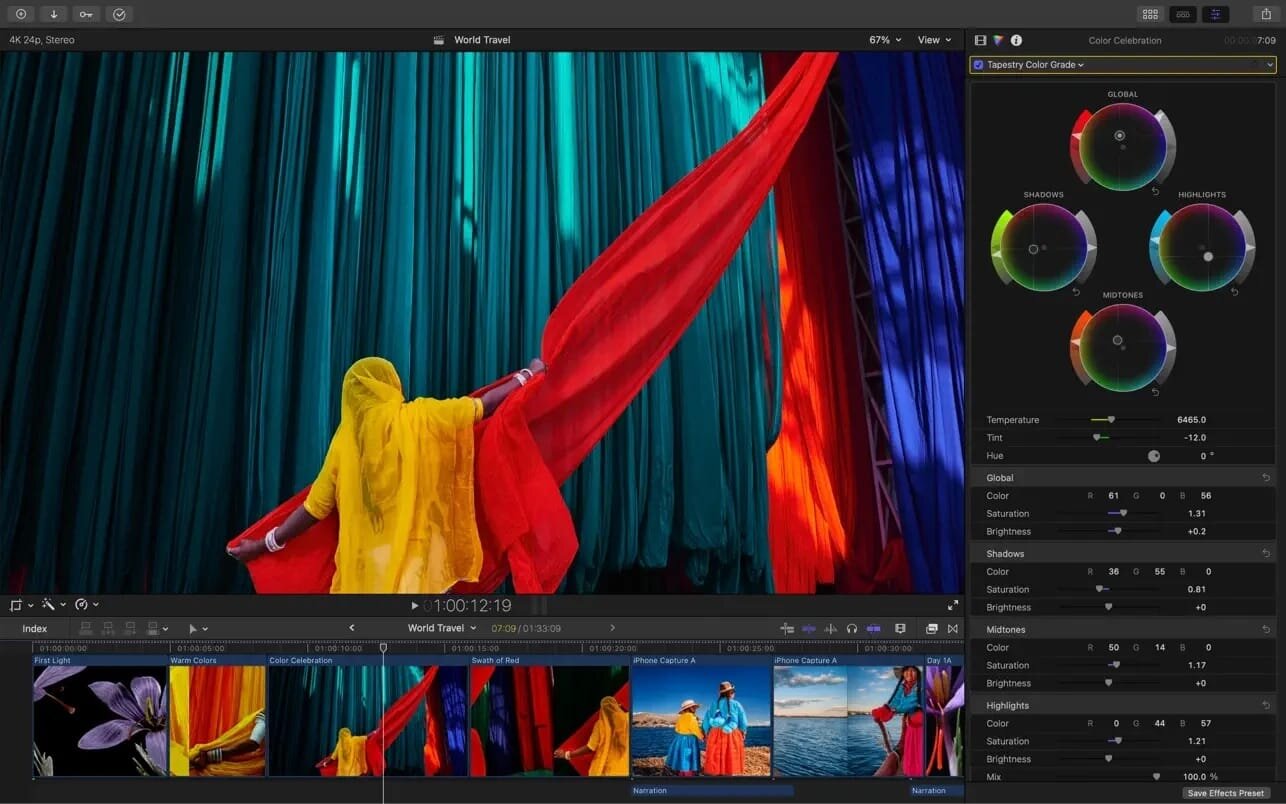
Intuitive Color Grading
- Powerful color wheels and curves for precise adjustments with keying and masks
- Automatically tone-map clips to match HDR or SDR color space
- Take advantage of ProRes RAW video shot on iPhone 17 Pro or later for even more grading flexibility
One-Step, Optimized Output
- Incredibly fast export for playback on Apple devices and upload to platforms such as Instagram and YouTube
- Export audio stems and multiple versions of a finished video using roles metadata
- Import and export XML for third-party workflows like color grading and sound mixing
System Requirements: macOS 15.6 or later, 8 GB of memory (16 GB recommended), Metal-capable graphics card (Intel-based Mac computers only), 7.2 GB of available disk space. Some features require a Mac with Apple silicon. Some features require internet access; fees may apply.
What's New:
Version 12.0:
Al Session Players
- Transform your tracks with the all-new Synth Player, and create keyboard and bass performances with intuitive controls
- Generate dynamic synth performances that play notes and manipulate instruments
- Use Simple Pad to add lush harmonic layers to your song, or add movement and dynamics with Modulated Pad and Rhythmic Chords
- Explore popular synth bass styles including 808 Bass, Pump Bass, and Sequenced Bass to dial in the low end
- Use Chord ID to identify chords from any part of your song and Session Players will automatically follow along
Sound Library
- Explore a free, expanding collection of premium sound packs with the brand new Sound Library
- Listen to audio previews of any sound packs and install your favorites
- Free up storage space by easily deleting packs you are no longer using
Screenshots:
- Title: Final Cut Pro 12.3
- Developer: Apple Inc.
- Compatibility: macOS 15.6 or later
- Language: English, French, German, Japanese, Korean, Simplified Chinese, Spanish
- Includes: K'ed by EDiSO
- Size: 5.97 GB
- View in Mac App Store
Users of Guests are not allowed to comment this publication.