calibre 9.16.0
Calibre: E-book library manager to convert, organize, and sync books.
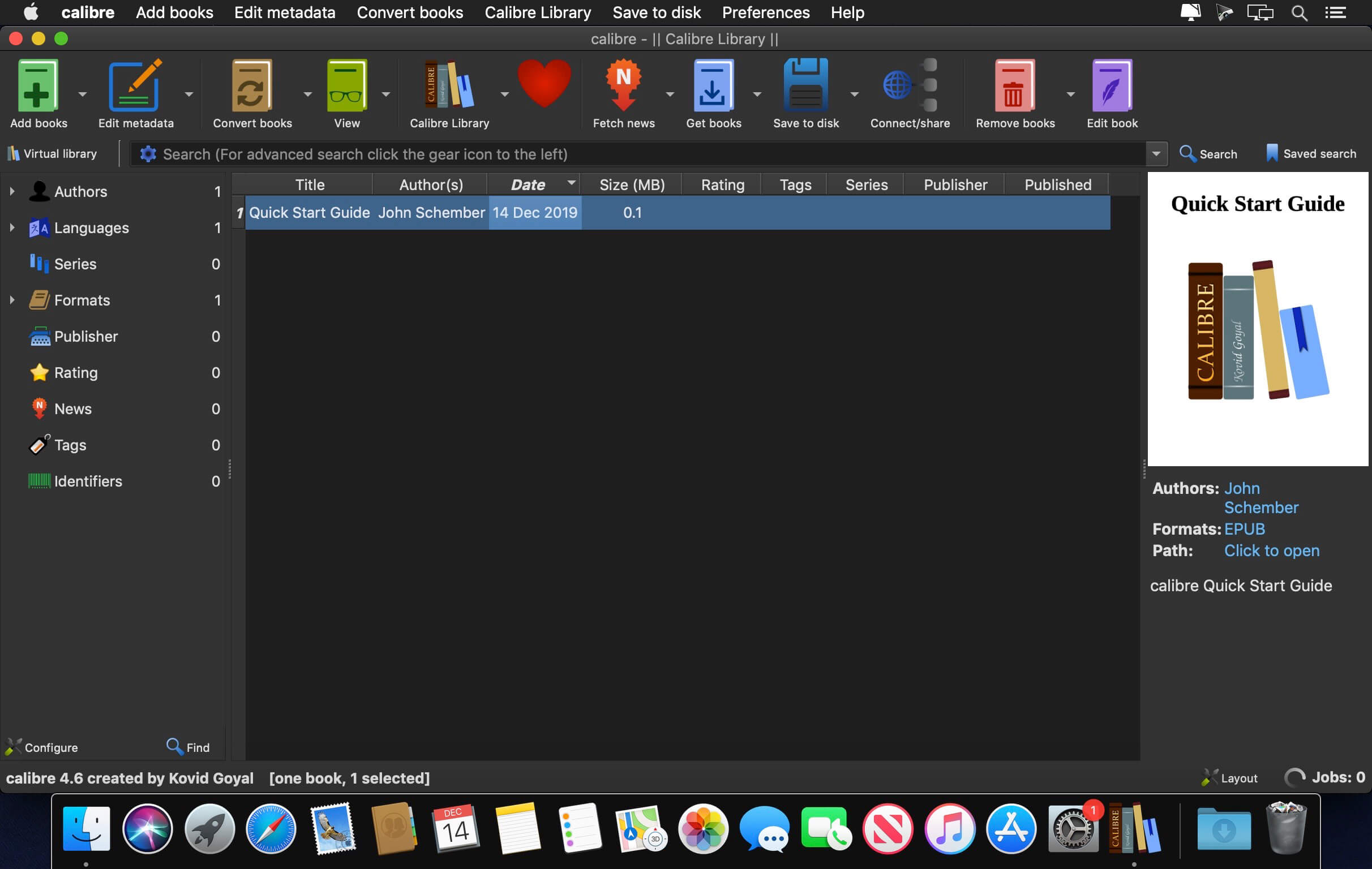
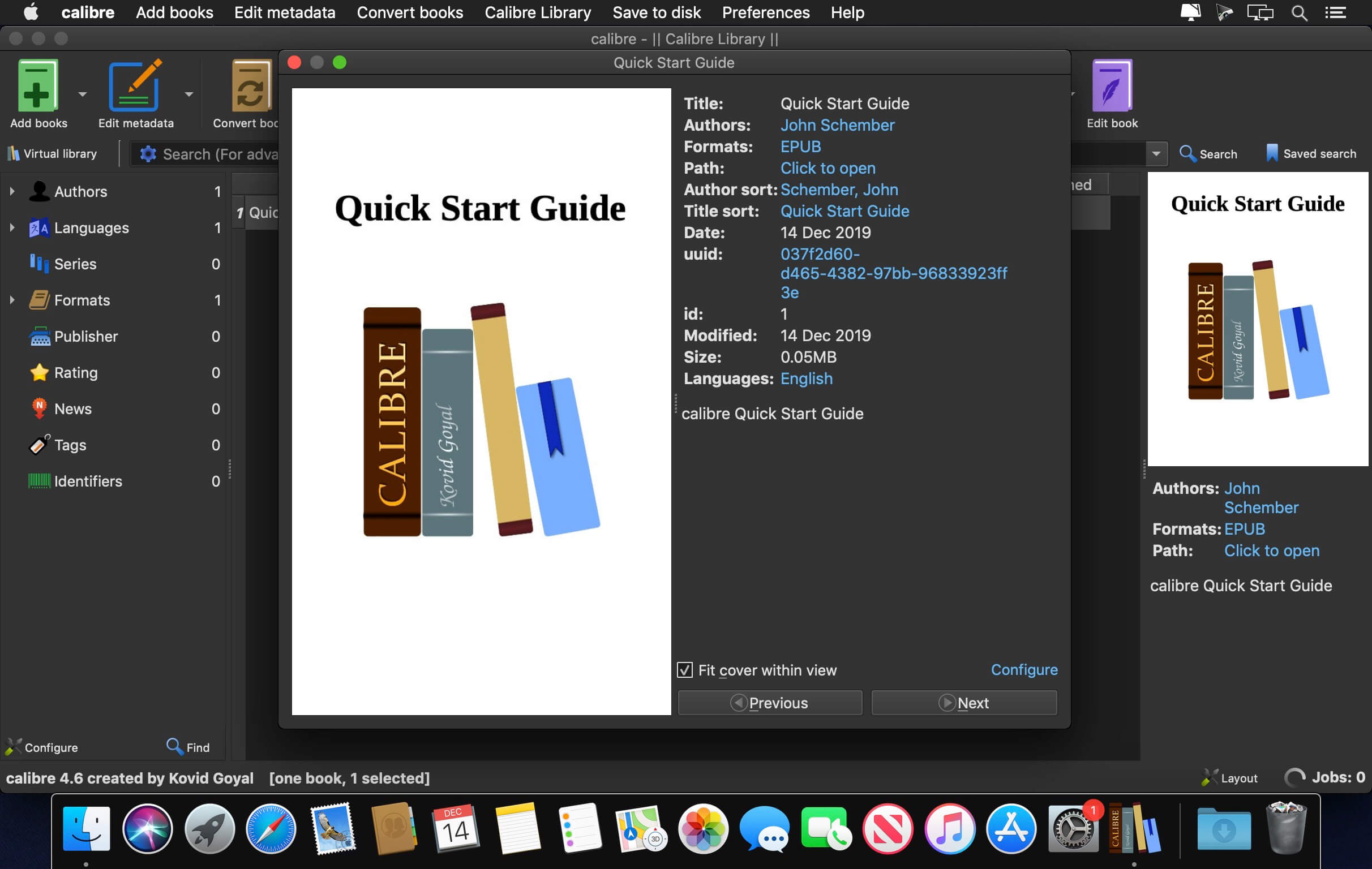

Your e-book library, under control
Bring your books together in one organized library on macOS. Calibre helps you keep track of your collection, convert books between formats, and sync them with supported e-readers.
Manage, convert, and sync with ease
Keep your collection organized and make your books easier to find.
- Library management: Keep books with multiple formats together in a single entry, then add tags and comments to make them easier to find.
- Format conversion: Convert e-books between a wide variety of supported formats with flexible conversion options.
- E-reader syncing: Use device drivers to sync books with supported e-readers and devices.
Make your e-book collection easier to manage. Get started with Calibre for macOS.
Version 9.16.0
New features:
- Read aloud: Add the high quality Kokoro voices, which sound much more natural than the Piper voices, especially for English
- To use them, select the Piper backend in the Read aloud configuration and choose one of the Kokoro voices. The voice will be automatically downloaded the first time it is used.
- News download: Support for downloading news from websites that block automated access by using the camoufox browser
- Some news sites, such as The New York Times, The Economist and The Atlantic, block all lighter weight ways of fetching their pages. Recipes for these sites now use the camoufox browser, which is automatically downloaded the first time such a recipe is run. Recipe authors can use it by setting browser_type = 'camoufox' in their recipes.
- PDF Input: Support for right-to-left text and better handling of multi-column pages
- Add support for reading images in the AVIF format
- Tag browser: A new option to sort hierarchical tags that have only children but no actual books as folders, before all other tags at their level
- Edit book: Check book: Allow skipping of problems of a particular type
- Edit book: ToC View: Indicate what ToC entries, if any, are in the file being currently edited
- Edit book: Check book: When auto fixing invalid ids also update CSS selectors
- E-book viewer: Add an option to display the immediate parent ToC section in headers/footers
- E-book viewer: Allow e-books to store up to 1MB of data persistently
- E-book viewer: Print to PDF: Allow specifying margins in metric units
- Tag mapper and HTML/CSS transform rules: Add the ability to search the rules
- Allow removing individual entries from the search history dropdown
- Add a button to Preferences->Look & feel->Main interface to reset the main window layout
- Create your own Adventure: Allow exporting and importing saved games
- Speed up various operations on large libraries, such as startup, deleting many books, sorting by series, searching and refreshing the Tag browser
- Kobo driver: Add support for newer firmware
- Windows: Unregister calibre from default programs and clear its caches when uninstalling
- DOCX Output: Make images inside links clickable
Bug fixes:
- EPUB 3 to EPUB 3 conversions: Preserve ids on nav elements so links to them continue to work
- PDF Output: Fix some trailing content at the end of individual HTML files being lost when the files use multi column layout
- PDF Output: Fix a regression in 9.x that caused conversion of some books with vertical writing to not work correctly
- DOCX Output: Fix non-breaking spaces not being preserved
- FB2 metadаta: Clear series, comments, etc. from the file when they are cleared in calibre
- E-book viewer: Fix dark mode theme color overrides conflicting with e-book CSS when the book uses filters to change image colors in dark mode
- E-book viewer: Update the "Pages from paper edition" value faster
- E-book viewer: Fix an error when pressing ctrl+shift
- Layout actions: Fix saving/restoring layout not restoring which of the alternate book list visualisations is currently active
- Book list: Respect horizontal alignment setting for all icon only column types
- Cover grid: Fix one cover being rendered too small in some circumstances
- Content server: Various fixes for older browsers when using the book details page in the /mobile view
- Content server: Various security hardening fixes
New news sources:
- World Socialist by Paulb223
- Poetry Magazine by flurbs
- The Believer by flurbs
- Respekt by Vector Rilke
Improved news sources:
- The New York Times
- The Economist (needs subscription)
- The Atlantic
- Reuters
- Heise
- La Jornada
- Naked Capitalism
- The Saturday Paper
Frequently asked questions
How do I install the app?
Mount the image, drag the app into the "Applications" folder and launch it. If the system blocks the launch, allow it in "System Settings → Privacy & Security".
The app is damaged or won't launch
Reinstalling from a fresh image usually helps. Make sure your macOS version matches the one listed in the compatibility specs.
How do I update?
Download the new version from the site and install it over the current one — your settings will be preserved.
The download link doesn't work
Try a mirror or a download manager. For large files the browser often drops the connection.
How do I completely remove the app?
Use an uninstaller utility — it cleans up the service files that remain after moving the app to the trash.



Choose a download source
calibre 9.16.0 · 340.5 MB
Previous versions
calibre 9.16.0
Previous versions are available to registered users.