Goldie App 3.0.0
Goldie — golden ratio calculator and on-screen proportion rulers for designers.

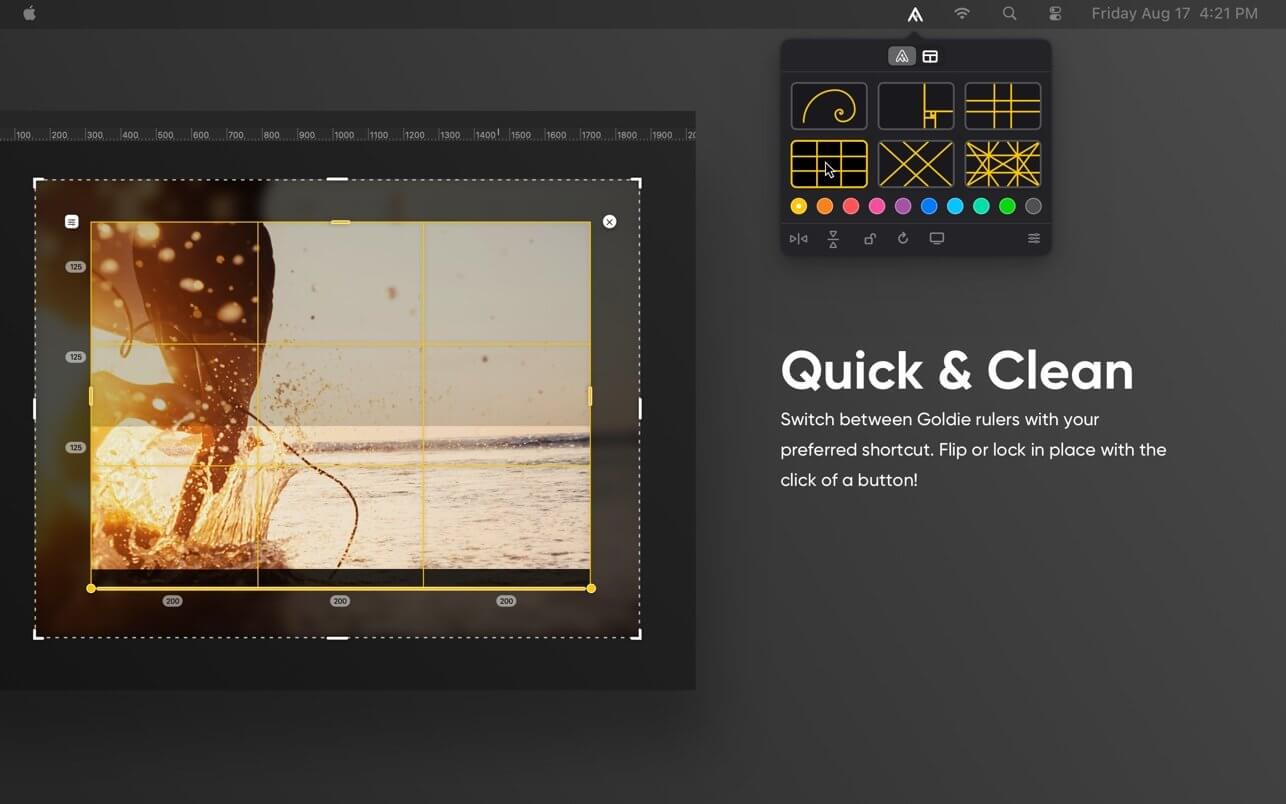
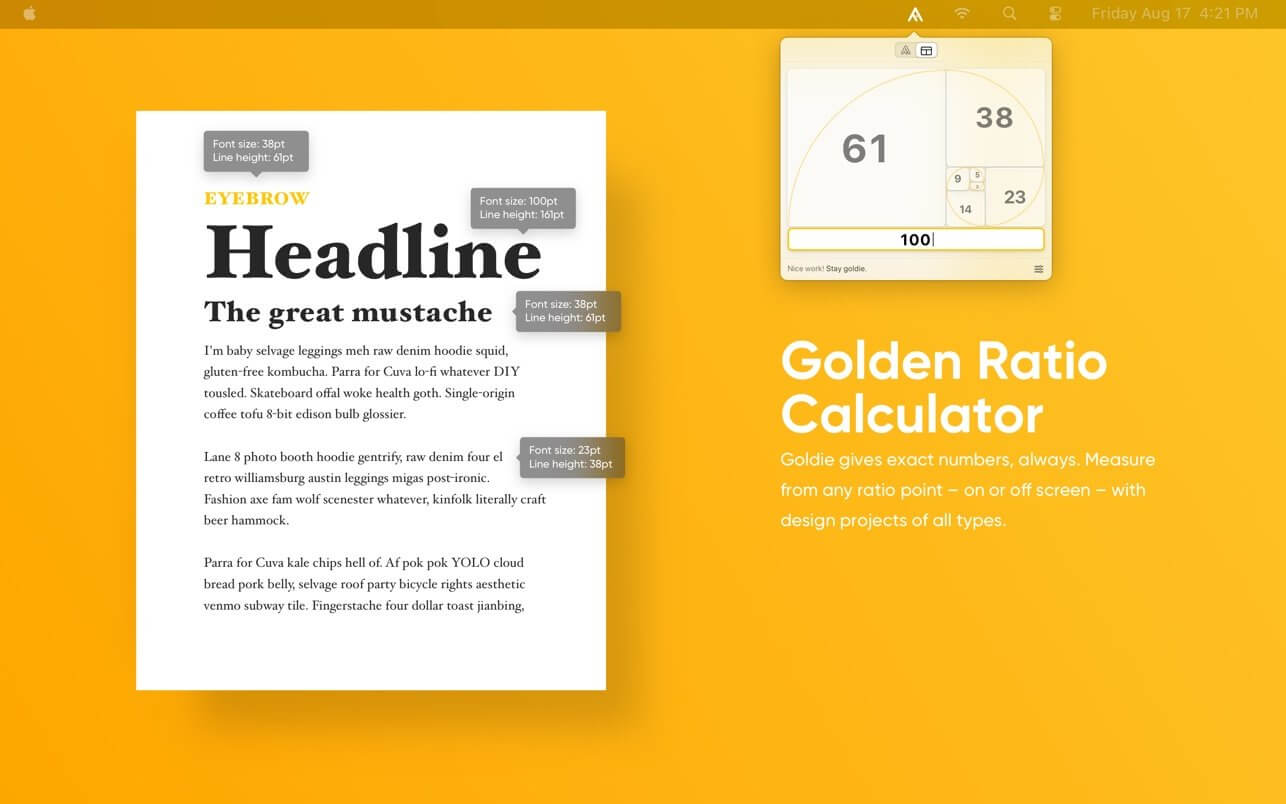
Goldie helps you easily visualize or calculate the golden ratio and many other proportions right on your screen.
Here are two ways Goldie can help you:
RULERS. They overlay on your screen allowing you to visually reference the golden ratio, the rule of thirds, the diagonal rule of thirds and the baroque proportions on anything you are working on or curious about.
They all come in six colors to choose from.
GOLDEN CALCULATOR. This tool accurately calculates the golden proportions from any ratio point, giving you exact measurements with ease. This comes in handy for all layout design and typesetting, both on or off screen.
Under the hood:
- Packed with the native mac interactions you are used to (ex. hold down "Shift" for snap-rotate or dragging)
- Advanced settings that make the app work best for your needs.
- Custom shortcuts to seamlessly blend into your workflow.
- A beautiful dark mode for every pixel of your dark side.
Goldie was designed by designers for designers to not only be functional and feel intuitive at first use.
Goldie 3.0 is here!
Our biggest update ever. Goldie has been completely rebuilt from the ground up, with a beautiful new interface and tons of new ways to compose, measure, and create.
- New composition guides, including Golden Triangles and Diagonal Method
- Open and work with multiple rulers at once
- Drag rulers seamlessly between displays
- Completely redesigned Golden Calculator with Quick Math
- Drag Calculator values between fields and fine-tune them from your keyboard
- Customize ruler colors, line thickness, and animations
- Beautiful new System, Light & Dark Modes
- Export guides as SVG or high-resolution transparent PNG
- Redesigned Settings and improved keyboard shortcuts
- New ruler controls, interactions, and animations
- Tons of performance, reliability, and Ul improvements throughout
Frequently asked questions
How do I install the app?
Mount the image, drag the app into the "Applications" folder and launch it. If the system blocks the launch, allow it in "System Settings → Privacy & Security".
The app is damaged or won't launch
Reinstalling from a fresh image usually helps. Make sure your macOS version matches the one listed in the compatibility specs.
How do I update?
Download the new version from the site and install it over the current one — your settings will be preserved.
The download link doesn't work
Try a mirror or a download manager. For large files the browser often drops the connection.
How do I completely remove the app?
Use an uninstaller utility — it cleans up the service files that remain after moving the app to the trash.
Related posts
-
 xScope 4.7.2 - Accurate measurement tool for graphic designers.
Utilities33.7 MB
xScope 4.7.2 - Accurate measurement tool for graphic designers.
Utilities33.7 MB
-
 NCH GoldenRecords 3.02
Music & Audio4.42 MB
NCH GoldenRecords 3.02
Music & Audio4.42 MB
-
 Lost Lands 3 - The Golden Curse
Games1.09 GB
Lost Lands 3 - The Golden Curse
Games1.09 GB
-
 ColorSnapper 2 v1.7.1 – Quickly find the color of any pixel
Utilities7.31 MB
ColorSnapper 2 v1.7.1 – Quickly find the color of any pixel
Utilities7.31 MB
-
 Sid Meier’s Civilization® VI: Rise and Fall (2018)
Games6.8 GB
Sid Meier’s Civilization® VI: Rise and Fall (2018)
Games6.8 GB
Choose a download source
Goldie App 3.0.0 · 6.24 MB
Previous versions
Goldie App 3.0.0
Previous versions are available to registered users.