Application Wizard 4.7.1
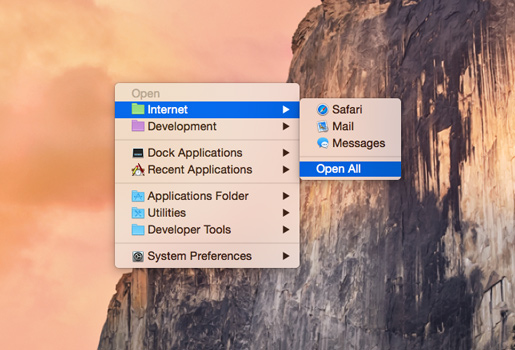
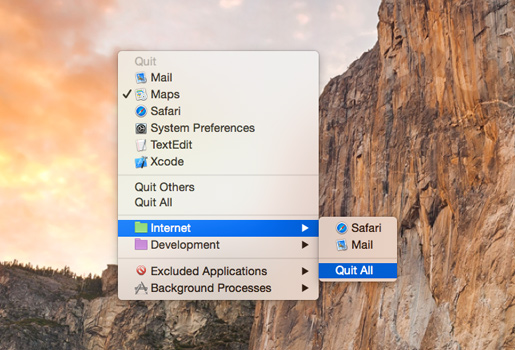
Application Wizard provides fast access to applications, documents, folders, and disks. It lets you quickly open, quit, and make applications active, run AppleScripts, and reduce screen clutter by turning on single-application mode.
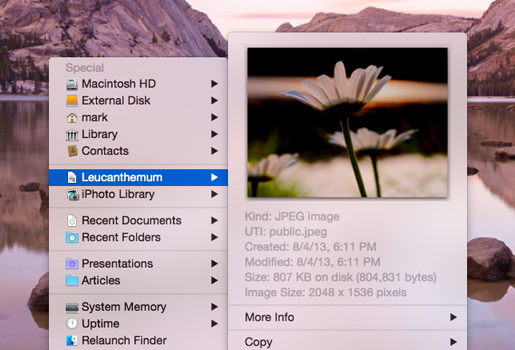
With Application Wizard you can also browse volumes and favorite folders to quickly open enclosed items, eject and mount disks, check memory usage, and to easily access recent documents and contacts. Finally, Application Wizard lets you preview images, music, movies, and documents, and view file properties and metadata.
- If you Control-click the blue, red, green, and yellow buttons in the menu panel or menu bar, a shortcut menu is now displayed. The Customize Menu command in the shortcut menu lets you quickly open the corresponding pane of the Menus window, while the Customize Groups command (blue, red, and green button) and Customize Previews command (yellow button) respectively display the Groups pane and the Previews pane of Application Wizard Settings (macOS 13 or later) or Application Wizard Preferences (macOS 12 or 11).
- A bug that caused the impossibility to open Add dialogs and the Choose Icon dialog in Application Wizard Settings (macOS 13 or later) or Application Wizard Preferences (macOS 12 or 11) after the Customize Panel or Customize Buttons dialogs were displayed has been fixed.
- Several other minor fixes, interface revisions, and improvements have been introduced.
Frequently asked questions
How do I install the app?
Mount the image, drag the app into the "Applications" folder and launch it. If the system blocks the launch, allow it in "System Settings → Privacy & Security".
The app is damaged or won't launch
Reinstalling from a fresh image usually helps. Make sure your macOS version matches the one listed in the compatibility specs.
How do I update?
Download the new version from the site and install it over the current one — your settings will be preserved.
The download link doesn't work
Try a mirror or a download manager. For large files the browser often drops the connection.
How do I completely remove the app?
Use an uninstaller utility — it cleans up the service files that remain after moving the app to the trash.





Choose a download source
Application Wizard 4.7.1 · 14.28 MB
Previous versions
Application Wizard 4.7.1
Previous versions are available to registered users.