Mole 1.11.0

Mole is the all-in-one system maintenance solution for Mac users who want complete control over their computer's performance without juggling multiple tools. By consolidating cleaning, optimization, analysis, and health monitoring into a single app, Mole simplifies Mac maintenance and frees up valuable disk space.
What You Get
Comprehensive Cleaning & Optimization
Remove junk files in seconds—clear caches, logs, and temporary files; eliminate app remnants and startup clutter from your Dock; and handle system maintenance tasks with a single click.
Transparent, Security-First Approach
Mole operates locally with zero network uploads of your files or browsing history. Before any action is taken, you'll see exactly what will be removed and how much space you'll recover—then confirm before cleanup begins.
Smart Performance Monitoring
Get real-time insights into CPU, memory, GPU, disk, network, battery charge, and temperature usage. Analyze disk space visually with interactive tree-view maps to identify what's consuming room on your drive.
Safe & Intelligent
Deep disk scanning with full access combined with automatic detection means Mole actively skips anything suspicious, protecting your system while delivering thorough results. No guesswork—just safe, reliable maintenance.
The Result
Keep your Mac running smoothly, maximize disk space, and maintain peak system health—all without compromising privacy or security.
What's New:
Version 1.11.0:
- Clean: a new Uninstalled App Leftovers section clears data left behind by removed apps, without mistaking apps on external drives for leftovers, and AI-tool cleanup now covers Grok while chat history stays untouched.
- Memory: a few minutes after the window is tucked into the menu bar, Mole releases the window's memory and trims icon caches, keeping background usage light.
- Storage: Purgeable Space reclaims what macOS reserves for local backups, UTM and Tart virtual-machine caches join the cleanup, and root-owned Trash apps like iMovie and GarageBand delete after a one-time admin approval.
- Activation reliability: a genuine copy is no longer flagged as unofficial when macOS stamps its own marks inside the app, so Clean no longer locks up, a state even reinstalling couldn't fix.
- Network speed: in the menu bar and Status, network speed reads the physical interface instead of the tunnel, so a VPN or TUN-mode proxy no longer skews it high or low.
- Menu bar: a new Both style shows the runner beside a compact two-line metrics band with live speeds and tighter lines; when Mole starts at login, opening it from the menu bar brings up the window right away.
- Software updates: Homebrew updates show download progress and size instead of "Preparing", batch upgrades track each package with the real failure reason, the update dot can be dismissed for the current version, and in-app updates recover on their own when leftover files block the install.
- Software: apps on external drives no longer show stale last-used dates, and system-installed apps uninstall correctly on accounts whose home folder differs from the user name.
- Optimize: a new step finds hidden preferences left by old tuning apps, the App Nap kill switch and skipped disk-image verification, and removes only those so macOS returns to its safe defaults.
- Interface: the hero planet no longer blinks or lingers across scans and tab switches, selection bars and filter menus gained hover feedback and VoiceOver labels, and all nine interface languages got a native-speaker pass.
Screenshots:

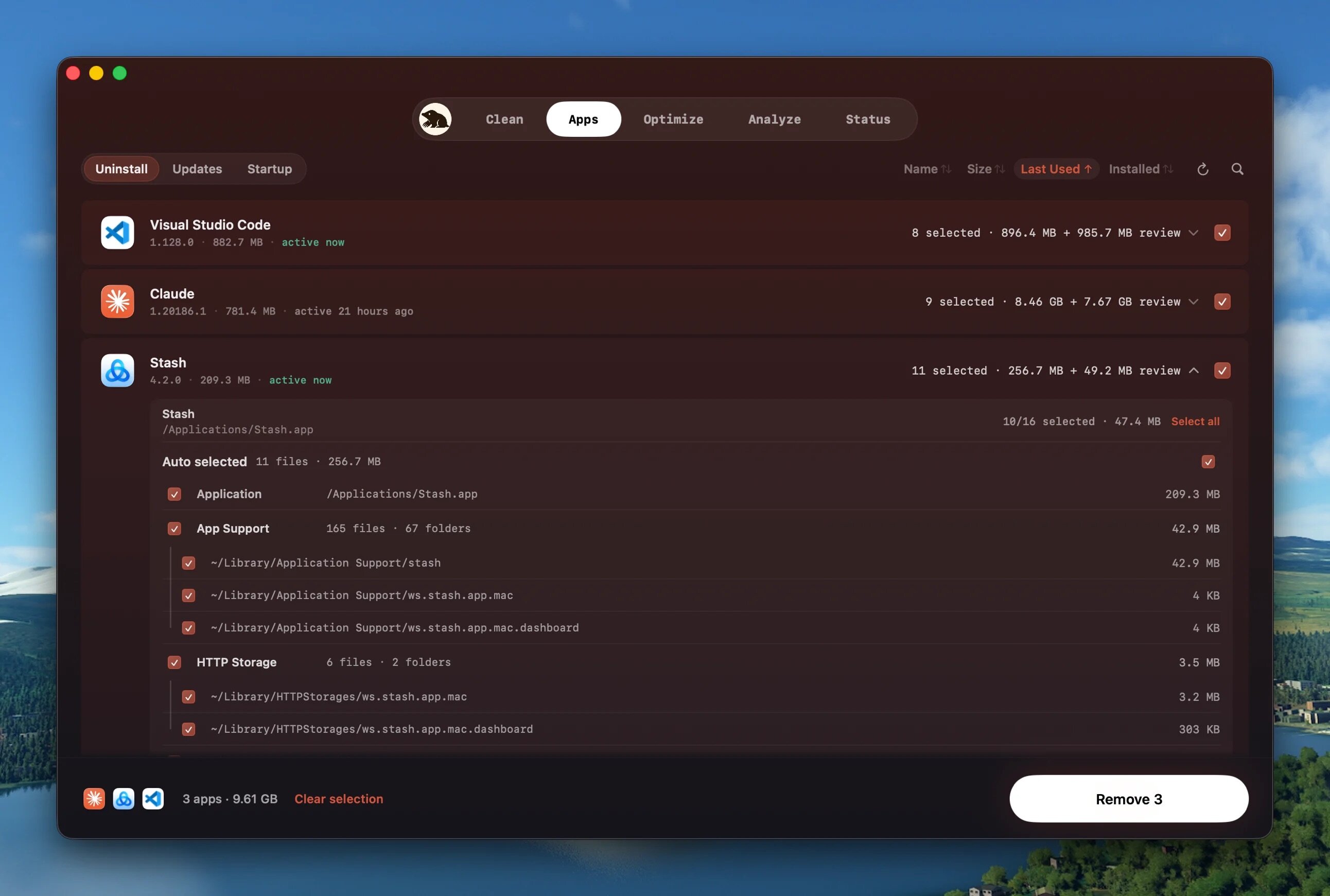
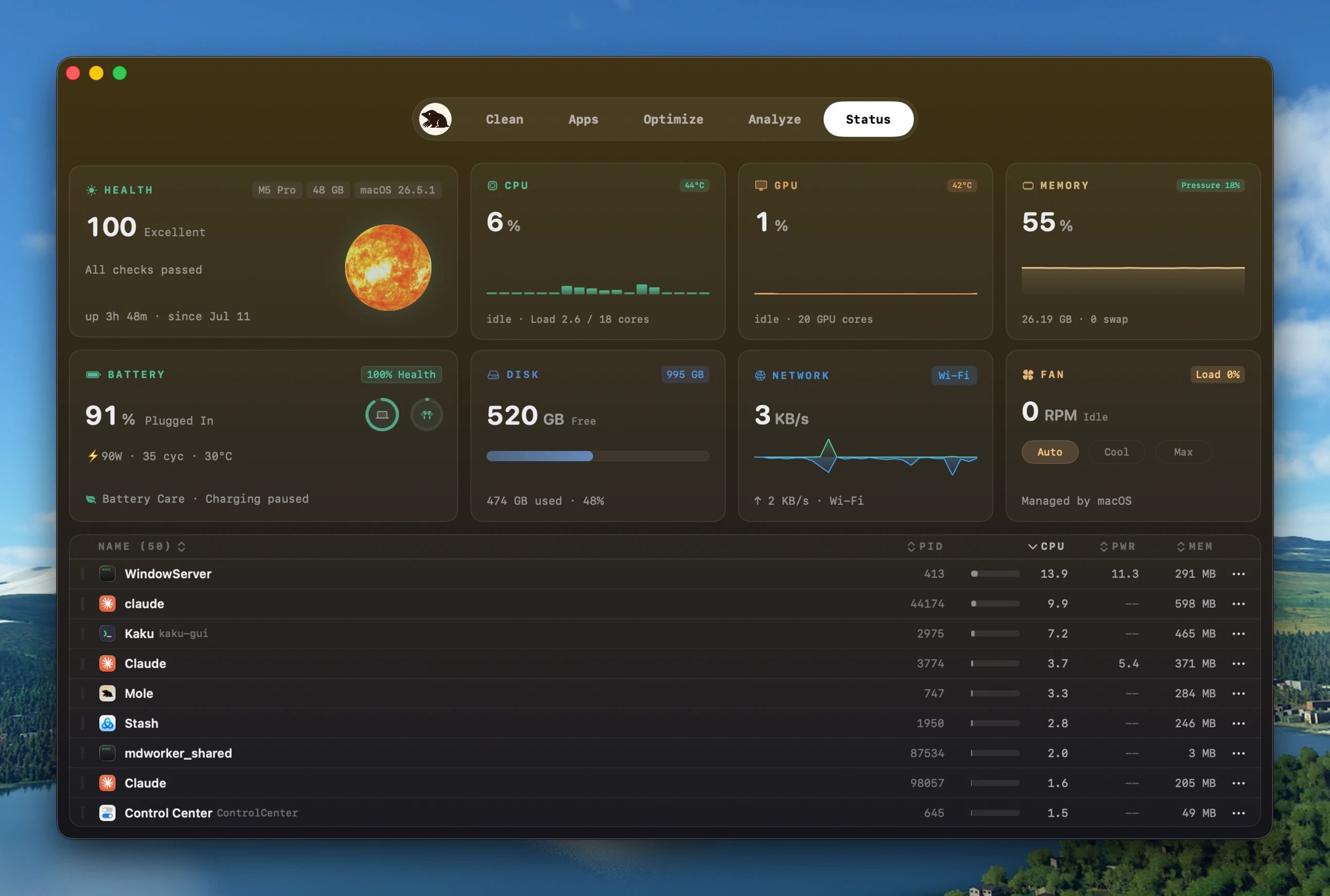
- Title: Mole 1.11.0
- Developer: tw93
- Compatibility: macOS 14.0 or later
- Language: Multilingual
- Includes: K'ed by EDiSO
- Size: 19.13 MB
- visit official website
Users of Guests are not allowed to comment this publication.