iShowU Studio 1.7.2
The core idea of iShowU Studio is easy capture and editing. Built from day one with this in mind, it’s easy to capture what you want; add text, annotations, pointers, and highlights, and then share your result. Features you’ve come to expect in the iShowU "series" have been supercharged: screen and camera capture, mouse highlighting, and keyboard animations take on a new lease of life now that you can edit when and how they appear. Did we mention we’ve reworked uploading too? Take the best realtime capture, mix in "time" -- and voila , iShowU Studio!
WHAT’S NEW
Version 1.7.2:
- Fixed possible crash when generating error messages
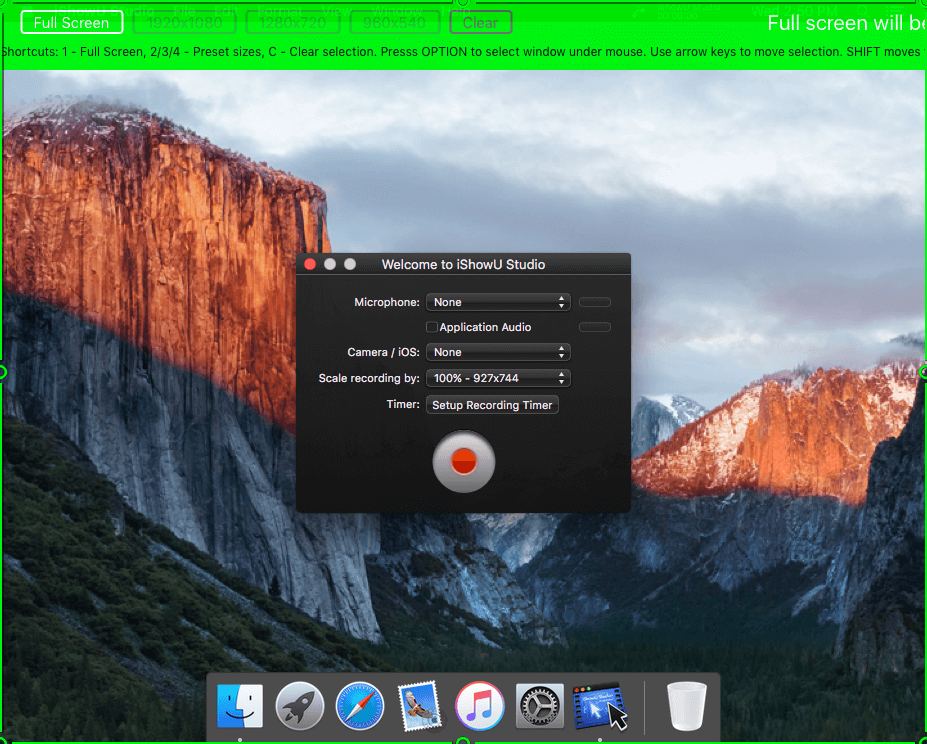
SCREENSHOTS
Frequently asked questions
How do I install the app?
Mount the image, drag the app into the "Applications" folder and launch it. If the system blocks the launch, allow it in "System Settings → Privacy & Security".
The app is damaged or won't launch
Reinstalling from a fresh image usually helps. Make sure your macOS version matches the one listed in the compatibility specs.
How do I update?
Download the new version from the site and install it over the current one — your settings will be preserved.
The download link doesn't work
Try a mirror or a download manager. For large files the browser often drops the connection.
How do I completely remove the app?
Use an uninstaller utility — it cleans up the service files that remain after moving the app to the trash.
VersioniShowU Studio 1.7.2
DeveloperShinyWhite Box Limited
CompatibilityOS X 10.8 or later, 64-bit processor
LanguageEnglish
IncludesPre-K'ed



Information
Visitors in the group Guests cannot leave comments on this publication.
Choose a download source
iShowU Studio 1.7.2 · 17.5 MB