Apple Remote Desktop 3.10
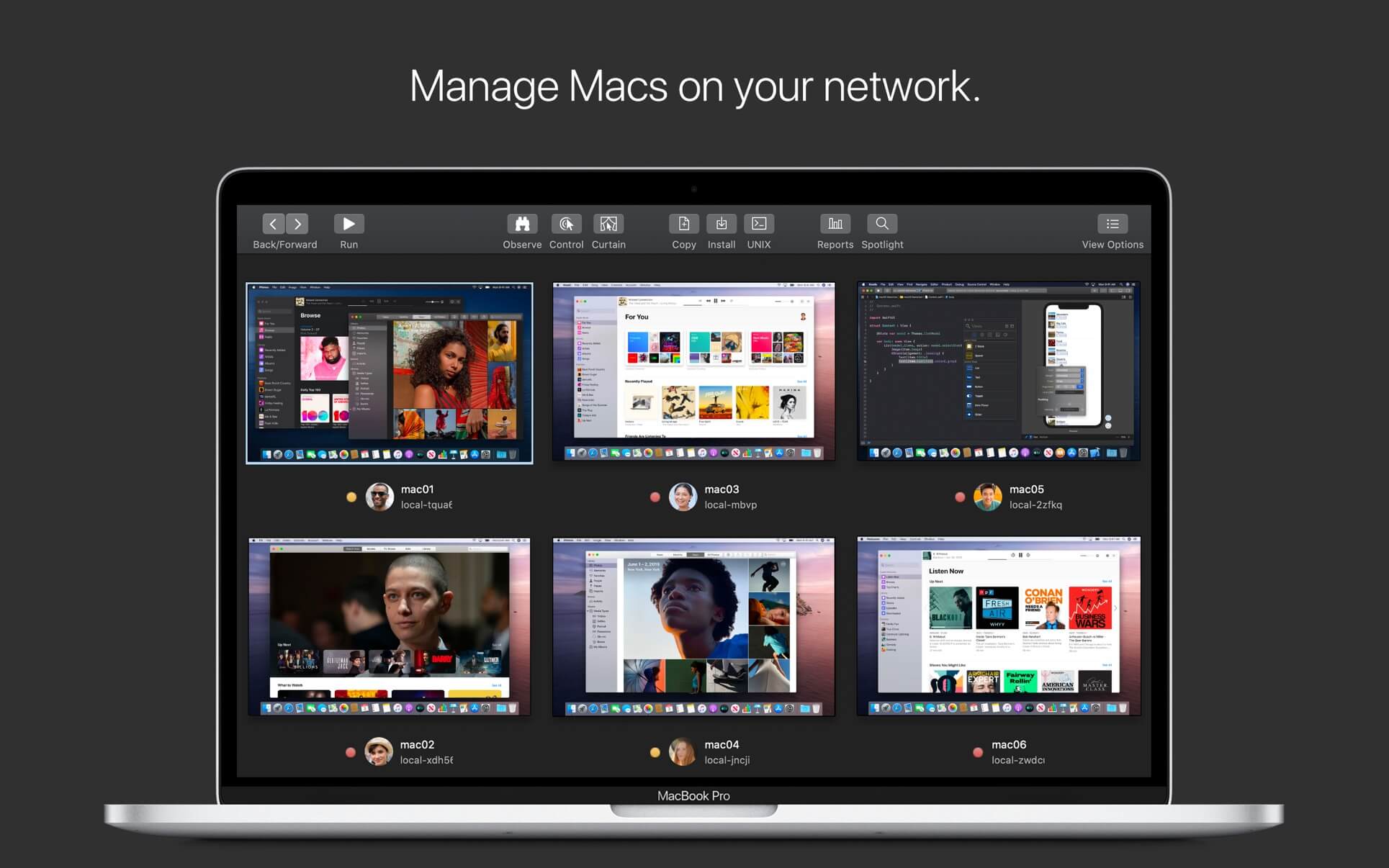

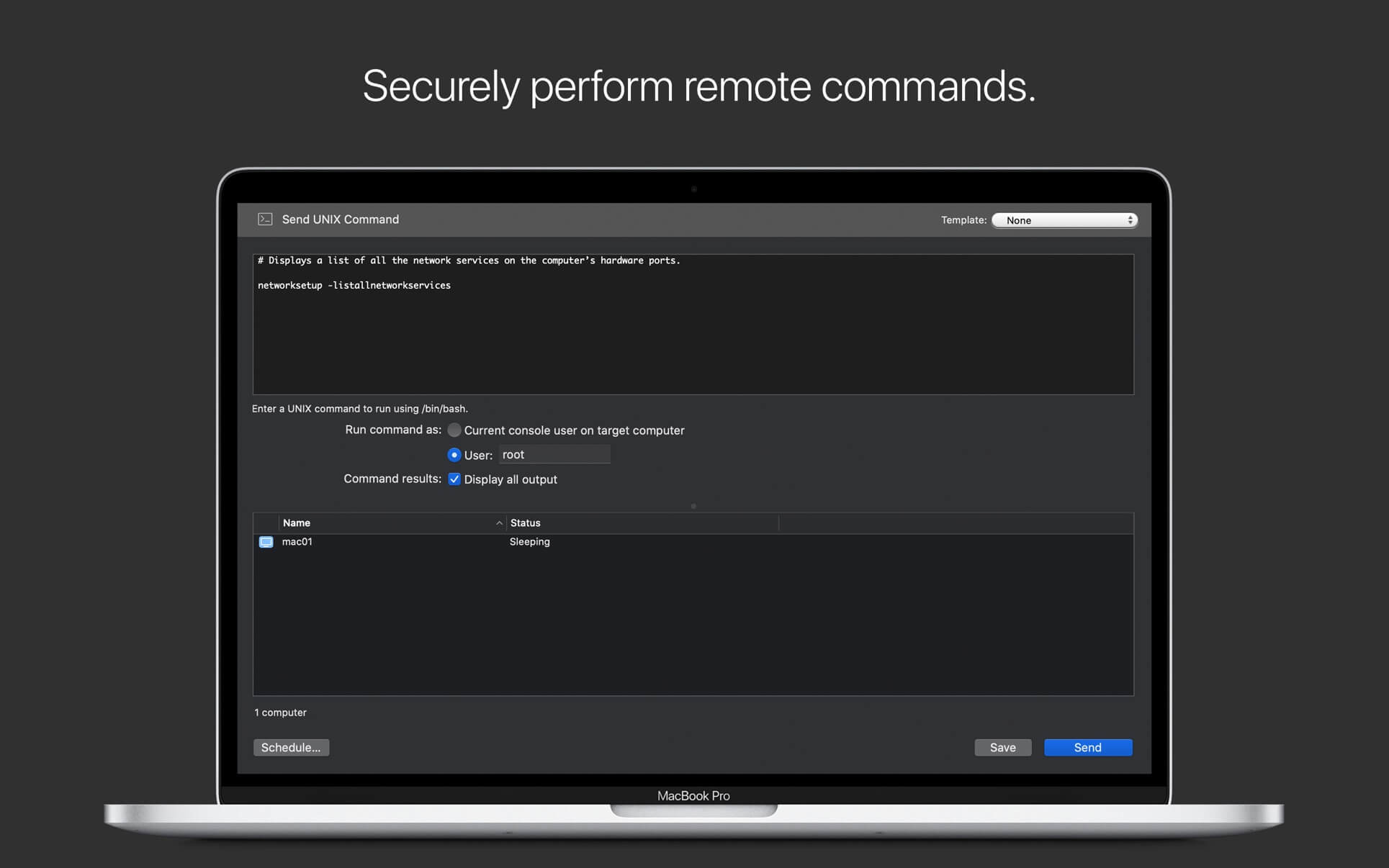
Apple Remote Desktop is the best way to manage the Mac computers on your network. Distribute software, provide real-time online help to end-users, create detailed software and hardware reports, and automate routine management tasks — all from your own Mac.
Software Distribution
- Easily copy and install software on remote Mac systems.
- Encrypt network data when copying packages and files.
- Configure a Task Server to assist with package installations on offline computers.
Remote Assistance
- Observe and control your Mac computers.
- Transfer files between Mac computers using Drag and Drop.
- Copy and paste information between any two computers.
- Prevent end-users from viewing the screen while you control their systems with Curtain Mode.
- Control Virtual Network Computing (VNC)–enabled computers including Windows, Linux and UNIX systems.
Remote Administration
- Perform over a dozen commands securely on remote Mac systems.
- Remotely lock screens, sleep, wake, restart and shutdown of Mac systems.
- Execute UNIX shell scripts or commands on your client systems.
Asset Management and Reporting
- Perform lightning-fast searches with Remote Spotlight search.
- Gather reports on more than 200 Mac hardware attributes.
- See reports on user logins and application use.
- Use a Task Server to assemble inventory reports, even from mobile systems not connected to the network.
Automation
- Automate routine management tasks using Automator in OS X.
- Get started immediately with over 40 actions.
- Chain actions together to create powerful system administration workflows.
- Combine actions with other application actions to create end-to-end solutions.
- Save workflows as plug-ins to provide simple, customised interfaces to Apple Remote Desktop features.
Version 3.10
- macOS Tahoe 26 compatibility
- Accessibility and Remote Keyboard menu and toolbar items (macOS Tahoe 26 or later)
- VoiceOver support for remote Mac (macOS Tahoe 26 or later)
- Bug fixes and performance improvements
Frequently asked questions
How do I install the app?
Mount the image, drag the app into the "Applications" folder and launch it. If the system blocks the launch, allow it in "System Settings → Privacy & Security".
The app is damaged or won't launch
Reinstalling from a fresh image usually helps. Make sure your macOS version matches the one listed in the compatibility specs.
How do I update?
Download the new version from the site and install it over the current one — your settings will be preserved.
The download link doesn't work
Try a mirror or a download manager. For large files the browser often drops the connection.
How do I completely remove the app?
Use an uninstaller utility — it cleans up the service files that remain after moving the app to the trash.
Choose a download source
Apple Remote Desktop 3.10 · 16.23 MB
Previous versions
Apple Remote Desktop 3.10
Previous versions are available to registered users.