
iTeleport: VNC & RDP 6.1.8
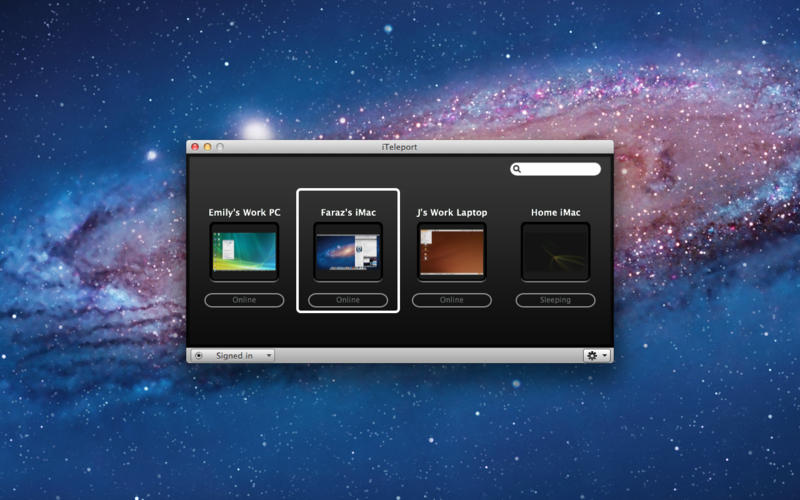
iTeleport is the most fully featured, easy to use and robust remote desk top app that supports Mac, Windows PC, Linux and all VNC servers from your home, office or anywhere in the world.
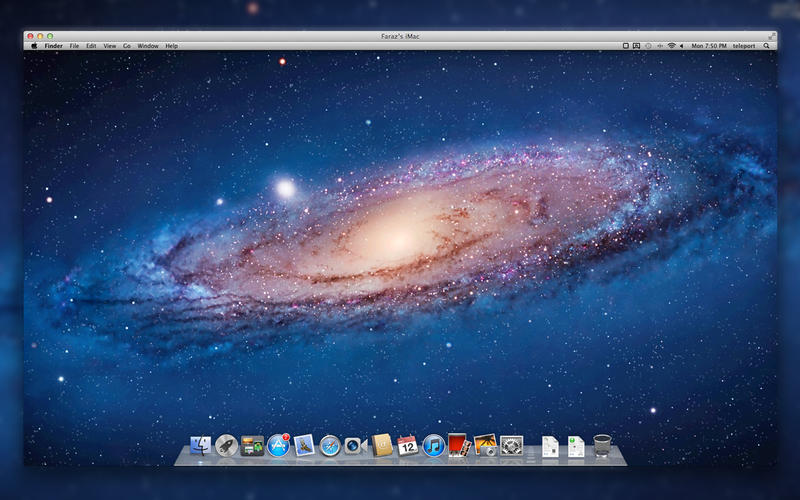
- Enjoy blazing fast connections to your Mac (OS X 10.7+) with our most recent update!
- iTeleport gives you full control of your computer's mouse, touchpad and keyboard, and provides a rich visual display of your computer screens, without any screen resolution limit. All communication is encrypted when using iTeleport Connect on your remote computer
- Connect to 1, 5 or 20 computers – iTeleport gives you UNLIMITED access
- Easy Mac, Windows PC and Linux set up for VNC
- 24/7 Customer Support
User reviews:
- "The best remote desktop access app I've used." *****
- "I maintain a dozen computers belonging to family and friends with this app and it works great*****
- "I've used most of the remote control apps on IOS, and iTeleport is always the one I keep coming back to" *****
OTHER FEATURES
- Control any application on your Mac or Windows PC from anywhere in the world
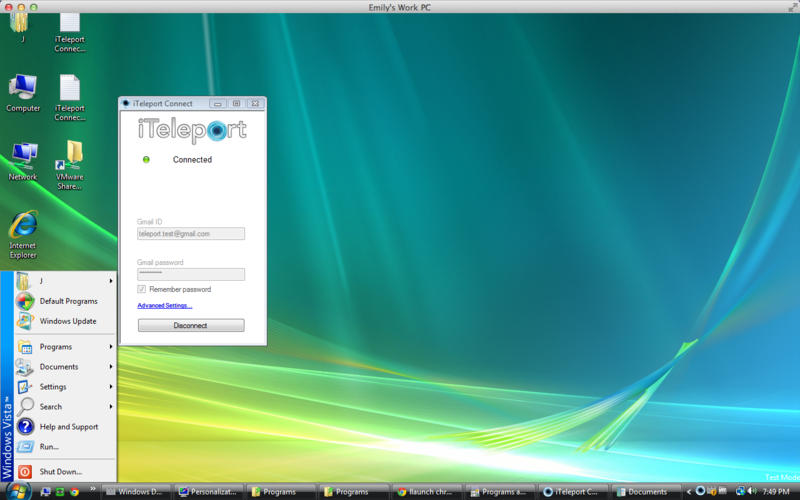
- Optionally use the free iTeleport Connect app to automatically configure your remote computer (download from www.iTeleportMobile.com/connect)
- Use multi-touch gestures to zoom, pan, and scroll
- Access the files on your computer from anywhere
- If you're a parent, watch over your child's online behavior to make sure they're safe
- Help your friends, family or customers by providing remote computer support
- Supports Mac (Lion, Snow Leopard, Leopard, Tiger, Vine Server) and all Windows editions (with free VNC servers: TightVNC, UltraVNC, and RealVNC). Also supports Linux VNCServer and Vino, as well as AMX Touchscreen Interfaces.
- Supports multiple monitors on Windows and Mac (including Lion) with Mac authentication
- Wake-on-LAN support allows you to wake computers from sleep under some conditions. For details, see www.iTeleportMobile.com/support/wake
- SSH Encryption support for all platforms. For details, visit www.iTeleportMobile.com/support/secure
You can even use iTeleport when you don't have an Internet connection, and want to control another local computer over WiFi.
WHAT’S NEW
- Significant performance improvements for VNC connections to Mac OS X 10.7+.
- Performance and stability improvements for RDP connections
- Minor bug fixes
Screenshots
Frequently asked questions
How do I install the app?
Mount the image, drag the app into the "Applications" folder and launch it. If the system blocks the launch, allow it in "System Settings → Privacy & Security".
The app is damaged or won't launch
Reinstalling from a fresh image usually helps. Make sure your macOS version matches the one listed in the compatibility specs.
How do I update?
Download the new version from the site and install it over the current one — your settings will be preserved.
The download link doesn't work
Try a mirror or a download manager. For large files the browser often drops the connection.
How do I completely remove the app?
Use an uninstaller utility — it cleans up the service files that remain after moving the app to the trash.
VersioniTeleport: VNC & RDP
Developer©iTeleport Inc.
CompatibilityOS X 10.8 or later, 64-bit processor
LanguageEnglish
IncludesPre-K'ed



Information
Visitors in the group Guests cannot leave comments on this publication.
Choose a download source
iTeleport: VNC & RDP 6.1.8 · 9.6 MB