
Jump Desktop (RDP, VNC, Fluid) 10.15.31
Secure remote desktop app for Mac with RDP and VNC
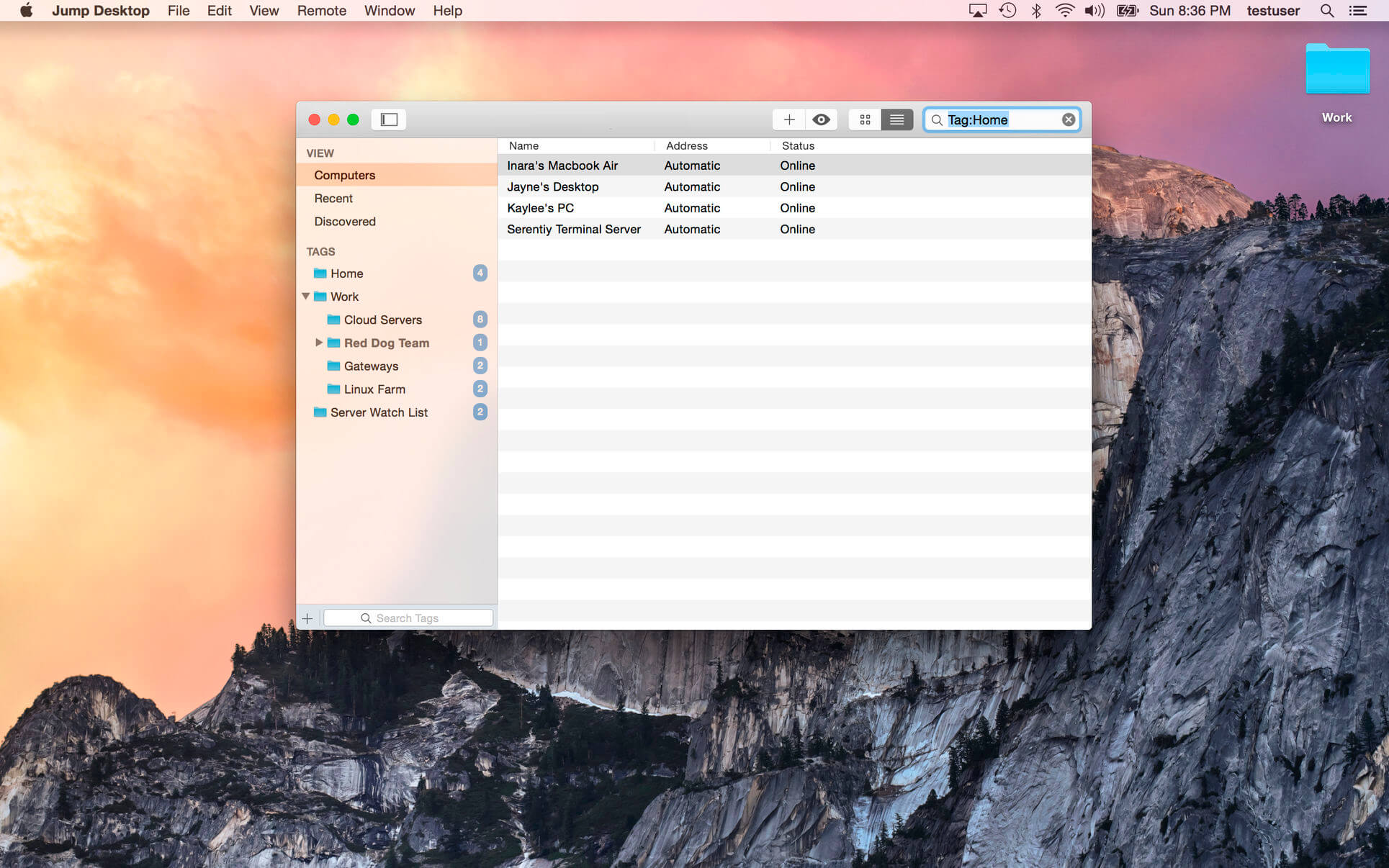
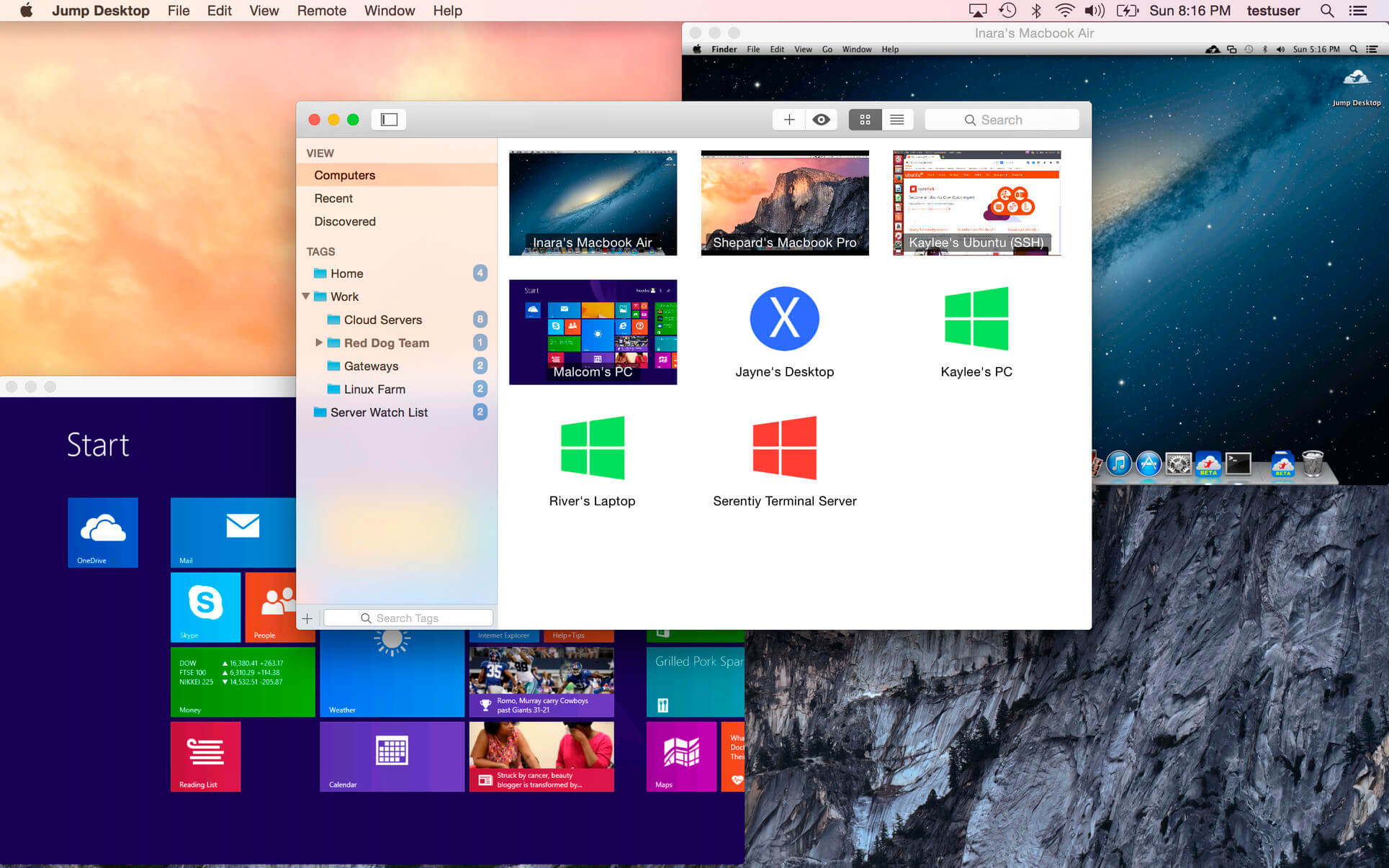
Jump Desktop lets you securely connect to any computer in the world and work on it as if you were sitting in front of it. It speaks RDP and VNC, plus Fluid Remote Desktop, our own next-generation protocol built for speed.
Set up in minutes
Visit jumpdesktop.com on your PC or Mac, click Automatic Setup, and follow the steps. No router settings, no port forwarding, no headaches. Add as many computers as you like and manage them all from one place.
Secure by default
Every automatic connection is encrypted out of the box. Jump supports NLA and TLS/SSL for RDP, SSH tunneling and SSL/TLS for VNC, and DTLS for Fluid Remote Desktop.
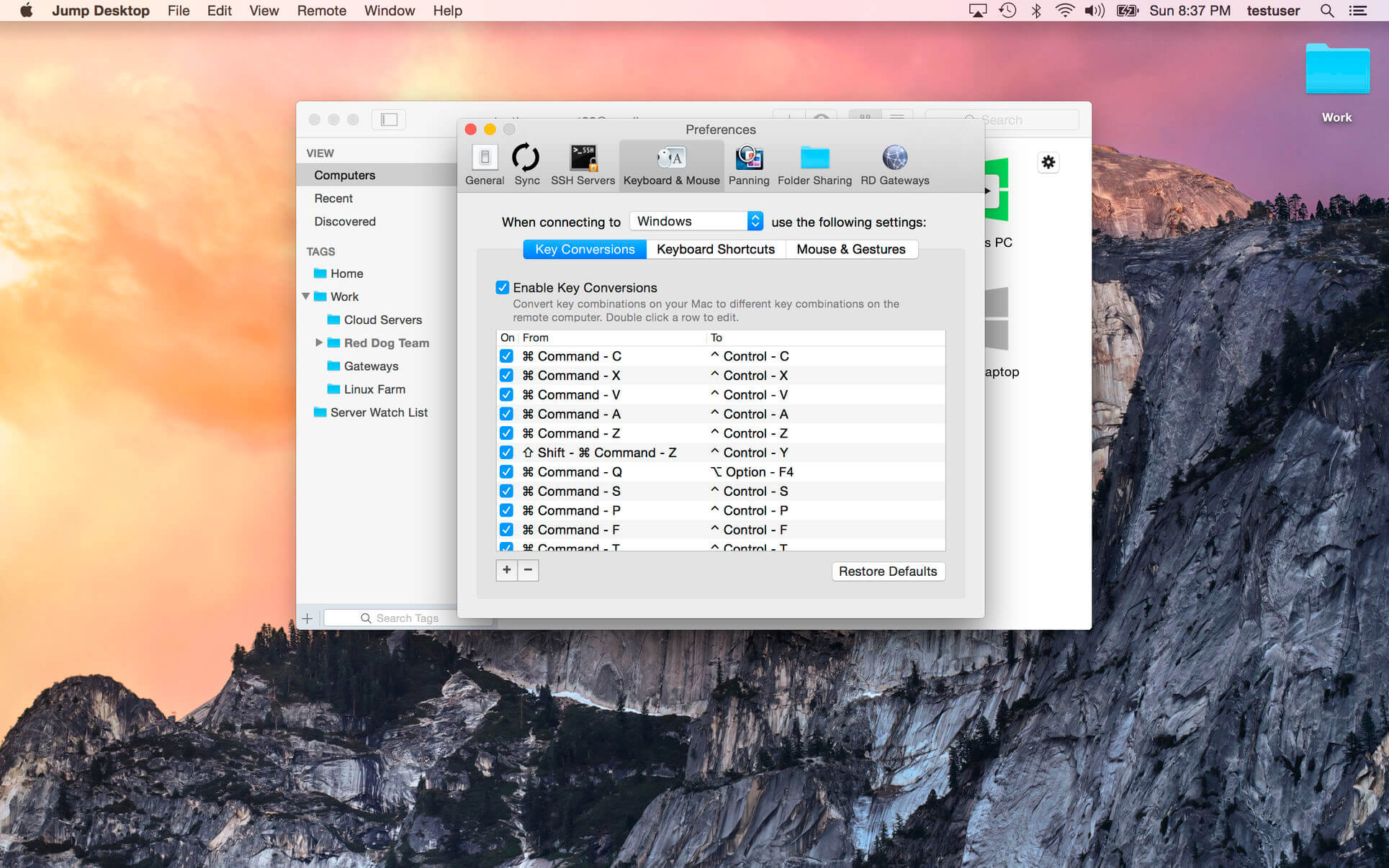
Your Mac shortcuts, in Windows
Use the keyboard shortcuts you already know on a Windows machine and switch between computers without changing how you type. Keep the built-in defaults or create your own.
Work together on one screen
Collaborative screen sharing lets several people join the same desktop, and each gets their own cursor. Edit a document with coworkers, tweak a design with your remote team, or finally show Grandma how to clean out her inbox.
Help anyone, anywhere
Ask them to install the free Jump Desktop Connect app and send you a link. You're connected in seconds.
Fast and beautiful
Fluid Remote Desktop is tuned for low-latency screen sharing, with multi-core, hardware-accelerated rendering and crisp output on Retina displays. Our VNC and RDP engines are built in-house, too.
Feels at home on macOS
Find and launch computers straight from Spotlight, organize sessions in tabs, and stay on battery longer thanks to deep integration with macOS power saving.
Highlights
- RDP, VNC and Fluid Remote Desktop in one app
- Collaborative screen sharing and remote support
- Full international keyboard support for RDP, VNC and ARD
- Dictation support
- Three ways to zoom and pan, great for multi-monitor setups on a laptop
- Built-in SSH tunneling for RDP and VNC
- Optional management of all your computers with your Google account
For RDP
- Works with Windows 2000 through Windows 10 and Windows Server 2003 through 2019, including SBS Server
- RD Gateway, RD Broker and load balancer support
- Dynamic resolution and desktop scaling (Windows 8.1 / Server 2012 R2 and later)
- Multi-monitor support
- 128-bit RDP, TLS/SSL, FIPS and NLA authentication
- Printer redirection, with an optional high-speed server-side driver
- Audio streaming, folder sharing and console sessions
For VNC
- Works with macOS 10.5 and later, TightVNC, RealVNC, UltraVNC and Ubuntu Remote Desktop
- SSH tunneling and SSL encryption (SSL with automatic setup)
- Black-and-white, grayscale, 8-bit and 16-bit color modes to save bandwidth
- Clipboard sync
- Multi-monitor support
Work from the couch, the café or the other side of the world. Your desktop comes with you.
Jump Desktop 10 is a major update. Highlights for Mac:
- UP TO 480 FRAMES PER SECOND: games, scrolling and fast motion keep pace with high-refresh-rate screens. Leave Framerate on Auto to match your screen's refresh rate.
- HARDWARE ENCODING: sharper detail at the same bandwidth, lower CPU usage on the host and longer battery life on your Mac. Choose Codec > Hardware.
- HIGH-PERFORMANCE VIRTUAL DISPLAYS: save and switch presets, set an exact resolution, scale and refresh rate, and use Keep After Disconnect to leave displays on the host between visits.
- USB DEVICE SUPPORT: redirect the USB devices on your desk to a Windows or Mac host.
- GAME CONTROLLER SUPPORT: play games on your Mac with a controller in hand.
- CREATIVE WORK: Input Trail shows your stylus and mouse strokes right away on high-latency connections, and Color Passthrough shows the host's colors unprocessed on calibrated displays.
- EVERYDAY WORK: back and forward mouse buttons, pinch to zoom on a trackpad, and more reliable Chinese, Japanese and Korean text composition.
Frequently asked questions
How do I install the app?
Mount the image, drag the app into the "Applications" folder and launch it. If the system blocks the launch, allow it in "System Settings → Privacy & Security".
The app is damaged or won't launch
Reinstalling from a fresh image usually helps. Make sure your macOS version matches the one listed in the compatibility specs.
How do I update?
Download the new version from the site and install it over the current one — your settings will be preserved.
The download link doesn't work
Try a mirror or a download manager. For large files the browser often drops the connection.
How do I completely remove the app?
Use an uninstaller utility — it cleans up the service files that remain after moving the app to the trash.


Choose a download source
Jump Desktop (RDP, VNC, Fluid) 10.15.31 · 49.79 MB
Previous versions
Jump Desktop (RDP, VNC, Fluid) 10.15.31
Previous versions are available to registered users.
Comments 2