
iNet Network Scanner 4.0.4
iNet network scanner for Mac, Wi‑Fi devices and services
iNet — Know Your Network. Now with an enhanced interface and Dark Mode, ready for upcoming macOS.
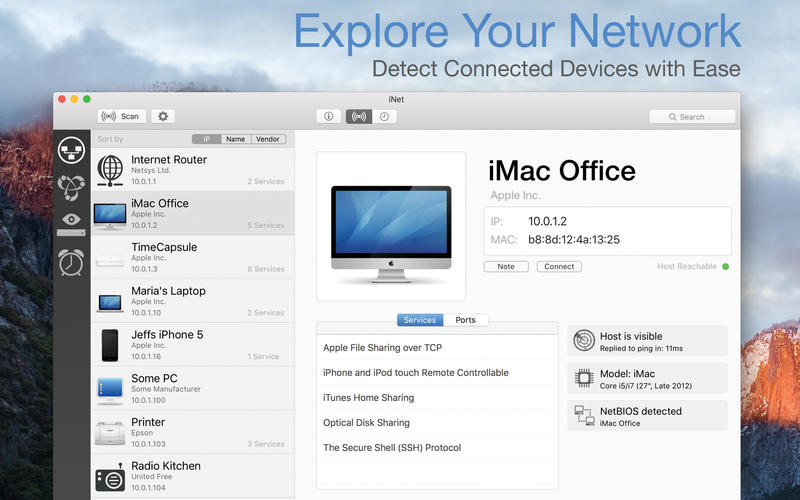
Ever wondered what devices are on your Wi‑Fi or which services are running on your local network? iNet shows it all—clear, instant, and easy to understand.
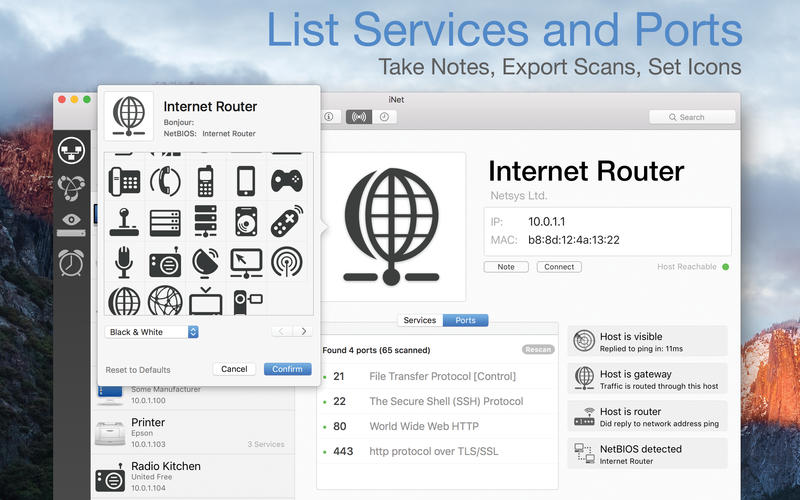
Whether you’re a tech expert or just want peace of mind, iNet helps you monitor, analyze, and manage your network with confidence. Discover connected devices, inspect open ports and services, and even wake sleeping Macs remotely. Rename devices, add custom icons, and set up favorites for quick access.
Network Scanner
- View all devices connected to your network (IP, MAC, and more)
- Rename and customize devices with your own names and icons
- Configure IP scan ranges and select network interfaces
- Export results (CSV or PDF)
- Connect via SSH, VNC, or HTTP
Bonjour Monitor
- Real-time overview of Bonjour services
- See which services are running on specific devices
- Get detailed information per service and domain
Wake on LAN
- Wake Macs and PCs over LAN or the internet
- Sleep, shut down, or restart Macs remotely
- Run SSH commands when needed
- Create a favorites list for fast access
Airport Monitor
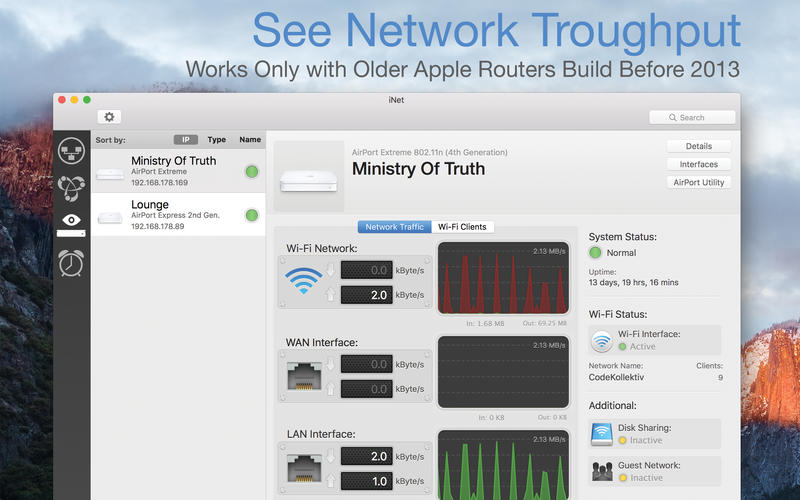
- Live status for Apple Airport base stations
- Real-time traffic and WLAN quality graphs
- Device-specific signal strength
- Full base station details
Note: No support for the latest 802.11ac Airport models due to Apple removing SNMP.
Help & Documentation
- Built-in help (English and German) with glossary of key terms
Vesrsion 4.0.4:
- Enhanced] Improved manufacturer detection with access to MAC addresses in ios 27
- [Enhanced] Faster port scanning
- [Added] Quick access to port scan settings by tapping the header of the ports list
Frequently asked questions
How do I install the app?
Mount the image, drag the app into the "Applications" folder and launch it. If the system blocks the launch, allow it in "System Settings → Privacy & Security".
The app is damaged or won't launch
Reinstalling from a fresh image usually helps. Make sure your macOS version matches the one listed in the compatibility specs.
How do I update?
Download the new version from the site and install it over the current one — your settings will be preserved.
The download link doesn't work
Try a mirror or a download manager. For large files the browser often drops the connection.
How do I completely remove the app?
Use an uninstaller utility — it cleans up the service files that remain after moving the app to the trash.



Choose a download source
iNet Network Scanner 4.0.4 · 313.67 MB
Previous versions
iNet Network Scanner 4.0.4
Previous versions are available to registered users.