
Network Kit 9.3.0
Mac network analyzer with LAN scanner and live bandwidth monitor

Network Kit is a friendly set of network tools for your Mac. Scan your LAN, watch your bandwidth, and look up any server or domain, all in one clean, easy-to-read app.
Network info
A clear, complete report on every network interface: IPv4 and IPv6 addresses, other addresses, and data usage for Wi-Fi, Internet and more.
Bandwidth monitor
Keep an eye on live download and upload speeds with a chart you can tailor to your liking in Preferences.
LAN scanner
See who's connected to your network, then ping any device in two taps. Set up custom subnets to scan just the part of your LAN you care about.
Ping
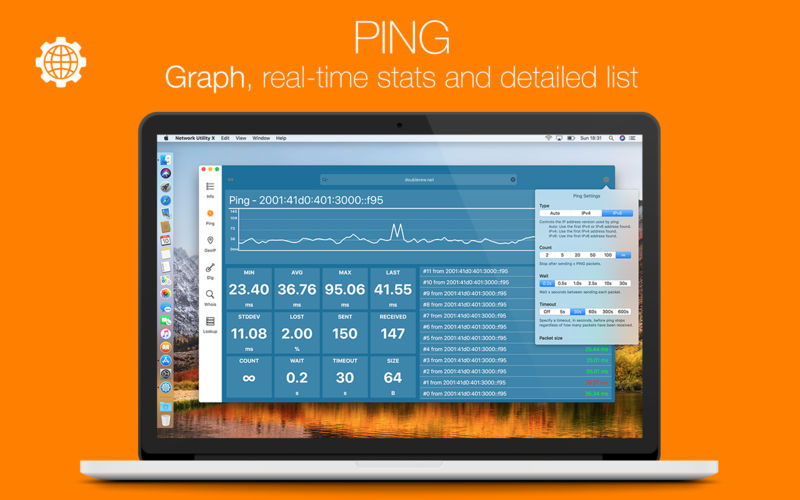
Ping a device on your LAN, a server, or anything else, including IPv6 addresses. Fine-tune packet size, timeouts and intervals, then read the results your way: summary stats, a real-time graph, or a line for every ICMP reply.
Geo IP
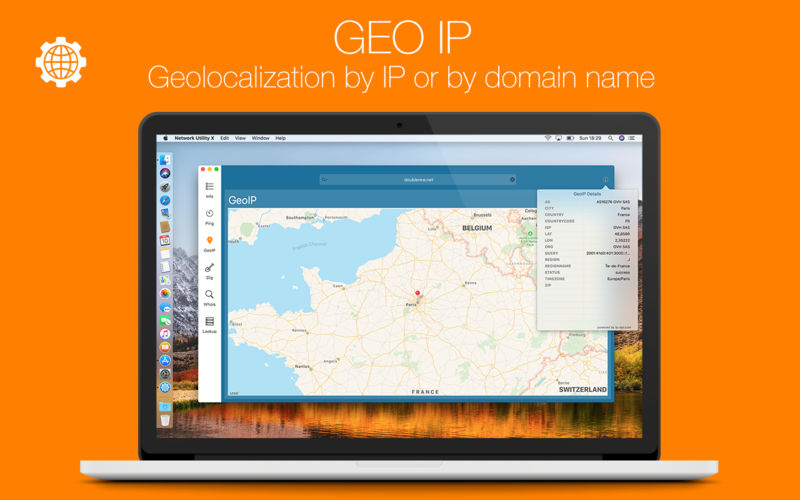
Ever wondered where a server lives? See any IP on a map, along with details like its ISP and ASN.
Dig
DNS lookups made simple. Results appear in a clear list, and advanced options let you choose everything from the query type to the DNS server.
Whois
Look up any domain's status, creation date, registrant details and more.
NSLookup
A no-frills text-based DNS lookup for when you just need the answer.
Widgets
Bring key network info into Notification Center.
Menu bar mini app
Turn on the lightweight mini app in Preferences and reach Network Kit straight from your menu bar.
Export anything
Every tool has an export button, so the raw results go wherever you need them.
Also on iPhone and iPad
Network Kit is available for iPhone and iPad as Network Utility, built to make the most of iOS. Thanks to Handoff and Continuity, start a tool on your Mac and pick it up on your iPhone or iPad.
From slow Wi-Fi to a mystery device on your LAN, Network Kit helps you find the answer fast.
Version 9.3.0
- IOS 27 compatibility
- Liquid Glass UI
- LAN Scanner can now show MAC addresses (IOS 27 is needed)
- Other bug fixes
Frequently asked questions
How do I install the app?
Mount the image, drag the app into the "Applications" folder and launch it. If the system blocks the launch, allow it in "System Settings → Privacy & Security".
The app is damaged or won't launch
Reinstalling from a fresh image usually helps. Make sure your macOS version matches the one listed in the compatibility specs.
How do I update?
Download the new version from the site and install it over the current one — your settings will be preserved.
The download link doesn't work
Try a mirror or a download manager. For large files the browser often drops the connection.
How do I completely remove the app?
Use an uninstaller utility — it cleans up the service files that remain after moving the app to the trash.




Choose a download source
Network Kit 9.3.0 · 10.48 MB
Previous versions
Network Kit 9.3.0
Previous versions are available to registered users.
Comments 1