NetWorker Pro 11.3.0
NetWorker — see your network at a glance
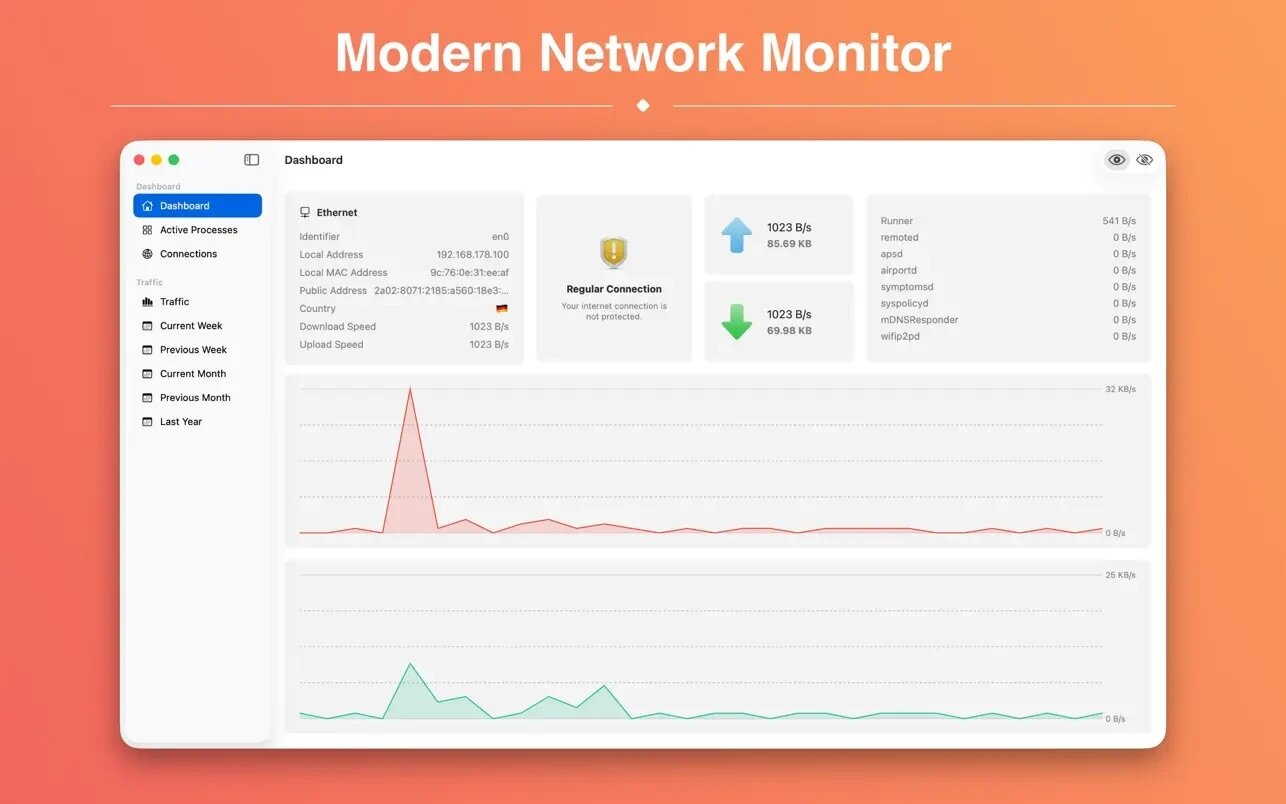
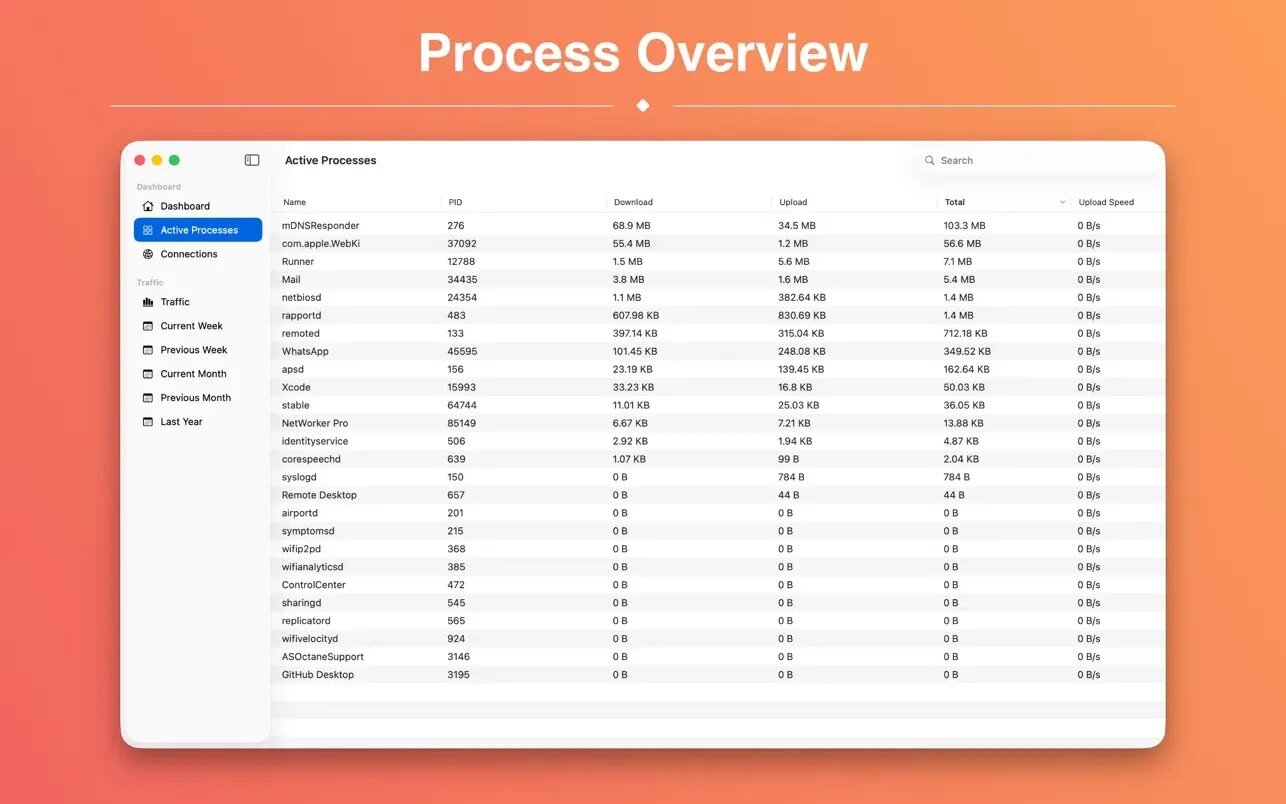
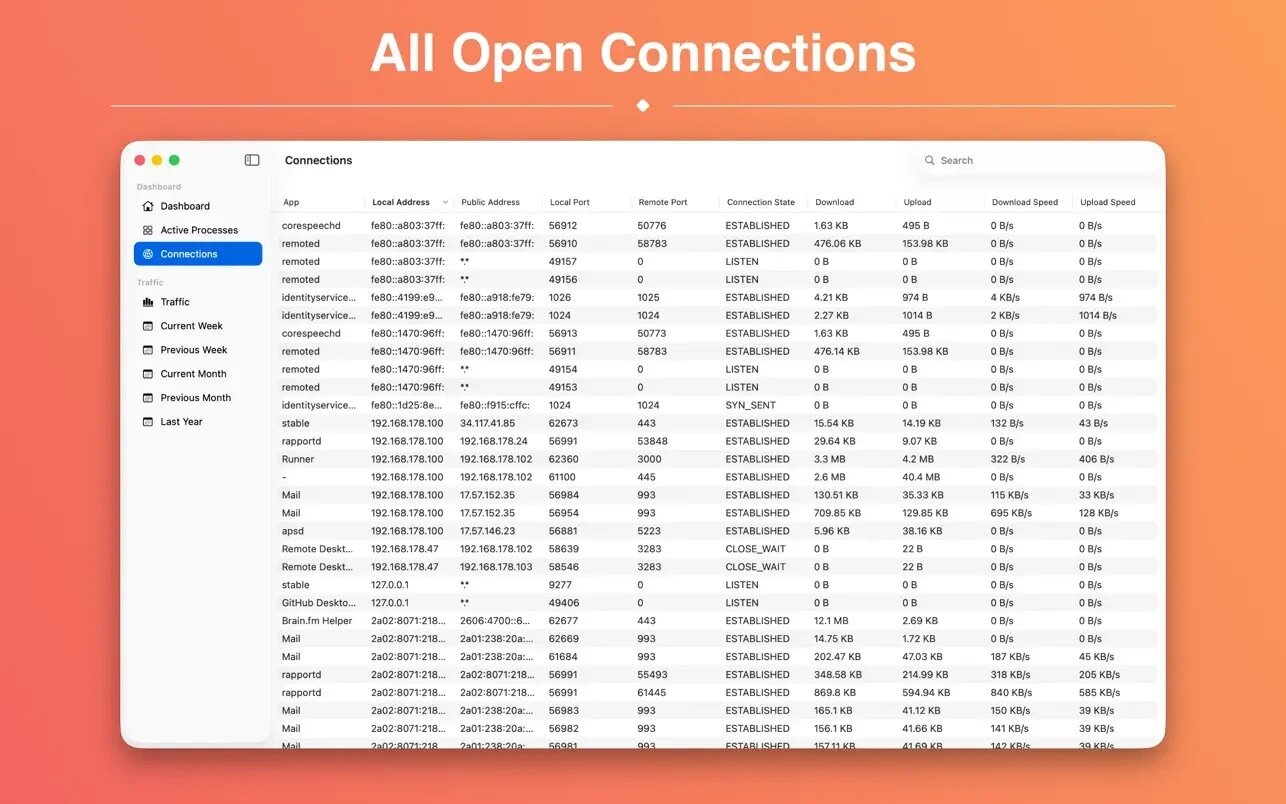
See your network status without opening a separate app. NetWorker puts live network information right in your menu bar, with a detail window for the active adapter whenever you need more.
- Customize what you see — pick from many pre-defined widgets to show exactly the network info you care about in the menu bar.
- No manual setup needed — the active network adapter is detected automatically.
- Keep stats visible during games or fullscreen apps — an optional overlay window stays on top so you never have to alt-tab to check your connection.
- Control how often data updates — adjust the refresh interval to match your needs.
- Check your external IP anytime — see it right alongside your other network info.
- Track usage your way — switch between byte- and bit-mode display.
- Watch your data on capped plans — the Traffic Overview feature helps you stay aware of usage if you're on a volume-limited plan.
- Start automatically and match your system — auto start support and Dark Mode round out the experience.
Version 11.3.0
- Traffic totals are now correct at every refresh interval.
- No more VPN change notification on every launch.
- The process table keeps its selection when it refreshes.
- Sizes and speeds use your language's number format and count like Finder, small values keep all their digits and idle speeds read O kB/S.
- Wi-Fi and Ethernet link speeds follow your language's format, including 2.5 Gb/s links.
- The Launch App on Startup setting now shows whether the app really starts at login.
- Refined About window credits and a consistent Help menu.
- Refined app icon for macOS 27, designed by Hugo Santos.
Frequently asked questions
How do I install the app?
Mount the image, drag the app into the "Applications" folder and launch it. If the system blocks the launch, allow it in "System Settings → Privacy & Security".
The app is damaged or won't launch
Reinstalling from a fresh image usually helps. Make sure your macOS version matches the one listed in the compatibility specs.
How do I update?
Download the new version from the site and install it over the current one — your settings will be preserved.
The download link doesn't work
Try a mirror or a download manager. For large files the browser often drops the connection.
How do I completely remove the app?
Use an uninstaller utility — it cleans up the service files that remain after moving the app to the trash.




Choose a download source
NetWorker Pro 11.3.0 · 9.07 MB
Previous versions
NetWorker Pro 11.3.0
Previous versions are available to registered users.