WiFi Explorer Pro 3.10.5
Track down interference with a Wi-Fi scanner for Mac


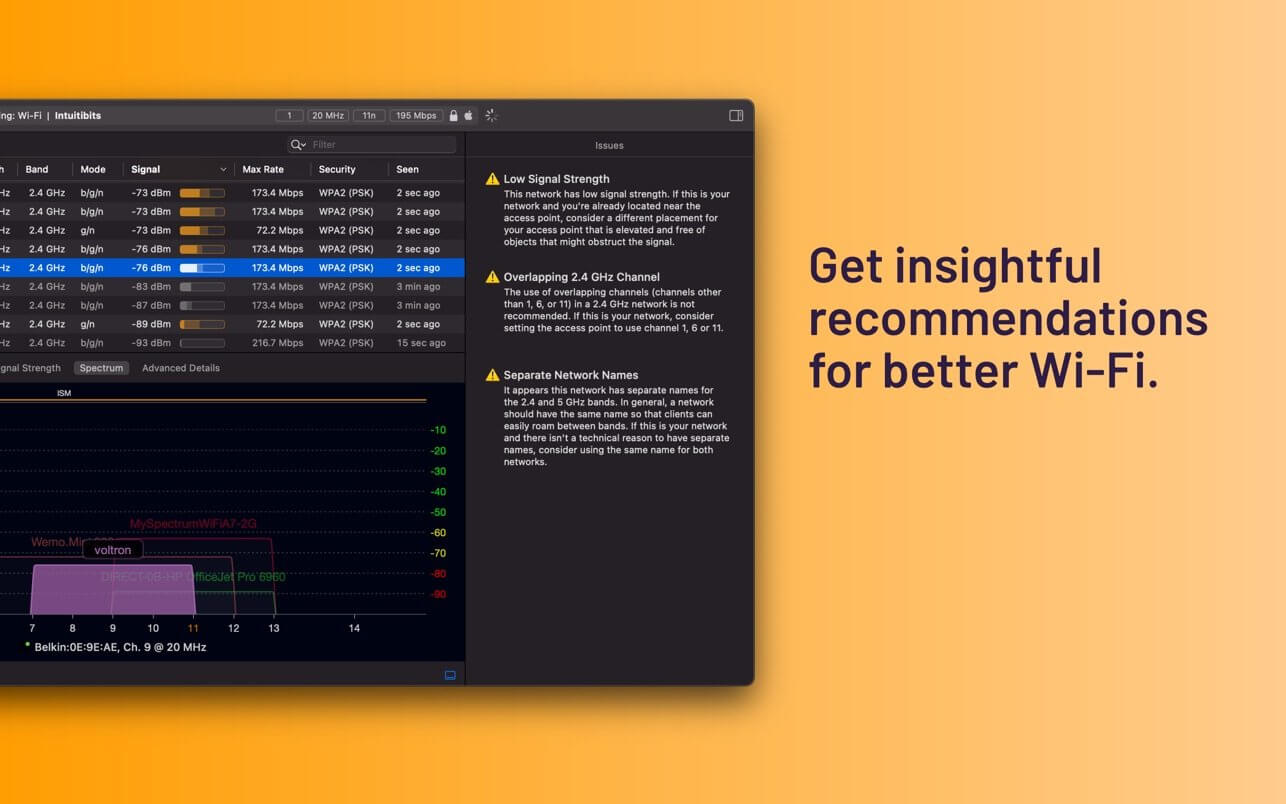
You get called in because the Wi-Fi drops every afternoon, and the cause could be a crowded channel or something that isn't Wi-Fi at all. WiFi Explorer Pro 3 is a Wi-Fi analyzer for Mac for WLAN and IT professionals who design and troubleshoot wireless networks, from a small office up to an enterprise.
- Scan in active, passive or directed mode, or remotely with a sensor such as the WLAN Pi.
- Wi-Fi 4 through Wi-Fi 7 are covered, across the 2.4, 5 and 6 GHz bands with channels up to 320 MHz.
- Column profiles pull from more than 850 fields, and pinned columns stay in view while you scroll sideways.
- Custom filters and coloring rules make the network you're chasing stand out during a specific troubleshooting task.
- Got a capture from the field? Open .pcap, .pcapng or .pkt files, or import CSV scan results from tools like AirPort Utility and Aruba Utilities.
- A connected spectrum analyzer, such as Wi-Spy Lucid or WiPry Clarity, shows non-802.11 interference next to your Wi-Fi data.
- With a compatible USB adapter, nearby Zigbee networks appear alongside Wi-Fi, which helps on sites full of Zigbee IoT devices.
Requires a Mac with built-in Wi-Fi. Passive scan mode isn't available on M1 Apple silicon models.
Version 3.10.5:
- Adds decoding support for the Extended BSS Load element.
- Improves Spanish localization.
- Fixes the channel width shown for 160 MHz and 80+80 MHz networks that use Extended NSS BW signaling.
- Fixes some non-Apple access points, such as Sagemcom, being reported as Apple.
- Other minor fixes and improvements.
Frequently asked questions
How do I install the app?
Mount the image, drag the app into the "Applications" folder and launch it. If the system blocks the launch, allow it in "System Settings → Privacy & Security".
The app is damaged or won't launch
Reinstalling from a fresh image usually helps. Make sure your macOS version matches the one listed in the compatibility specs.
How do I update?
Download the new version from the site and install it over the current one — your settings will be preserved.
The download link doesn't work
Try a mirror or a download manager. For large files the browser often drops the connection.
How do I completely remove the app?
Use an uninstaller utility — it cleans up the service files that remain after moving the app to the trash.


Choose a download source
WiFi Explorer Pro 3.10.5 · 15.65 MB
Previous versions
WiFi Explorer Pro 3.10.5
Previous versions are available to registered users.