
LaunchOS 2.1.0
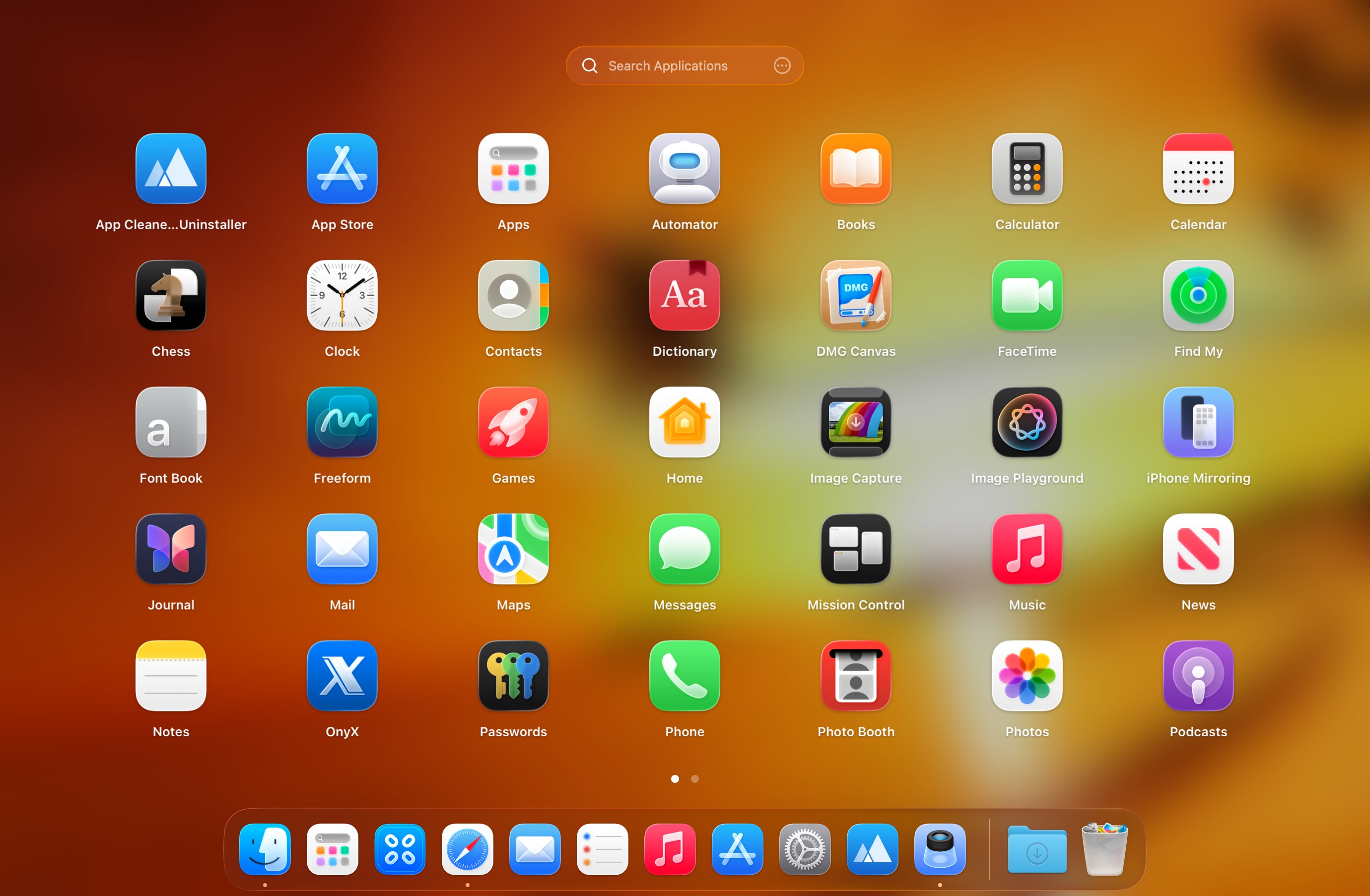
While I hardly ever used the old Launchpad, I can understand why longtime users would find macOS Tahoe’s changes frustrating—suddenly having to rethink how you launch and organize apps is never easy.
If the transition to the Spotlight-style Launchpad feels too disruptive, LaunchOS is an appealing alternative. The goal is simple: recreate the classic launcher as closely as possible. And in practice, it really does—right down to the familiar look. The interface is nearly identical, with the only obvious difference being a settings button near the search field. You navigate by swiping or scrolling, and you can filter apps by name.
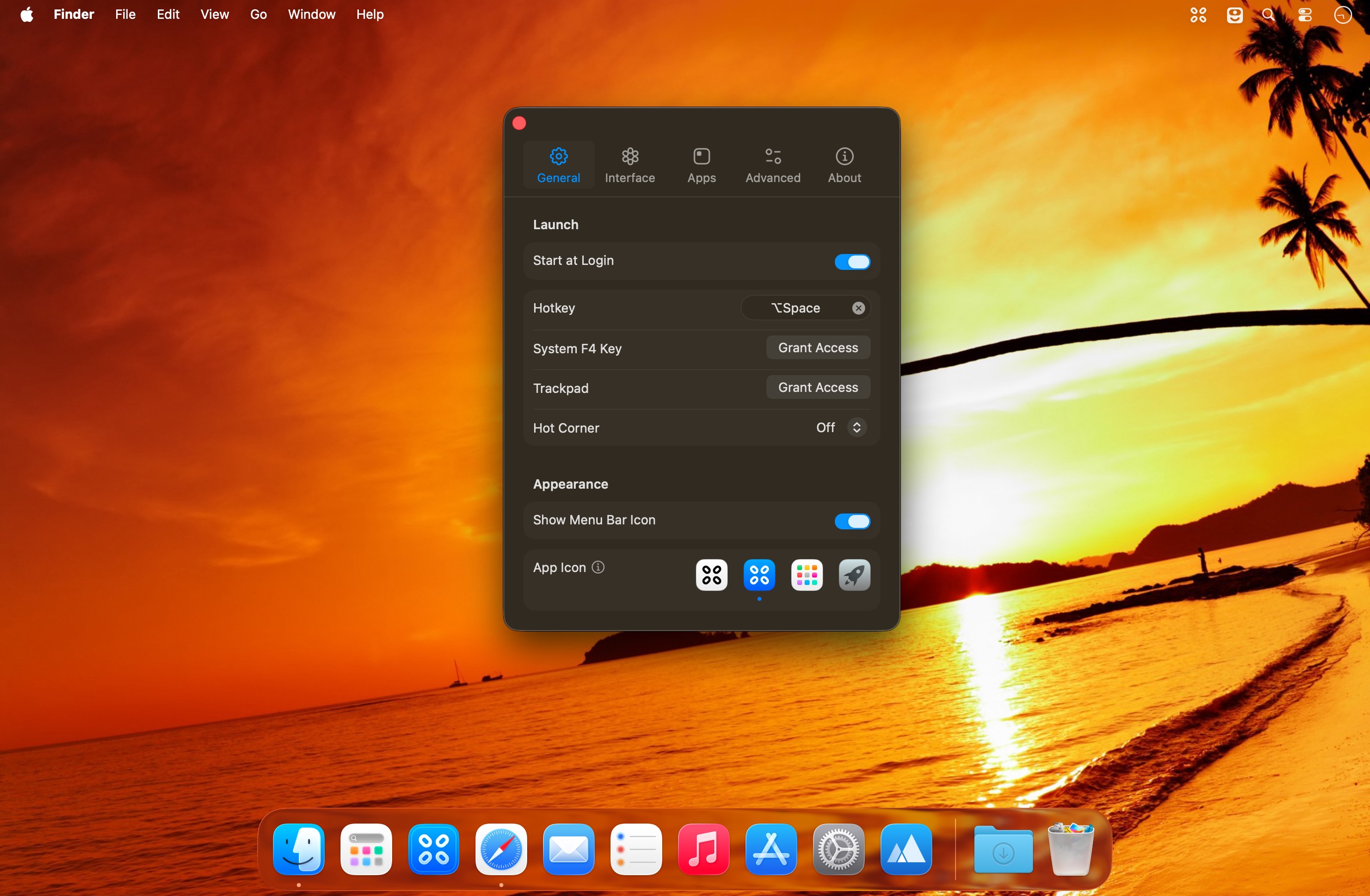
You can bring up LaunchOS via a hotkey or through its Dock/menu bar icon, and both access methods can be turned off if you prefer to keep your desktop clean and rely entirely on a customizable keyboard shortcut. It also supports hot corner activation. Beyond that, it keeps the core organization features you’d expect: folders, app renaming, and smooth interaction that feels at home next to the original Launchpad.
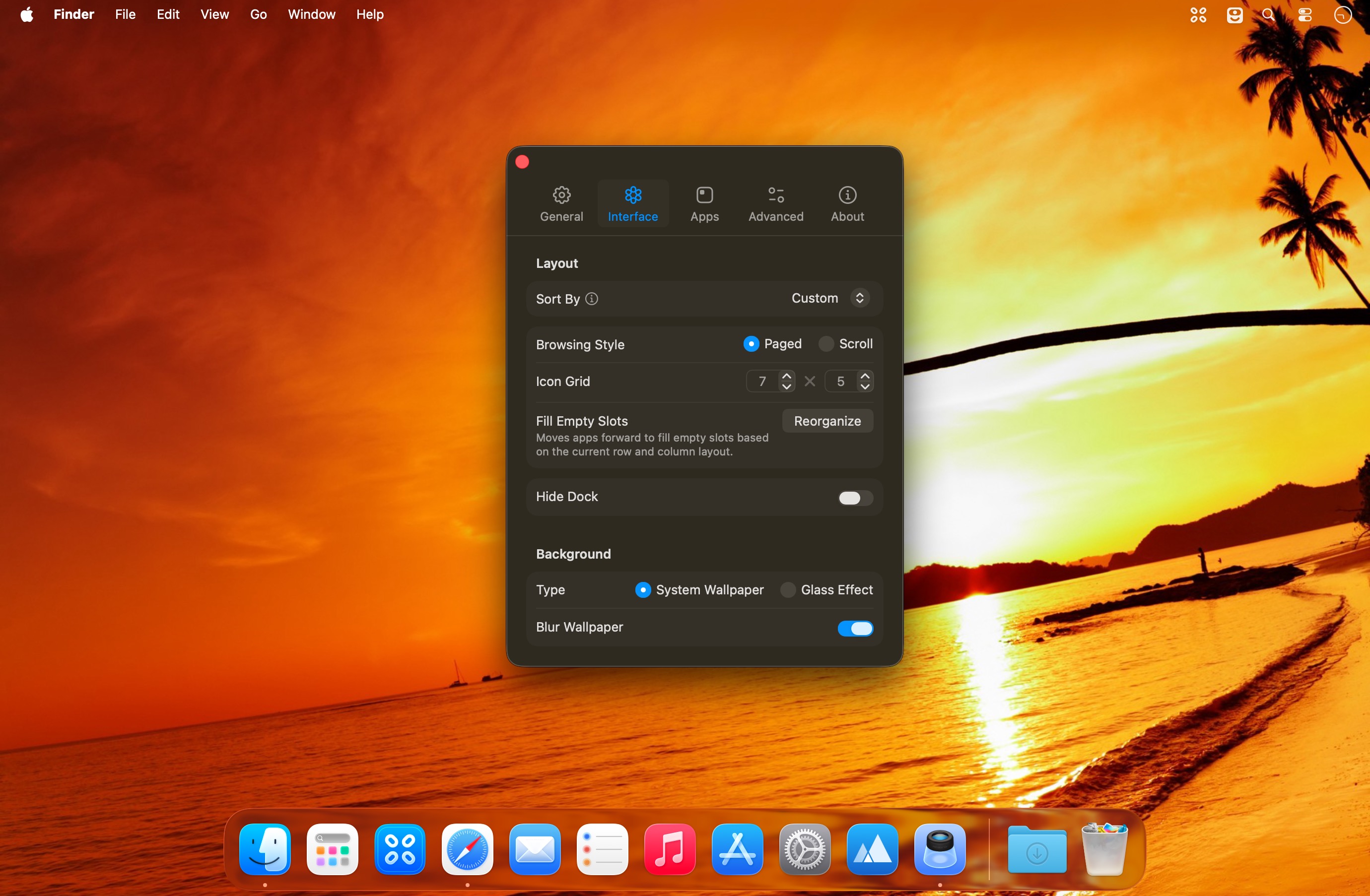
One of the best improvements is the added customization. LaunchOS lets you adjust the app grid layout and fit noticeably more apps on screen, so you don’t have to scroll as often. It even includes an alternate viewing mode that turns the experience into a single long vertical page. On top of that, you can choose the background style—either a blurred version of your wallpaper or a Glass effect—for a more polished feel.
Overall, LaunchOS is a strong option if you want the classic Launchpad experience back, with the added benefit of modern personalization. It may feel less like a workaround and more like an upgrade.
Version 2.1.0:
New:
- Added app uninstallation feature, supporting long-press and right-click menu triggers
- Added "Restart" functionality to the status bar menu and right-click context menu
Improvements:
- Improved icon display at different resolutions
- Improved app title font size
- Improved memory usage
- Improved Traditional Chinese translation
Fixes:
- Fixed an issue where apps could not be renamed within folders by clicking the blank area
- Fixed an issue where dragging apps within folders would trigger the folder to close
- Fixed an issue where app icons would display abnormally at different resolutions
Frequently asked questions
How do I install the app?
Mount the image, drag the app into the "Applications" folder and launch it. If the system blocks the launch, allow it in "System Settings → Privacy & Security".
The app is damaged or won't launch
Reinstalling from a fresh image usually helps. Make sure your macOS version matches the one listed in the compatibility specs.
How do I update?
Download the new version from the site and install it over the current one — your settings will be preserved.
The download link doesn't work
Try a mirror or a download manager. For large files the browser often drops the connection.
How do I completely remove the app?
Use an uninstaller utility — it cleans up the service files that remain after moving the app to the trash.



Choose a download source
LaunchOS 2.1.0 · 9.88 MB