MacDroid Pro 2.10.0
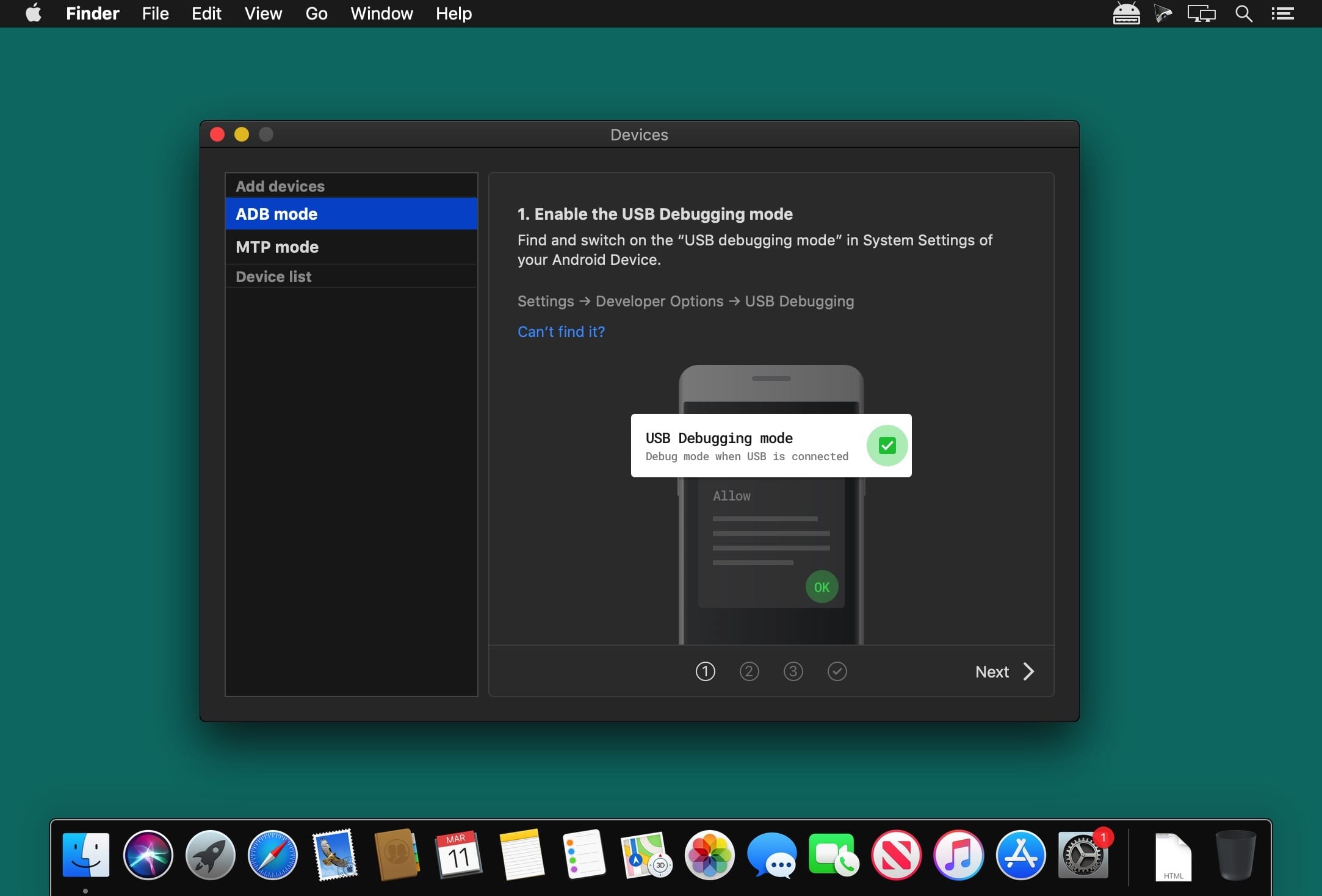

MacDroid app is a very helpful solution for those who use Mac or MacBook, at the same time preferring an Android device to an iPhone. Android and macOS cannot natively work together, hence there is a vital need for an interface that would not only connect the two systems but also allow safe and smooth file transfer between them.
With MacDroid you get the convenience of connecting Mac and an Android phone or tablet and accessing the portable device's content in the Finder. You will be able to transfer photos, music, videos as well as entire folders. You'll only need a USB cable to connect your phone to computer, MacDroid will take care of everything else.
Transfer your photos
You can access your Android photos in the Finder app and easily drag them with your mouse cursor to any folder on your Mac.
Transfer music to your phone
You can add your favorite tracks to Android from your Mac or vice versa and enjoy the music on the go.
Watch videos when offline
Got some great new episodes that you want to watch, but not planning to take your computer with you? Not a problem! You can transfer them to your Android and watch on a plane, on a train, or while having an Uber ride.
Edit Android files directly from Mac
When you don't really feel like moving files around, you can edit your Android files with your favorite Mac app without actually saving them to your computer.
MacDroid 2.10
- Added: Traditional Chinese localization.
- Improved: connection and operation with devices via MTP.
- Improved: faster loading of file and folder listing.
- Improved: connection to some devices via ADB.
- Fixed: file downloading issues when cache volume is changed.
- Fixed: issues with incorrect file and folder listing.
Frequently asked questions
How do I install the app?
Mount the image, drag the app into the "Applications" folder and launch it. If the system blocks the launch, allow it in "System Settings → Privacy & Security".
The app is damaged or won't launch
Reinstalling from a fresh image usually helps. Make sure your macOS version matches the one listed in the compatibility specs.
How do I update?
Download the new version from the site and install it over the current one — your settings will be preserved.
The download link doesn't work
Try a mirror or a download manager. For large files the browser often drops the connection.
How do I completely remove the app?
Use an uninstaller utility — it cleans up the service files that remain after moving the app to the trash.



Choose a download source
MacDroid Pro 2.10.0 · 36.03 MB
Previous versions
MacDroid Pro 2.10.0
Previous versions are available to registered users.