
Easy New File 6.2
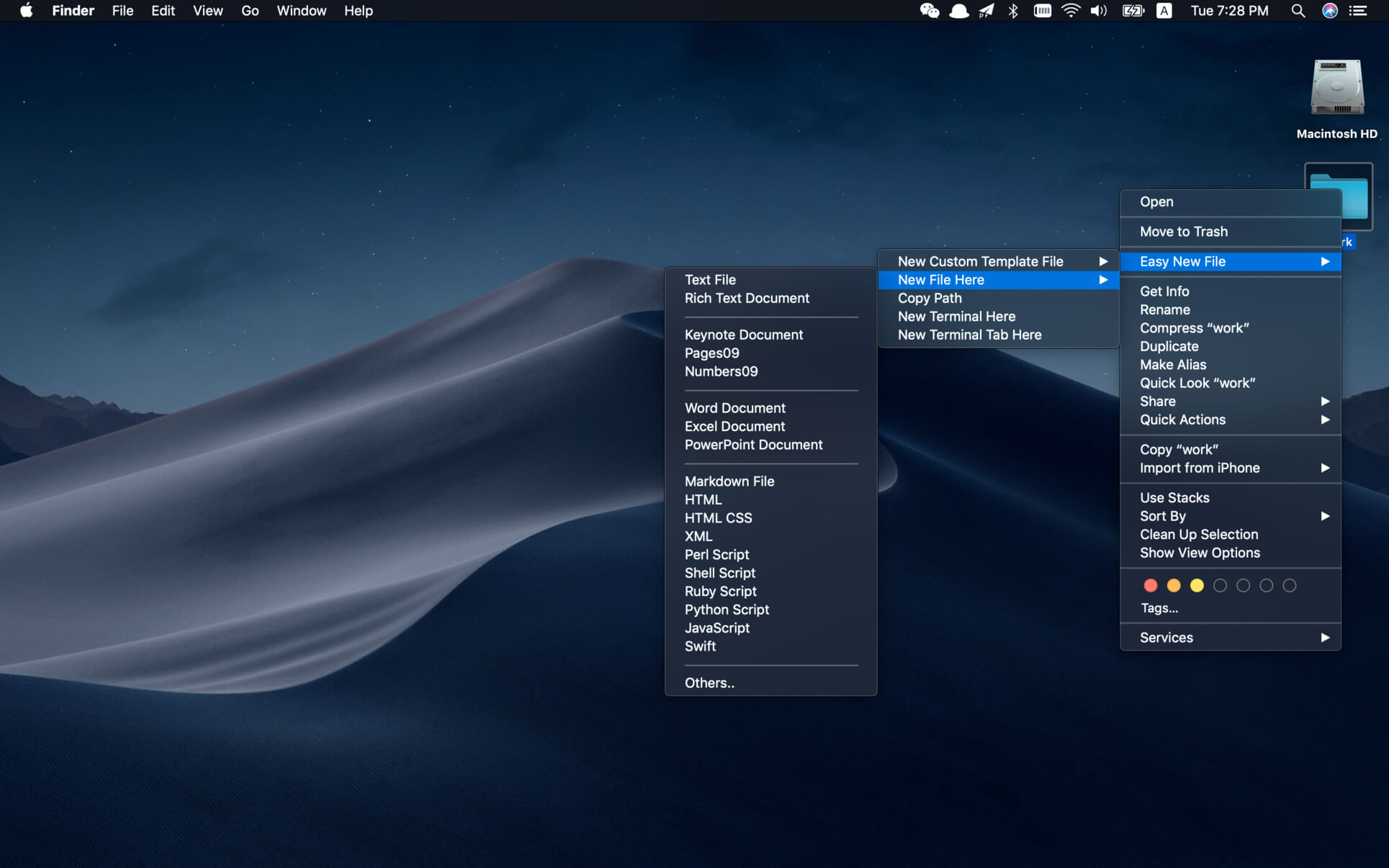
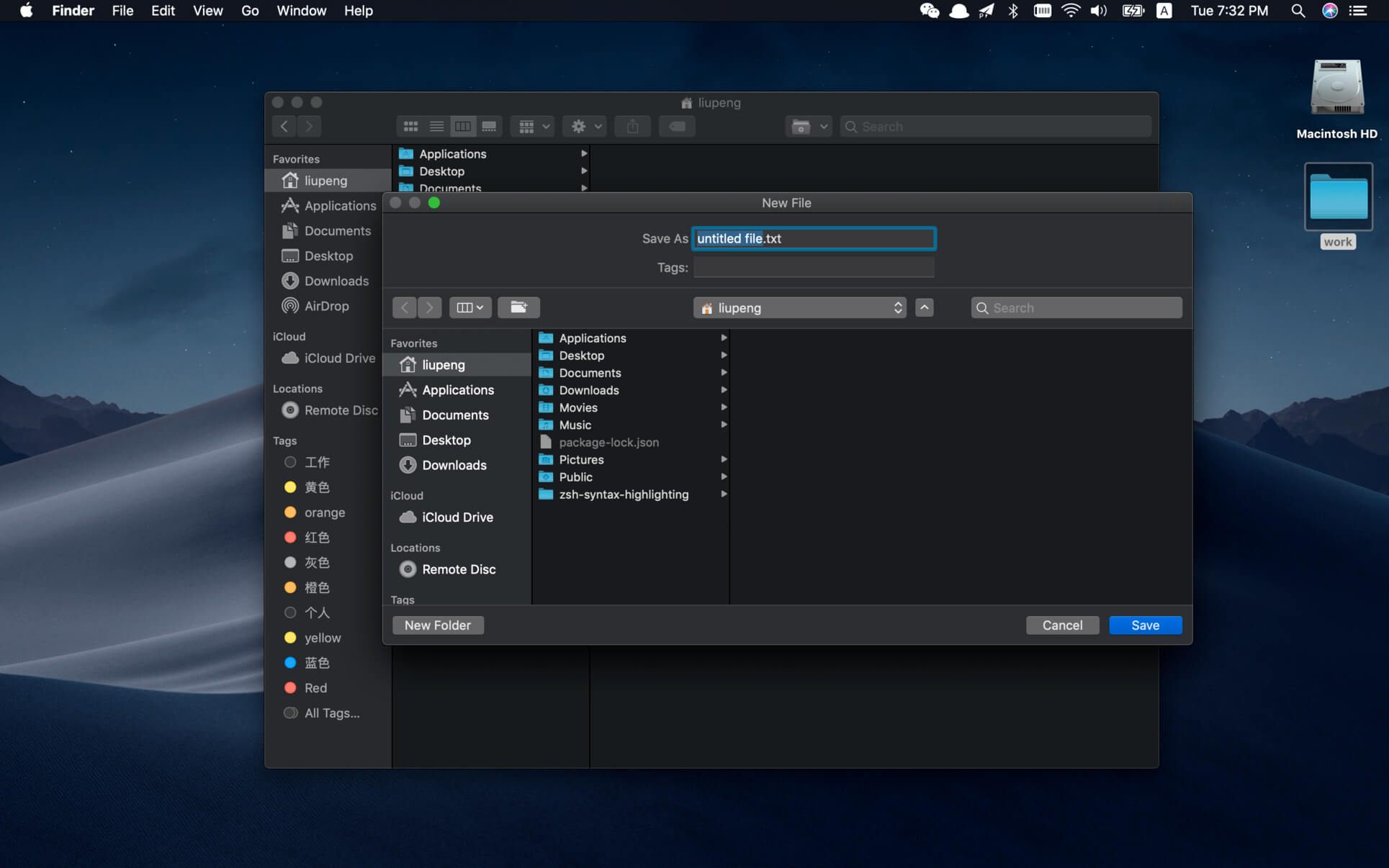
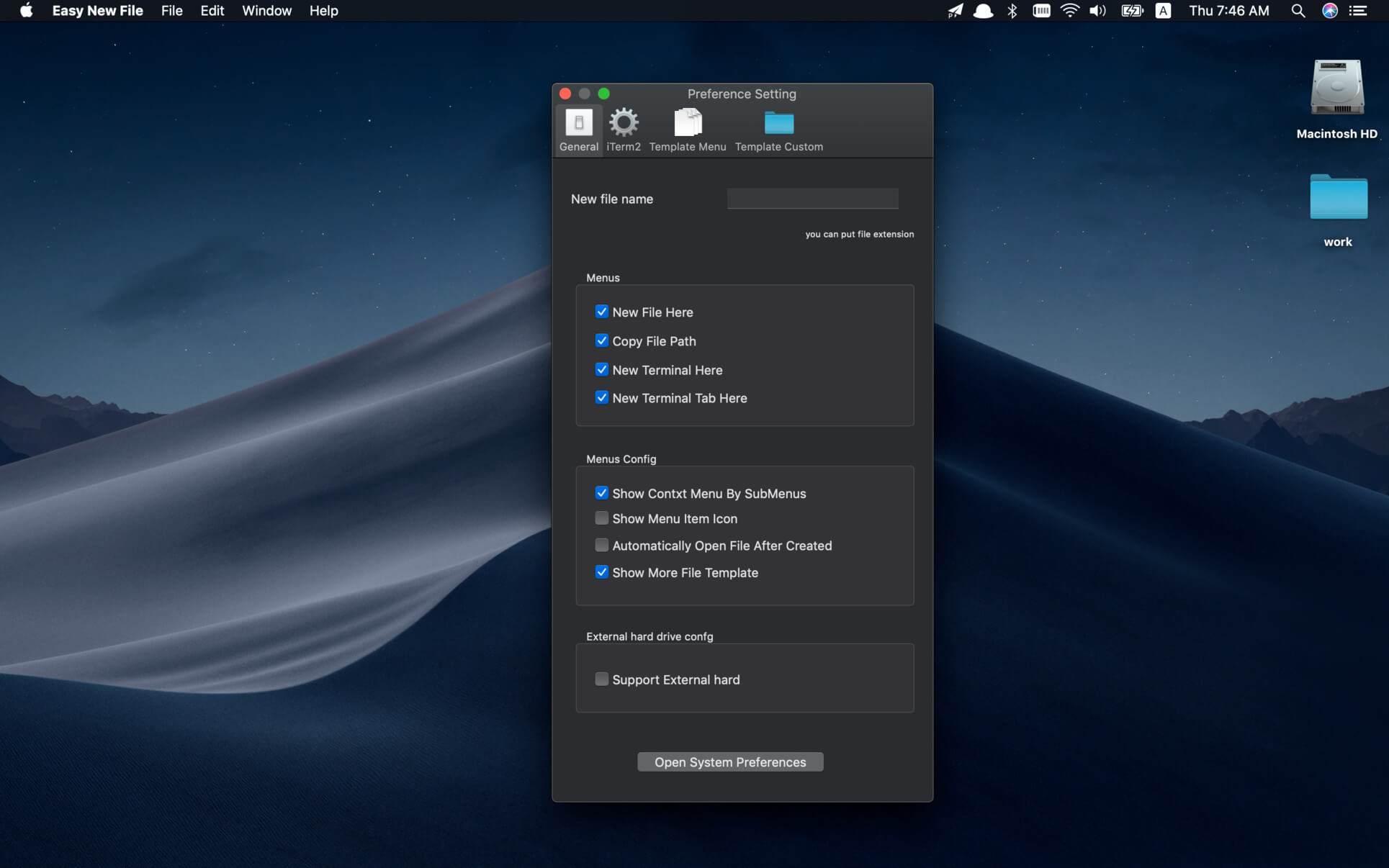
Easy New File is a finder extension which adds some functions in right click menu in the Finder.
Features:
- Quick new file
- Copy file path
- Support all common file extension, such as text file ,word document ,excel,keynote,richText document ,shell,Python Script, Swift...
- New Terminal Here
How To Enable?
- A: Go to System Preferences->Extensions ->enable Easy New File
- Q:Why not see menu item even enable extensions?
- A:This is mac bug not mine.As i know you should relaunch your Finder.
Version 6.2:
- Fixed an issue where the save panel would not automatically receive focus when creating a new file from the Finder context menu. You can now type the filename immediately for a smoother workflow.
- Stability and compatibility improvements on recent macOS versions.
Frequently asked questions
How do I install the app?
Mount the image, drag the app into the "Applications" folder and launch it. If the system blocks the launch, allow it in "System Settings → Privacy & Security".
The app is damaged or won't launch
Reinstalling from a fresh image usually helps. Make sure your macOS version matches the one listed in the compatibility specs.
How do I update?
Download the new version from the site and install it over the current one — your settings will be preserved.
The download link doesn't work
Try a mirror or a download manager. For large files the browser often drops the connection.
How do I completely remove the app?
Use an uninstaller utility — it cleans up the service files that remain after moving the app to the trash.





Choose a download source
Easy New File 6.2 · 6.99 MB
Previous versions
Easy New File 6.2
Previous versions are available to registered users.