
BookStore 5.1
BookReader – as you probably surmise – allows you to comfortably read books right on your Mac in a fully customizable layout. It supports all the most common formats:
- fb2
- ePUB
- iBooks (including the new epub3 format with video, animations and interactive content)
- html
- webarchive (Safari)
- doc (Microsoft Word)
- rtf
- rtfd
- txt
Key Features
- Natural Two-page Viewing Mode
- Page flipping animation
- BookShelf Customizable Database
- Exportable Highlighting and Notes
- Table of Contents
- Search Function
- Bookmarks
- Fullscreen Mode
- Text To Speech for vision impaired people
- Fully customizable Keyboard Commands
- Fully customizable Fonts, Sizes, Colors
- Fully customizable Book Background
- Fully natural Page-flipping Sound
- Automatic Charset Encoding
WHAT’S NEW
- New SUPERFAST e-Book Engine
- Page flipping animation
- BookShelf improvements
- Completely Restyled Intuitive Interface
- EPUB3 Support (video, animations and interactive multimedia contents)
- Text Highlighting and Notes
- Retina Display Ready
- Simplified Preference Settings
- Significantly Reduced Memory Use
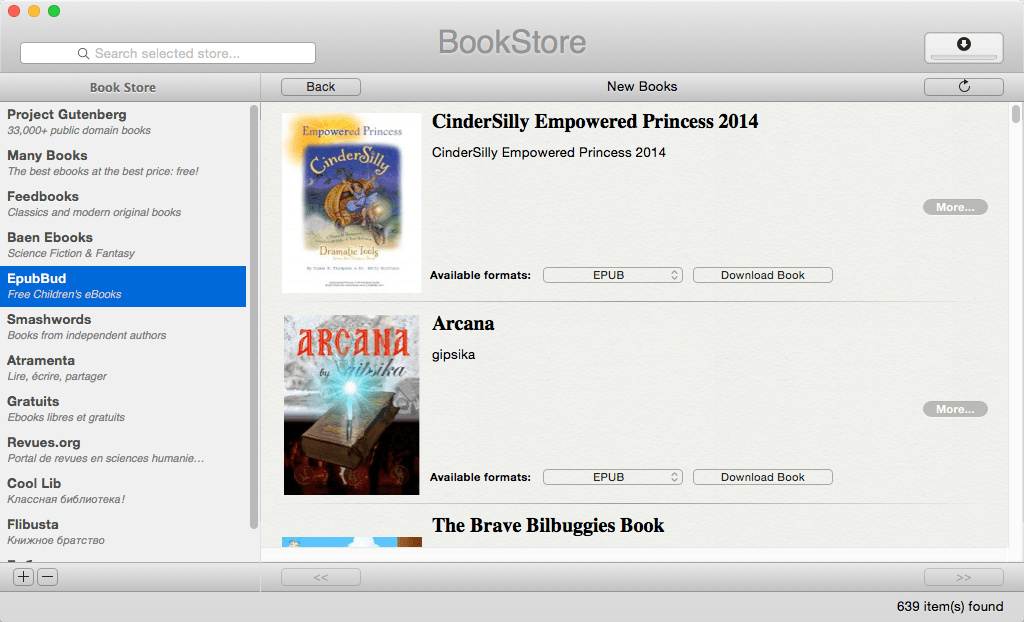
Screenshots
Frequently asked questions
How do I install the app?
Mount the image, drag the app into the "Applications" folder and launch it. If the system blocks the launch, allow it in "System Settings → Privacy & Security".
The app is damaged or won't launch
Reinstalling from a fresh image usually helps. Make sure your macOS version matches the one listed in the compatibility specs.
How do I update?
Download the new version from the site and install it over the current one — your settings will be preserved.
The download link doesn't work
Try a mirror or a download manager. For large files the browser often drops the connection.
How do I completely remove the app?
Use an uninstaller utility — it cleans up the service files that remain after moving the app to the trash.
VersionBookStore 5.1
DeveloperLeo Mesentsev
CompatibilityOS X 10.7 or later, 64-bit processor
LanguageEnglish
IncludesK





Information
Visitors in the group Guests cannot leave comments on this publication.
Choose a download source
BookStore 5.1 · 5.22 MB