
E-Book Viewer 5.1
E-Book Viewer (was E-Book Preview) is a top e-book renderer for your Mac. It is very lightweight because it has no heavy library collection-management features, and works exactly like Preview app for e-books. It loads very large books almost instantly!
Features
- Very lightweight in terms of memory and CPU consumption
- Amazing realistic page flipping animation
- Bookmarks, Annotations and Highlights with Export feature
- Customizing just everything with your books: fonts, sizes, colors, backgrounds, margins, inter-row spacing, and more
- Outstanding full-screen mode
- Supports inline videos and interactive content
- Speaking support for visual impared users
- Printing and converting to PDF
- Supported e-book formats: EPUB2, EPUB3, FB2, RTF/RTFD, Microsoft Office DOC, HTML, webarchive, TXT
- Please note: E-Book Preview doesn't support DRM-protected books due to legal restriction.
WHAT’S NEW
Version 5.1:
- Now you can export notes in different formats: HTML, RTF, and plain text
- Bug fixes
Screenshots
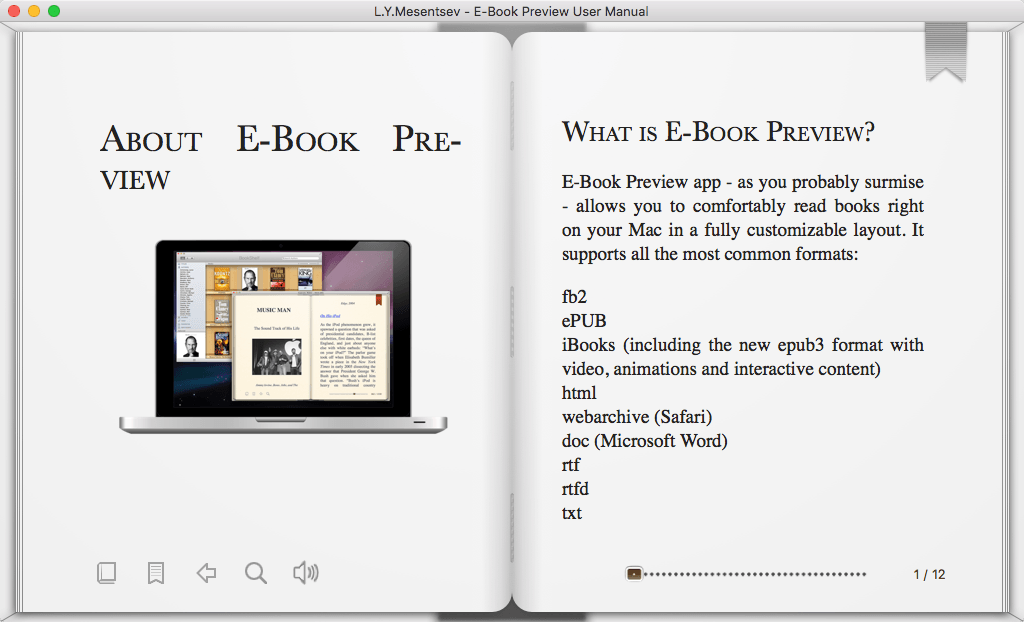
Frequently asked questions
How do I install the app?
Mount the image, drag the app into the "Applications" folder and launch it. If the system blocks the launch, allow it in "System Settings → Privacy & Security".
The app is damaged or won't launch
Reinstalling from a fresh image usually helps. Make sure your macOS version matches the one listed in the compatibility specs.
How do I update?
Download the new version from the site and install it over the current one — your settings will be preserved.
The download link doesn't work
Try a mirror or a download manager. For large files the browser often drops the connection.
How do I completely remove the app?
Use an uninstaller utility — it cleans up the service files that remain after moving the app to the trash.
VersionE-Book Viewer 5.1
DeveloperLeo Mesentsev
CompatibilityOS X 10.7 or later, 64-bit processor
LanguageEnglish
IncludesK





Information
Visitors in the group Guests cannot leave comments on this publication.
Choose a download source
E-Book Viewer 5.1 · 9.53 MB