BookReader 5.16 (7.0)

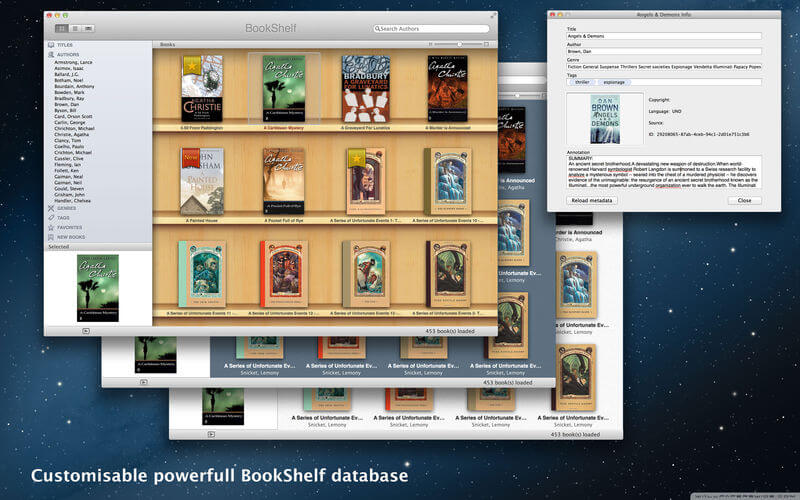
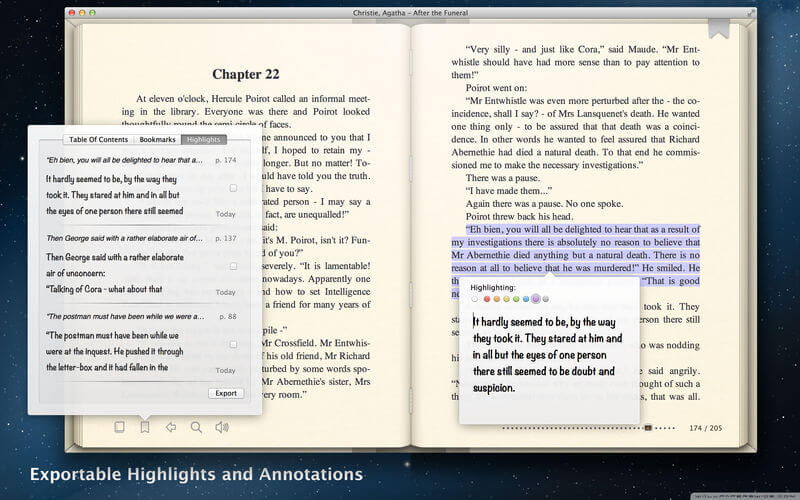
Top eBook Reader on the Mac.
Supported formats: EPUB, FB2, Microsoft DOC, RTF, RTFd, xHTML, Webarchive and TXT.
Features Highlights:
- Best Retina support
- Page flipping animation
- Optimized for Lion and Mountain Lion OS
- Exportable Highlighting and Notes
- Text To Speech for vision impaired people
- Very small memory footprint
- BookShelf database with easy metadata management
- Natural two pages viewing mode
- Table Of Contents with crossover hypertext links
- Hypertext links and tooltips to Notes (FB2)
- Text search function
- Bookmarks
- Fullscreen mode
- Gestures: scrolling, zooming
- Customisable operational keys
- Automatic charset encoding
- Customisable fonts family, sizes, colors, inter row spacing, margins, columns gap, etc
- Customisable book background
- Page flipping sound
- Printing and converting to PDF format
- Leap Motion controller support
Version 5.16
- Newer macOS support
Frequently asked questions
How do I install the app?
Mount the image, drag the app into the "Applications" folder and launch it. If the system blocks the launch, allow it in "System Settings → Privacy & Security".
The app is damaged or won't launch
Reinstalling from a fresh image usually helps. Make sure your macOS version matches the one listed in the compatibility specs.
How do I update?
Download the new version from the site and install it over the current one — your settings will be preserved.
The download link doesn't work
Try a mirror or a download manager. For large files the browser often drops the connection.
How do I completely remove the app?
Use an uninstaller utility — it cleans up the service files that remain after moving the app to the trash.




Choose a download source
BookReader 5.16 (7.0) · 13.45 MB
Previous versions
BookReader 5.16 (7.0)
Previous versions are available to registered users.