
ReadKit 2.7.4
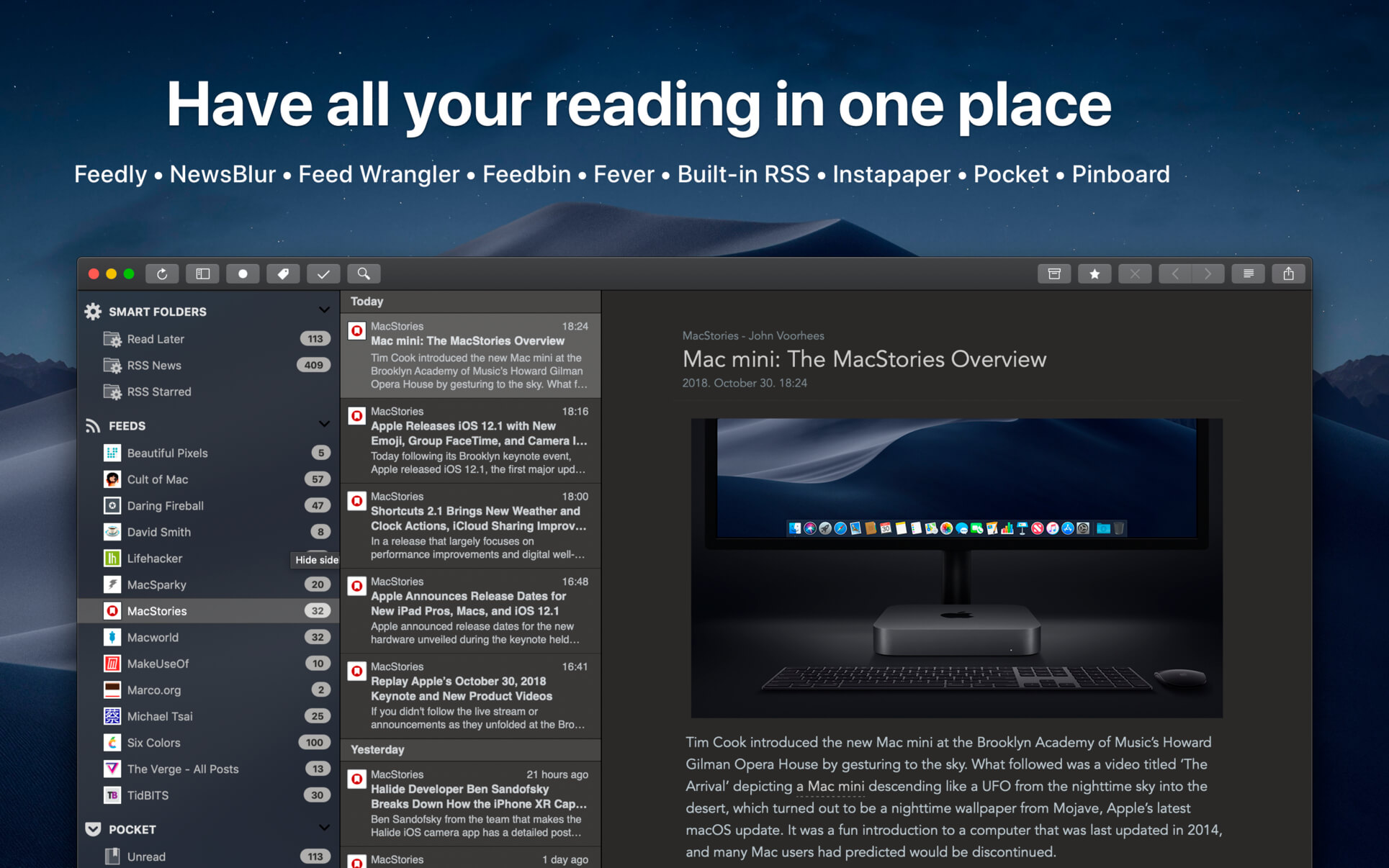
ReadKit is a full-featured read later and RSS client that supports services from Instapaper, Pocket, Pinboard, Feedly, Fever, NewsBlur, Feedbin and Feed Wrangler and has built-in RSS capabilities.
SUPPORTED SERVICES:
- Feed services: Feedly, Fever, NewsBlur, Feedbin, Feed Wrangler and built-in RSS engine
- Read later services: Instapaper and Pocket
- Bookmark services: Pinboard
- Offline reading
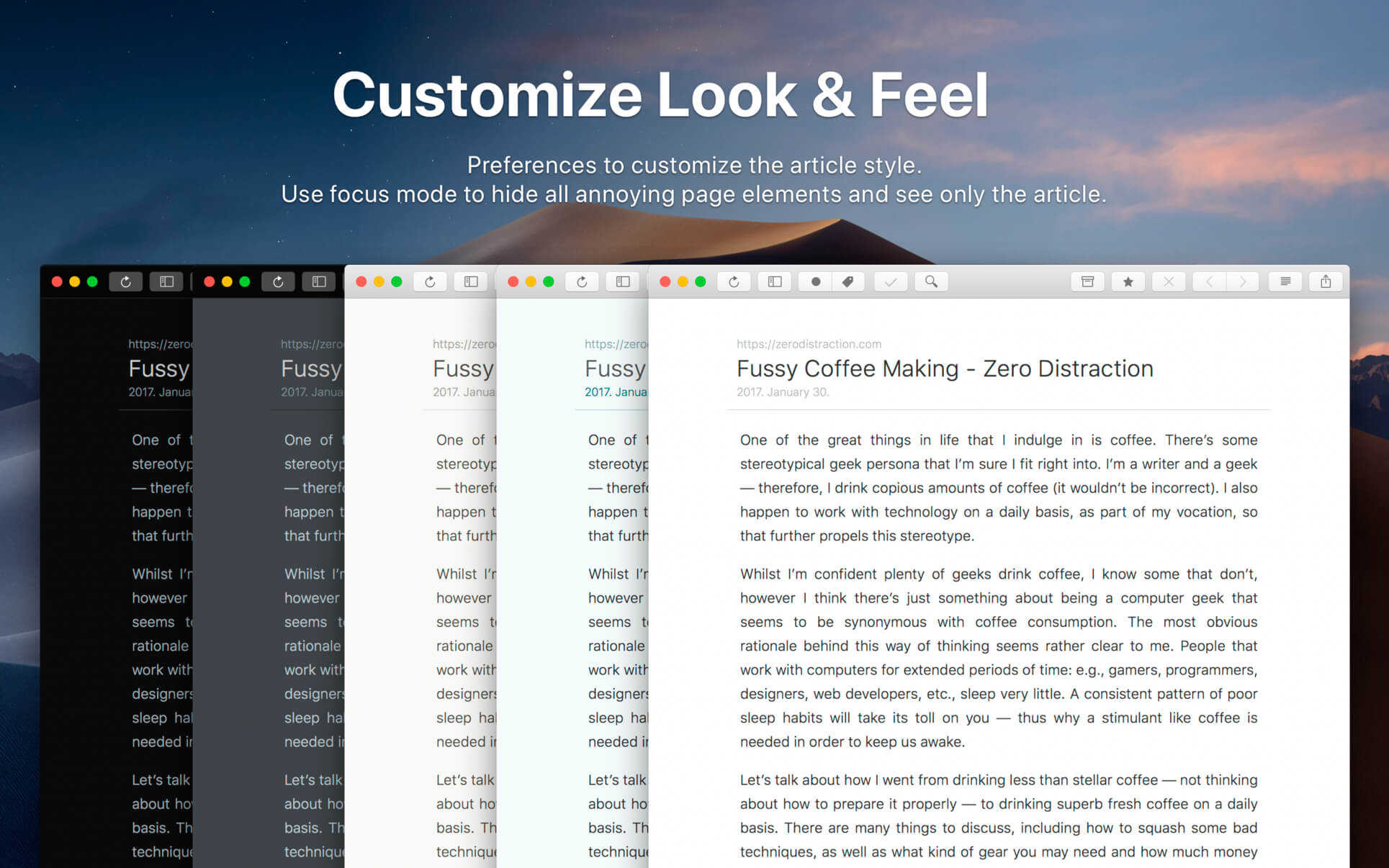
- Customizable interface: font style, face, alignment, height, line spacing and page width
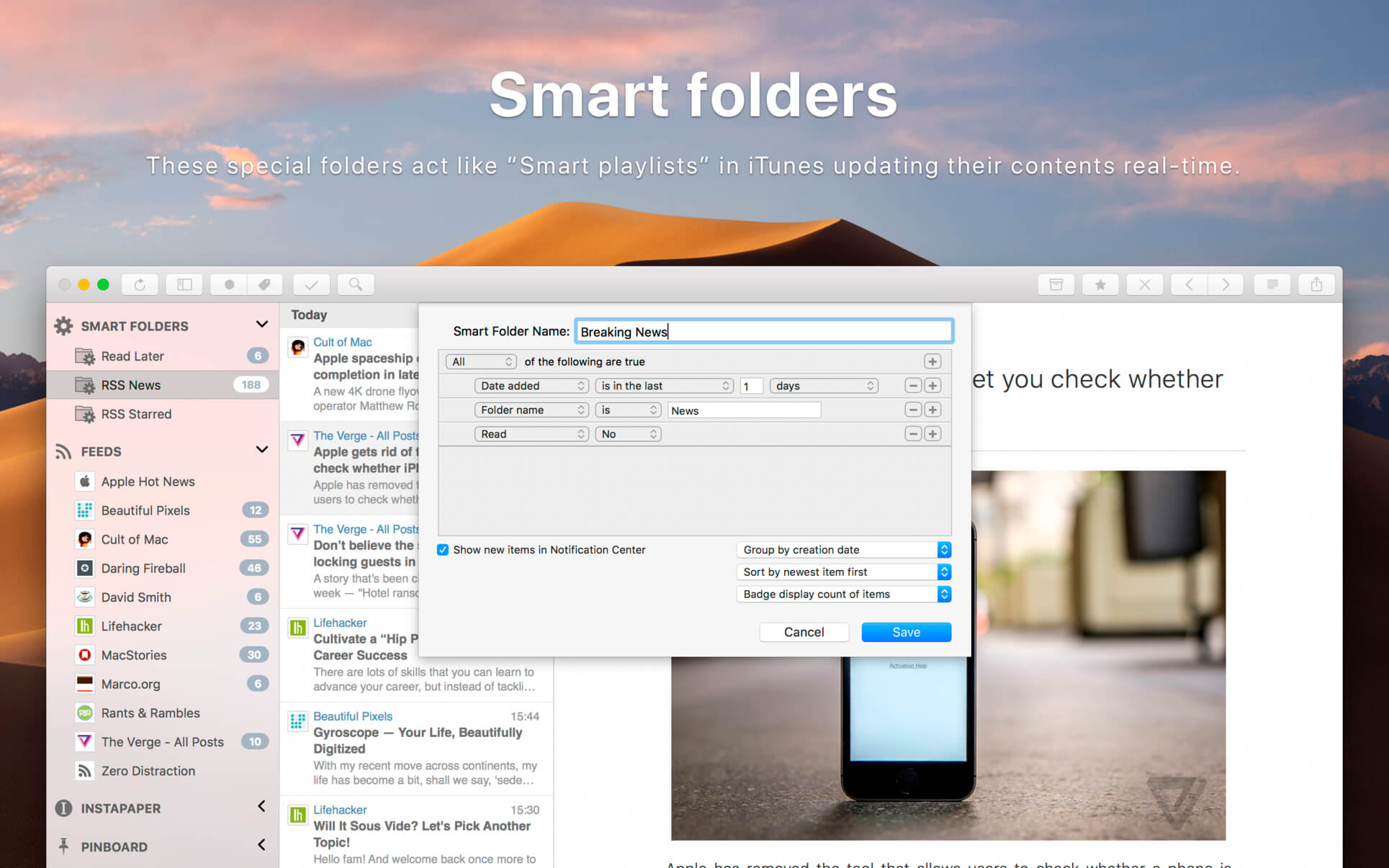
- Smart folders: can be used as unified folders but are more useful for everyone. These special folders act like “Smart playlists” in iTunes updating their contents real-time.
- Change between original and stripped down content with a click (provided by Mercury web parser)
- In-app browser for viewing links and other references
- The browser is capable to save links for offline viewing
- Preference to open links either in ReadKit or in your default browser
- Add, remove, move, archive and mark bookmarks as favorites
- Full support for Pocket and Pinboard tags
- Focus mode: reading without interface elements
- macOS Notification Center support
- Share bookmarks via Twitter, Facebook, Buffer, Email, iMessage or Evernote
- Full support for high resolution Retina displays
- Preference to display unread items in the dock
- Customizable keyboard shortcuts
- Syntax highlighting of code snippets
- OPML import
- Support for the Touch Bar on MacBook Pro
Version 2.7.4
- Minor fixes and improvements
- Added support for macOS Big Sur.
- Minor UI fixes and improvements.
Frequently asked questions
How do I install the app?
Mount the image, drag the app into the "Applications" folder and launch it. If the system blocks the launch, allow it in "System Settings → Privacy & Security".
The app is damaged or won't launch
Reinstalling from a fresh image usually helps. Make sure your macOS version matches the one listed in the compatibility specs.
How do I update?
Download the new version from the site and install it over the current one — your settings will be preserved.
The download link doesn't work
Try a mirror or a download manager. For large files the browser often drops the connection.
How do I completely remove the app?
Use an uninstaller utility — it cleans up the service files that remain after moving the app to the trash.
VersionReadKit 2.7.4
DeveloperBalazs Varkonyi
CompatibilityOS X 10.11 or later, 64-bit processor
LanguageEnglish
IncludesK'ed by TNT





Information
Visitors in the group Guests cannot leave comments on this publication.
Choose a download source
ReadKit 2.7.4 · 7.89 MB