
Disk Drill Entreprise 2.4.441
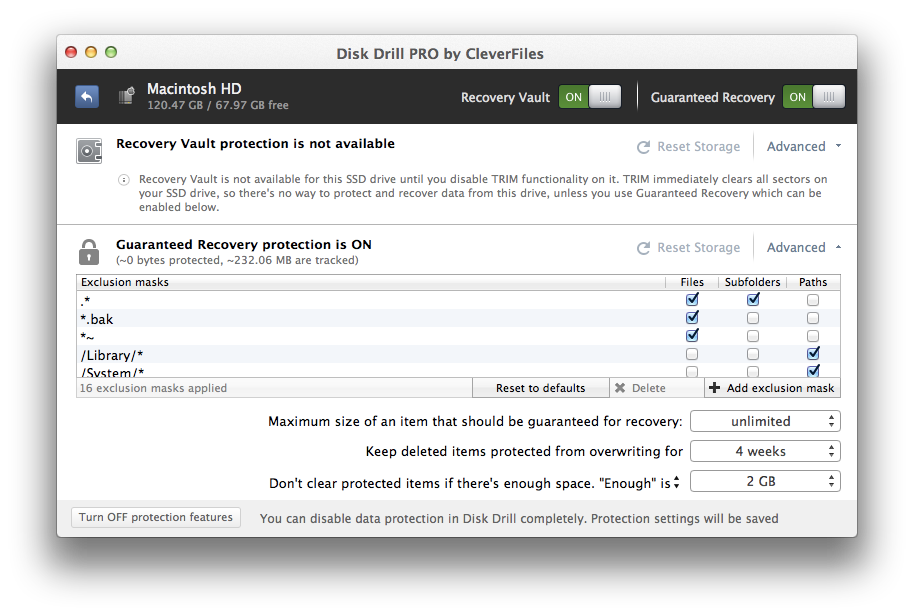
Disk Drill is a Mac data recovery software designed natively for Mac OS: easily protect your files from accidental deletion with Recovery Vault and recover lost data from Mac disks. When something is deleted Recovery Vault makes it possible to recover not only the file itself, but also its properties, such as original file name, location, etc. So you will always be able to recover data from Mac files system (HFS/HFS+) and FAT32 partitions. Disk Drill also includes powerful S.M.A.R.T. disk monitoring right out-of-the-box; you can monitor your disks' hardware status and get automatic notifications of potential failures or other issues. If a disk or partition is failing, you can easily backup it into a disk image (DMG) which can later be mounted for recovery.
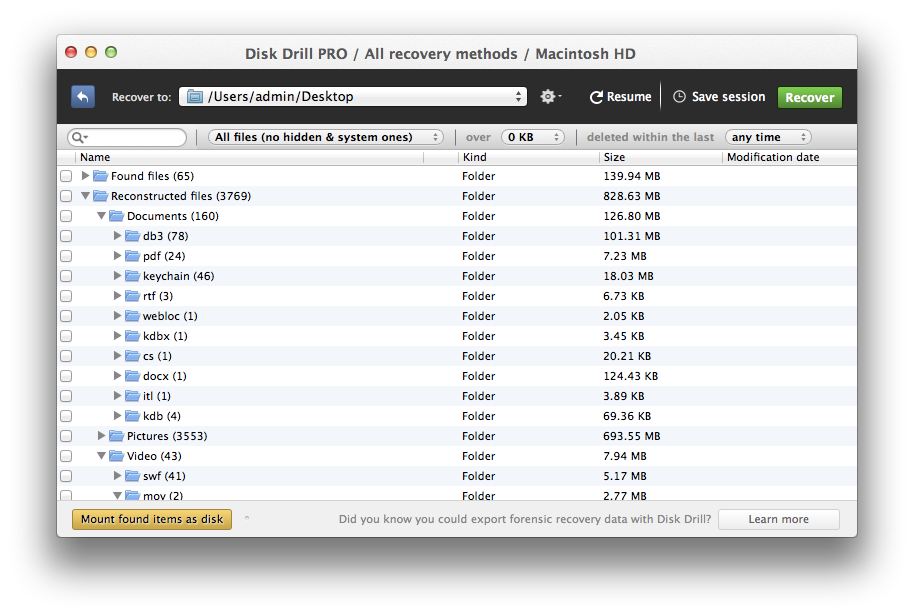
Disk Drill PRO also features a number of advanced scanning modes for data recovery of FAT, NTFS, HFS/HFS+, other file systems and formatted (initialized) drives. Using Quick Scan you can locate deleted items on FAT and NTFS disks, this scanning method is fast and accurate, but is unlikely to find data deleted long ago. With Deep Scan you can try to recover data from any disk or memory card regardless of their file system. This recovery method is long and thorough, it scans your disk in a binary mode and is capable of finding deleted files even after formatting.
Disk Drill is a professional but extremely simple Mac data recovery software that helps you rescue data on your Mac disks, external or internal hard drives, memory cards, cameras, iPods Classic, etc. So if your hard drive was damaged, or you accidentally deleted your favorite photos, music, videos and other data, no worries about data loss. Disk Drill will recover deleted files on your Mac!
If you don't want someone to undelete what you removed but it's still protected by Recovery Vault, you can specify a Master Password to protect your configuration of Disk Drill, Mac data recovery software by CleverFiles. Additionally, Disk Drill Mac Recovery features convenient scan sessions management, so you can scan a 2TB disk recovery, pause it, save a scanning session and continue it in a couple of days or even weeks (presuming you don't use the target drive to prevent data from being overwritten). You can even install Disk Drill in Portable Mode and run data recovery from your USB Flash drive.
WHAT’S NEW
Version 2.4.441:
- Deep Scan: new signature of .afdesign for Affinity Designer documents recovery
- Data Recovery: refactoring of data caching for all recovery methods
- UI: minor user interface improvements
- Performance: internal memory usage optimizations
Screenshots

Frequently asked questions
How do I install the app?
Mount the image, drag the app into the "Applications" folder and launch it. If the system blocks the launch, allow it in "System Settings → Privacy & Security".
The app is damaged or won't launch
Reinstalling from a fresh image usually helps. Make sure your macOS version matches the one listed in the compatibility specs.
How do I update?
Download the new version from the site and install it over the current one — your settings will be preserved.
The download link doesn't work
Try a mirror or a download manager. For large files the browser often drops the connection.
How do I completely remove the app?
Use an uninstaller utility — it cleans up the service files that remain after moving the app to the trash.
VersionDisk Drill Entreprise 2.4.441
DeveloperCleverFiles
CompatibilityOS X 10.7.5 or later, 64-bit processor
LanguageMultilangual
IncludesPre-K'ed




Information
Visitors in the group Guests cannot leave comments on this publication.
Choose a download source
Disk Drill Entreprise 2.4.441 · 34.44 MB