Commander One PRO Pack 3.18.0
Dual-pane file manager and FTP client for Mac

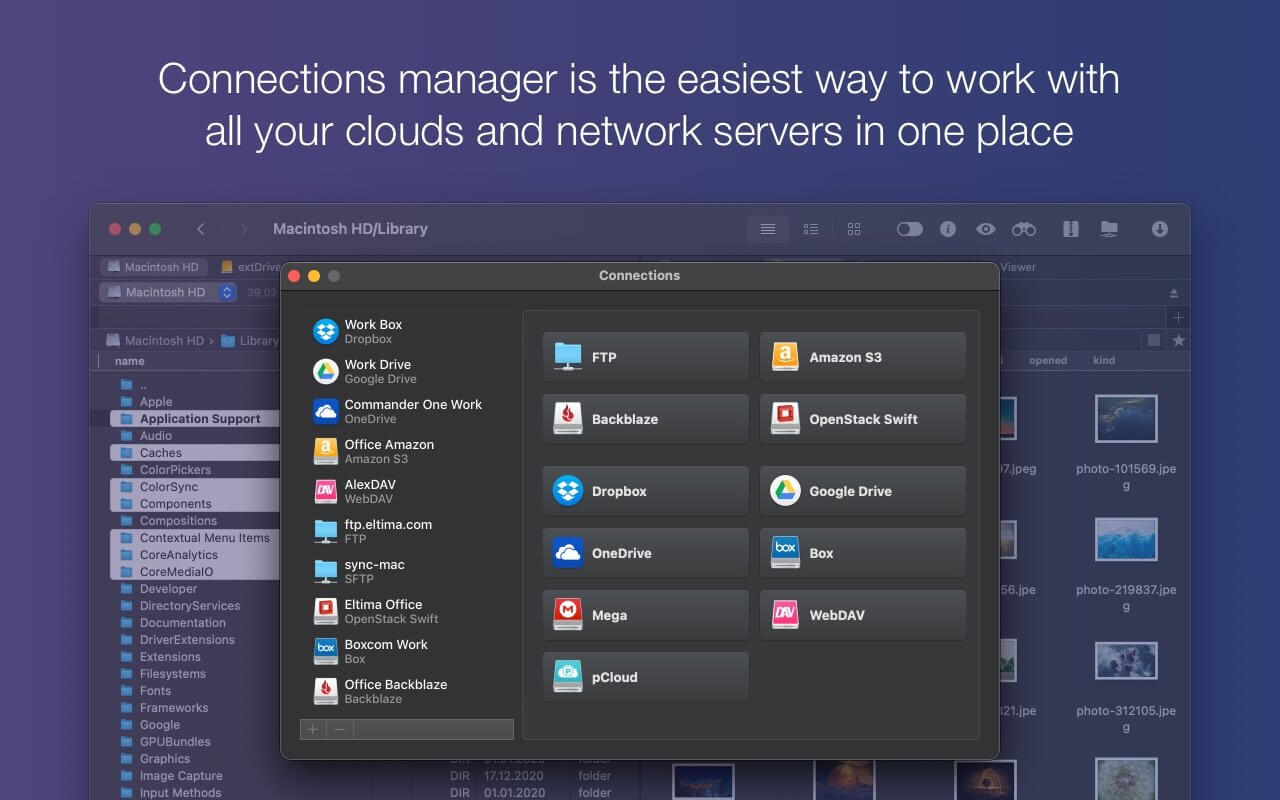

Commander One PRO is a fast, dual-pane file manager and FTP client for Mac, built in Swift. Work with local files, remote servers, cloud storage, and connected devices side by side, all from one window.
Whether you're organizing everyday documents or managing servers as a developer or admin, Commander One PRO gives you the tools to get it done quickly.
CONNECT TO SERVERS
- FTP, SFTP, and FTPS client with a queued transfer manager
- WebDAV support: mount remote servers as local drives
- Connect to multiple servers at the same time
- Transfer files between servers without downloading them to your Mac
- Server settings and passwords stored securely in Keychain
- 256-bit AES encryption protects your connections and files
ALL YOUR CLOUDS IN ONE PLACE
- Dropbox, including Dropbox Business
- Google Drive, including "Shared with me"
- OneDrive
- Amazon S3 and S3-compatible storage
- Box
- Backblaze B2
- OpenStack Swift
Mount as many accounts as you need, browse them like local drives, and copy files directly between services. You don't need to download and re-upload anything by hand.
MOUNT YOUR DEVICES
- iPhone and iPad: transfer files and photos in both directions over USB
- Android: play music, watch videos, and view photos without copying them to your Mac
- Cameras and other MTP devices: browse photos and videos straight from the device
ARCHIVES
- Open and extract ZIP, RAR, 7z, TBZ, and TGZ files
- Create compressed archives
- Search inside archives
POWER TOOLS
- Process Manager: see details for every running process and quit one or all of them in a click
- Built-in terminal emulator
- Root access for full control over your files
- Built-in viewer for text, images, media, HTML, hex, and binary files
A FILE MANAGER THAT WORKS YOUR WAY
- Two panels with unlimited tabs
- Brief mode to see more files at once
- Customizable hotkeys for any action
- File operations queue
- History and Favorites for quick navigation
- Show hidden files with one click
- Browse computers on your local network
- Themes, fonts, and color schemes
Commander One 3.18.4006
- Improved: compatibility with macOS 27.
- Fixed: drag and drop of files on macOS 27.
- Fixed: incorrect behavior of F1–F12 keys on some MacBook models.
- Fixed: handling of some hotkeys with non-English keyboard layouts.
- Other fixes and improvements.
Frequently asked questions
How do I install the app?
Mount the image, drag the app into the "Applications" folder and launch it. If the system blocks the launch, allow it in "System Settings → Privacy & Security".
The app is damaged or won't launch
Reinstalling from a fresh image usually helps. Make sure your macOS version matches the one listed in the compatibility specs.
How do I update?
Download the new version from the site and install it over the current one — your settings will be preserved.
The download link doesn't work
Try a mirror or a download manager. For large files the browser often drops the connection.
How do I completely remove the app?
Use an uninstaller utility — it cleans up the service files that remain after moving the app to the trash.



Choose a download source
Commander One PRO Pack 3.18.0 · 52.49 MB
Previous versions
Commander One PRO Pack 3.18.0
Previous versions are available to registered users.