Network Radar 2.10 (291)
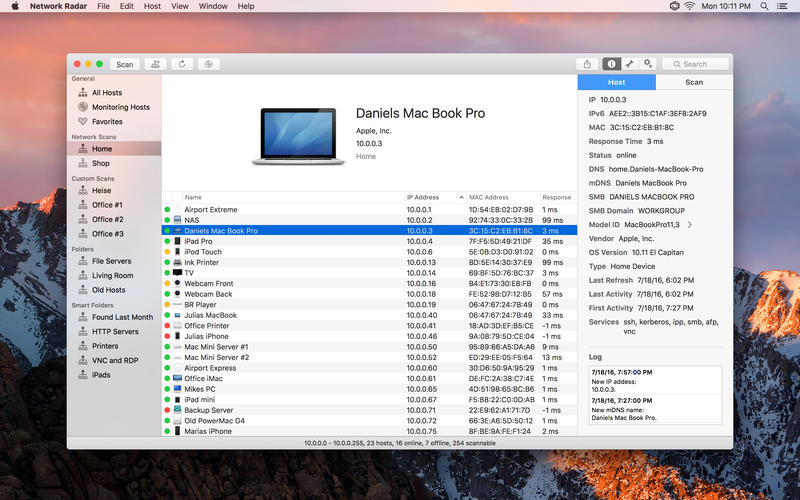
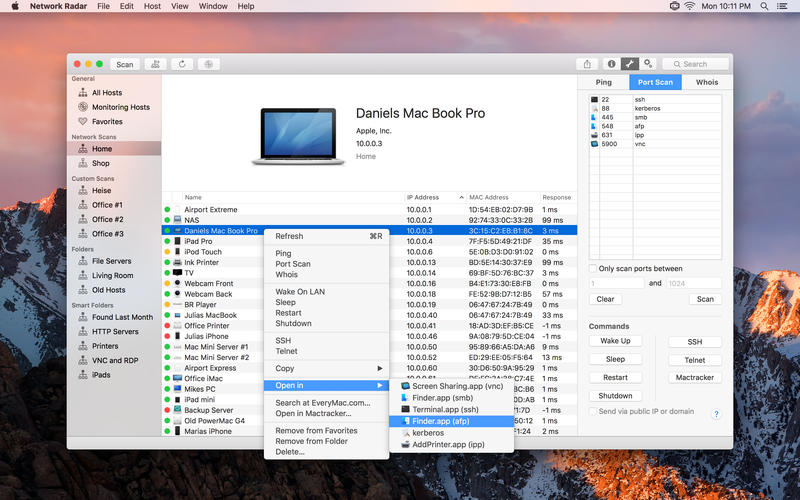

Network Radar is an advanced network scanning and managing tool. Featuring an easy-to-use and streamlined design, the all-new Network Radar 2 has been engineered from the ground up as a modern Mac application.
- Scan your network and retrieve detailed information on network devices
- Run useful network tools and commands with the click of a button
- Use the monitoring feature and get notified about changes in your network
- Access devices from previous scans, even in different networks
- Use the simple rules / actions system for automatic processing of devices
- Simply connect to a device by double-clicking it in the list
- Assign your own names and choose from provided icons or import own icons
- Organize your hosts in folders and smart folders
- Create scans with custom IP ranges
- Export a scan to XML, CSV, TXT or PDF
- Built-in WiFi
- Built-in Ethernet
- Apple's USB to Ethernet Adapter
- Apple's Thunderbolt to Ethernet Adapter
- Apple's Thunderbolt Display Ethernet *Please note that the amount of information Network Radar can find depends on the network it scans.
Version 2.10
New Features
New Features
- The interface has been updated to match the new design of macOS 11 Big Sur.
- Network Radar now uses the open source service of ipify.org to determine the public IP address.
- Empty Networks can now be removed in the Network section.
- The minimum OS has been increased to macOS 10.15.
- The system images and model IDs have been cleaned up by removing similar models.
- The vendor and device database has been updated.
- For some users the app did crash while launching.
- Sometimes the public IP address of a network did not update automatically.
- The host image menu responded slowly on some Macs.
- The app could crash after activating a license.
Frequently asked questions
How do I install the app?
Mount the image, drag the app into the "Applications" folder and launch it. If the system blocks the launch, allow it in "System Settings → Privacy & Security".
The app is damaged or won't launch
Reinstalling from a fresh image usually helps. Make sure your macOS version matches the one listed in the compatibility specs.
How do I update?
Download the new version from the site and install it over the current one — your settings will be preserved.
The download link doesn't work
Try a mirror or a download manager. For large files the browser often drops the connection.
How do I completely remove the app?
Use an uninstaller utility — it cleans up the service files that remain after moving the app to the trash.
VersionNetwork Radar 2.10 (291)
DeveloperDaniel Diener
CompatibilitymacOS 10.12 or later, 64-bit processor
LanguageEnglish
IncludesK'ed by TNT




Information
Visitors in the group Guests cannot leave comments on this publication.
Choose a download source
Network Radar 2.10 (291) · 23.77 MB
Previous versions
Network Radar 2.10 (291)
Previous versions are available to registered users.