
IPNetMonitorX 2.7.2
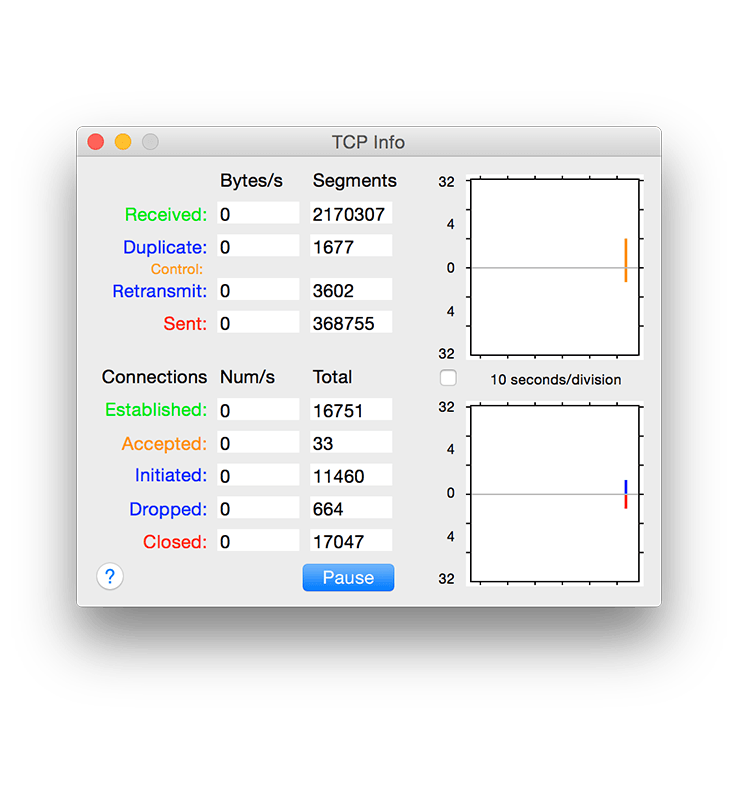
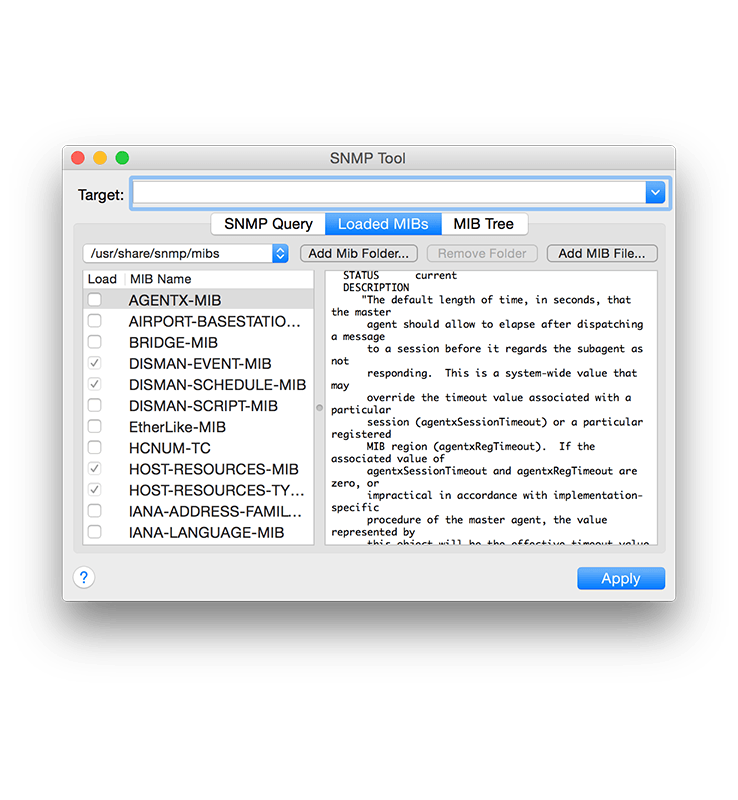

IPNetMonitorX is a powerful Internet/network troubleshooting toolkit for debugging Internet service problems and optimizing performance. Featuring 24 integrated tools, IPNetMonitorX is designed to help you quickly locate where the problem is and gather data which can be used to solve the problem either directly or through your Internet service provider.
IPNetMonitorX combines an intuitive Mac user interface with deep OS X knowledge to provide essential problem-solving details from a single convenient application. If you've ever struggled with why some Internet feature isn't working, or just want to explore and understand better, IPNetMonitorX is here to help. The built-in description for each tool clarifies underlying network concepts as it guides you to answer real-world questions about how your Internet is working.
Key Benefits
- A complete Internet Toolkit. Consistent, integrated design affords speed and efficiency.
- A floating tool palette allows you to see and access the tools you need quickly. The layout of each tool is optimized for the task at hand.
- Comprehensive displays show TCP/IP in action, perfect for tuning network performance.
- Fast, asynchronous, multithreaded design allows you to see network behavior as it happens.
- Open and use multiple tools or instances of the same tool simultaneously from a single application.
- Input fields support recent targets or history, auto-completion, and drag-and-drop. Automatically transfers data from one tool to another.
- No need to login as root.
- Address Scan
- AirPort Signal
- Bonjour Scan
- Connection List DHCP Lease
- DHCP Test
- DNS Lookup
- DNS Query
- DNS RBL
- Finger
- Interface Info
- Link Rate
- Monitor
- Ping
- Port Scan
- Server Scan
- Service Info
- SNMPd Config
- SNMP Tool
- Subnet Calculator
- TCP Info
- TCP Dump
- Traceroute
- Whois
Version 2.7.2:
Version 2.7.0:
- Release notes were unavailable when this listing was updated.
Version 2.7.0:
- Ping tool now supports IPv6
- Re-conceptualize IPv6 Subnet Calculator as "IPv6 Address Info" to be simpler by removing IPv4 features
- Add IPv4 address "Pattern" to Subnet Calculator to help recognize common IP address types
- Automatically open corresponding IPv4 or IPv6 Address Info when other type of IP address is entered
- Fix possible crashing bug when attempting to access a previously closed window
- Fix inconsistencies in IPv6 address compression
- Add support for opening IPv6 raw sockets
Frequently asked questions
How do I install the app?
Mount the image, drag the app into the "Applications" folder and launch it. If the system blocks the launch, allow it in "System Settings → Privacy & Security".
The app is damaged or won't launch
Reinstalling from a fresh image usually helps. Make sure your macOS version matches the one listed in the compatibility specs.
How do I update?
Download the new version from the site and install it over the current one — your settings will be preserved.
The download link doesn't work
Try a mirror or a download manager. For large files the browser often drops the connection.
How do I completely remove the app?
Use an uninstaller utility — it cleans up the service files that remain after moving the app to the trash.
VersionIPNetMonitorX 2.7.2
DeveloperSustainable Softworks
CompatibilityOS X 10.7 or later, 64-bit processor
LanguageEnglish
IncludesK





Information
Visitors in the group Guests cannot leave comments on this publication.
Choose a download source
IPNetMonitorX 2.7.2 · 4.96 MB