

Mountain Duck 5.3.2
Mountain Duck — Cloud Storage Manager and FTP Client for Mac
Screenshots
Click to enlarge

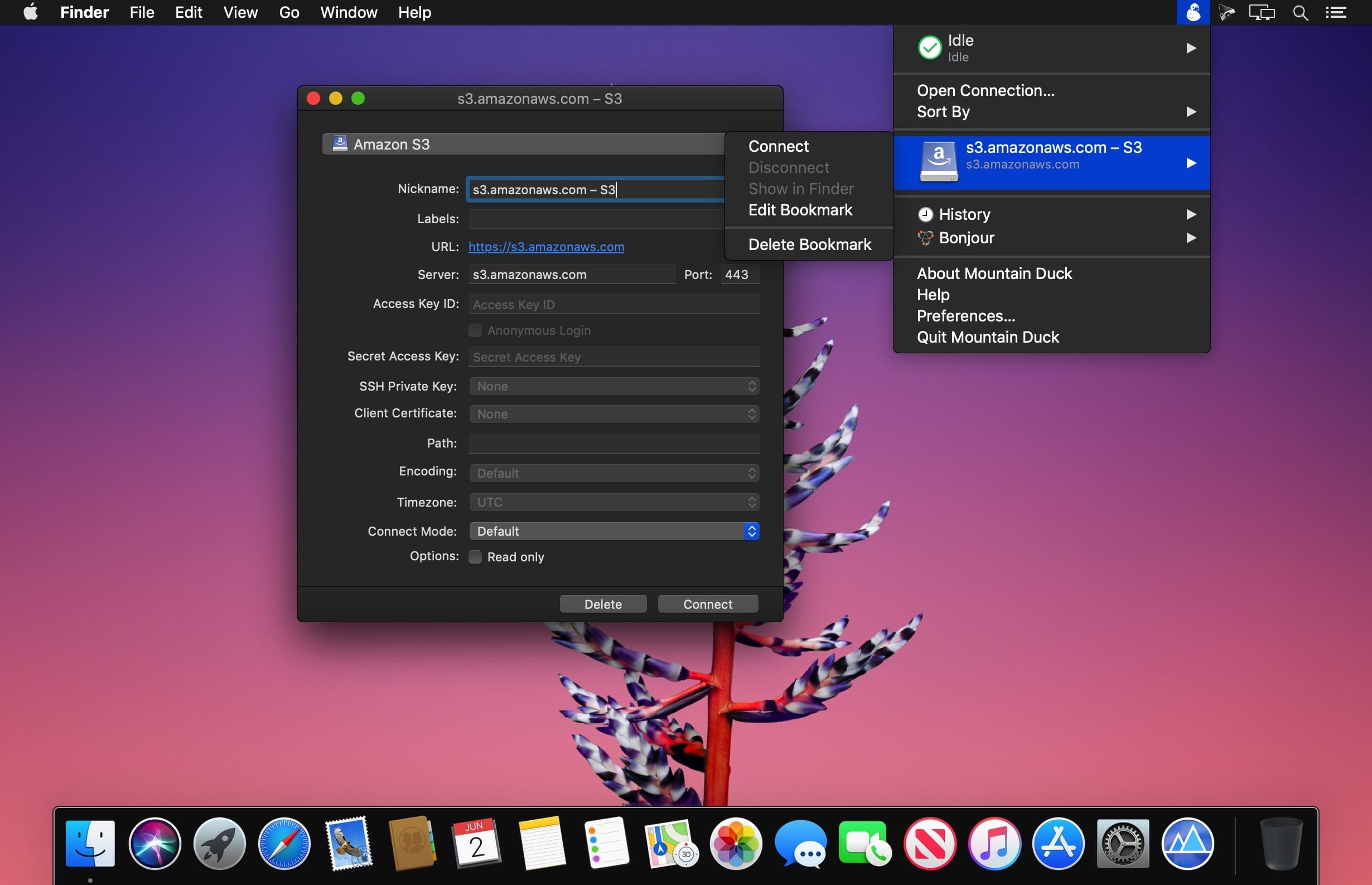
Mountain Duck is a nifty macOS app that can make it a lot easier to manage your cloud storage accounts and FTP, SFTP or WebDAV servers, as it enables you to mount them as local volumes and transfer files using Finder.
The application is very easy to use and runs in your menu bar, allowing you to quickly connect and disconnect from various storage services.
Mount remote storage servers as standard Finder volumes, for easy browsing and file transfers
- Mountain Duck is especially useful if you need to manage multiple servers or cloud storage services at once, as switching between several interfaces can become confusing and hinder your workflow.
- Once you have added them as bookmarks in Mountain Duck, however, they can be accessed just like any other local volume, so that Finder can be used whenever you want to browse their contents or copy files.
Useful tool that supports numerous popular file transfer protocols
- Mountain Duck does not limit you to a single connection, as you can add as many servers or cloud storage accounts as you wish. It supports FTP, SFTP, WebDav, Amazon S3, Microsoft Azure, Google Cloud and OpenStack Swift.
- Configuring each bookmark is not at all difficult, provided you know the server address and the required username and password.
Unobtrusive menu bar app that is always close by when you need it
- Your bookmarks can be configured and accessed from Mountain Duck’s menu bar icon whenever you want to disconnect from a server, open its volume in Finder or remove it altogether.
- Moreover, the app displays a detailed history of all past connections, and allows you to enable or disable Bonjour notifications.
- Mountain Duck is a handy utility that could prove to be invaluable for users who commonly manage multiple remote storage servers, as it enables you to mount them as local volumes, and browse their contents or transfer files using Finder.
Version 5.3.2:
- Feature: Lock files on server when opening in "Integrated" connect mode (Windows, WebDAV)
- Feature: Set read-only permissions on files locked on server when opened "Integrated" connect mode (Windows, WebDAV)
- Feature: "Keep Offline on Local Disk" and "Delete on Local Disk" context menu items in "Integrated" connect mode (Windows)
- Feature: Suppress sleep mode during file transfers (Windows)
- Feature: Resolve *.localhost hostnames to loopback address
- Feature: Support hierarchical namespaces in Azure Data Lake filesystems (Azure)
- Bugfix: Open Microsoft Office files in read-only mode when locked on server (WebDAV)
- Bugfix: Password saved regardless of checkbox selection (Cryptomator)
- Bugfix: Skip client certificate selection with no issuers sent from server (WebDAV)
- Bugfix: Connect with Integrated Windows Authentication (IWA) connection profile (WebDAV)
- Bugfix: Failure to connect with default path set to vault (Windows, Cryptomator)
- Bugfix: Access denied error creating new folder in vault (Windows, Cryptomator)
- Bugfix: Command execution with credential_process configuration fails (S3, macOS) (#18256)
- Bugfix: Login failure connecting to AWS GovCloud (S3) (#18336)
- Bugfix: Failure comparing large files with no checksum available (Backblaze B2) (#18363)
Comments
No comments yet. Be the first.
Information
Visitors in the group Guests cannot leave comments on this publication.