Mountain Duck 1.9.9
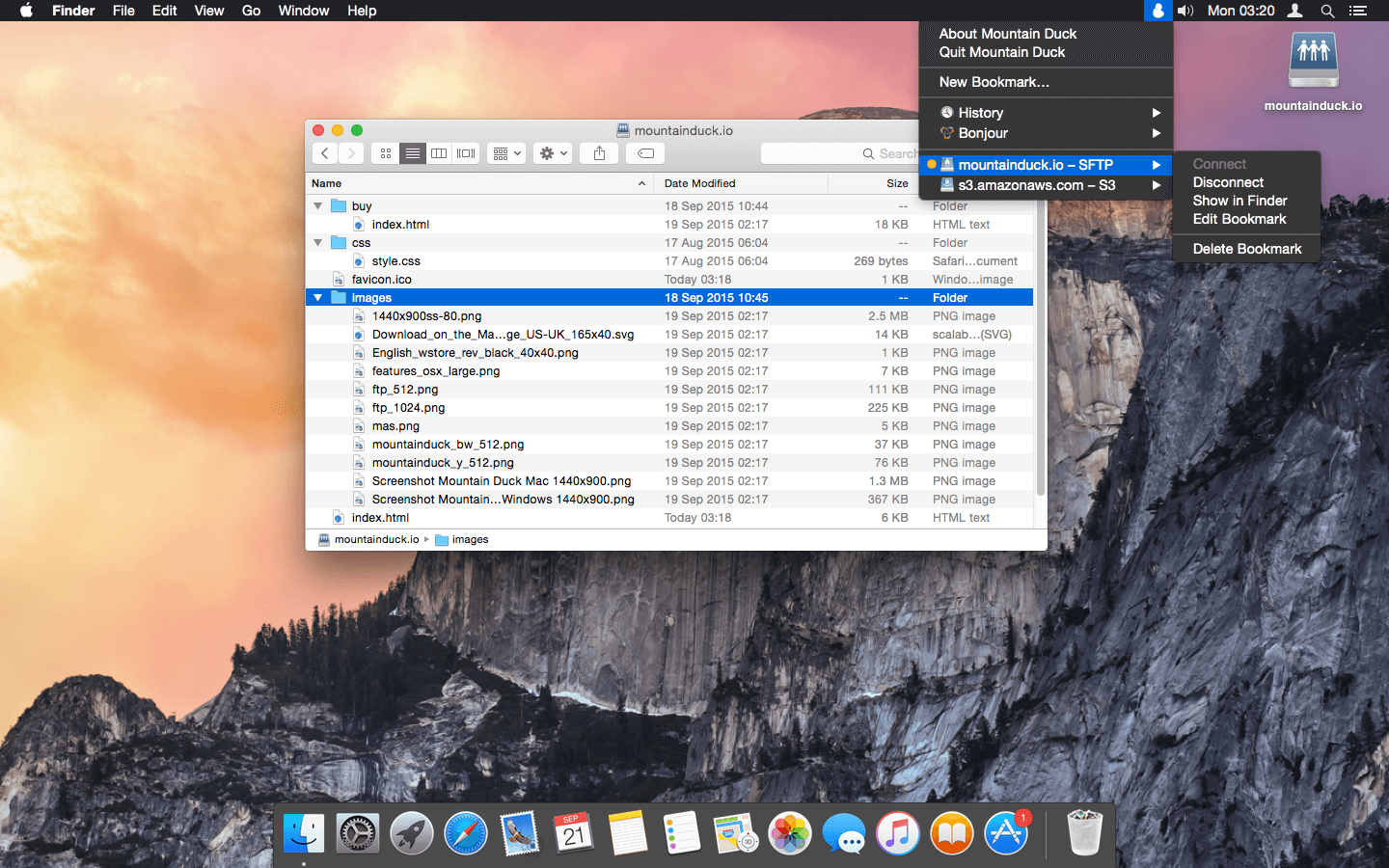
Mountain Duck, based on the solid open-source foundation of Cyberduck, allows you to mount remote volumes in Finder on OS X and File Explorer on Windows. Access remote files as if they were on a local disk, and edit them with your preferred applications. A minimalist user interface in the menu bar allows you to quickly mount remote volumes. Bookmarks are shared with Cyberduck if installed.
All major protocols are supported to connect to just about any server or cloud storage, including WebDAV, Amazon S3, Microsoft Azure, OpenStack Swift, FTP, and SFTP.
Unlike other solutions, installation on OS X requires no administrator privileges and zero system extensions.
WHAT’S NEW
Version 1.9.9Bugfix
- Performance issues due to missing files in directory cache
SCREENSHOTS
Frequently asked questions
How do I install the app?
Mount the image, drag the app into the "Applications" folder and launch it. If the system blocks the launch, allow it in "System Settings → Privacy & Security".
The app is damaged or won't launch
Reinstalling from a fresh image usually helps. Make sure your macOS version matches the one listed in the compatibility specs.
How do I update?
Download the new version from the site and install it over the current one — your settings will be preserved.
The download link doesn't work
Try a mirror or a download manager. For large files the browser often drops the connection.
How do I completely remove the app?
Use an uninstaller utility — it cleans up the service files that remain after moving the app to the trash.
VersionMountain Duck 1.9.9
DeveloperDavid Kocher
CompatibilityOS X 10.8.3 or later, 64-bit processor
LanguageEnglish
IncludesK'ed by TNT



Choose a download source
Mountain Duck 1.9.9 · 100.3 MB
Comments 2