
HistoryHound 2.3.7
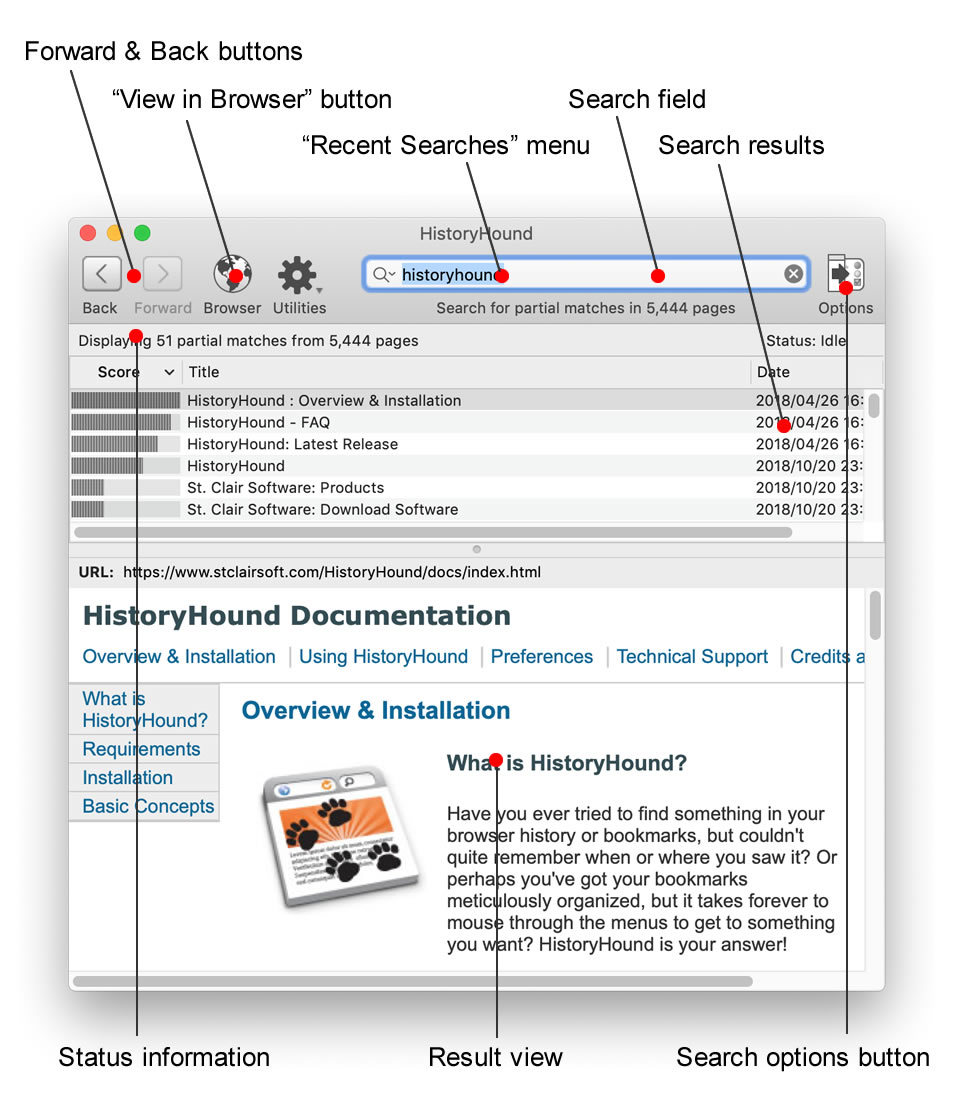

HistoryHound is for you if you ever tried to find something in your browser history or bookmarks, but couldn't quite remember when or where you saw it. Or perhaps you've got your bookmarks meticulously organized, but it takes forever to mouse through the menus to get to something you want? HistoryHound will chase down the page for you - fast!
HistoryHound lets you quickly search for keywords in the entire content of all Web pages and RSS feeds you've visited recently, plus all those that you've bookmarked. It's a "personal Web search." Instead of hunting through endless lists of obscure URLs and page titles, just type in a few words that appear anywhere on the page, and even narrow it down to a specific range of dates if you remember when you saw it. HistoryHound will give you a list of matches, ranked by relevance.
HistoryHound currently supports Safari, Firefox, Google Chrome, OmniWeb, Opera, iCab, Vivaldi, NetNewsWire and URL Manager Pro.
Version 2.3.7:
- Added support for Atlas, Comet, Helium and Dia browsers.
- The search field in HistoryHound's toolbar will never be hidden, no matter how small the window gets.
- If you hold down the Option key, you can turn off HistoryHound's icon in both the menu bar and the Dock.
- Pages with "sign-in" in the URL are treated as login pages and are not indexed.
- Dates formatted in nonstandard ways in some locales are handled correctly.
Frequently asked questions
How do I install the app?
Mount the image, drag the app into the "Applications" folder and launch it. If the system blocks the launch, allow it in "System Settings → Privacy & Security".
The app is damaged or won't launch
Reinstalling from a fresh image usually helps. Make sure your macOS version matches the one listed in the compatibility specs.
How do I update?
Download the new version from the site and install it over the current one — your settings will be preserved.
The download link doesn't work
Try a mirror or a download manager. For large files the browser often drops the connection.
How do I completely remove the app?
Use an uninstaller utility — it cleans up the service files that remain after moving the app to the trash.





Choose a download source
HistoryHound 2.3.7 · 15.55 MB