
Submerge 3.9.1
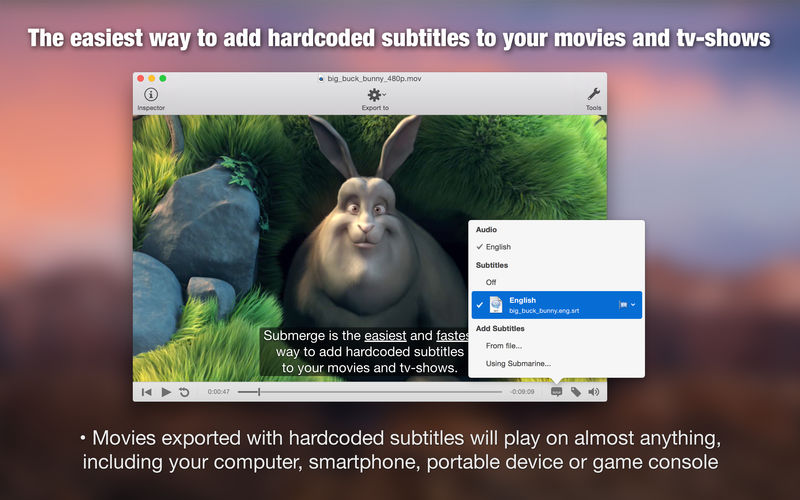

Submerge is the easiest way to add hardcoded subtitles to your movies and TV shows.
The subtitled movie will play on almost anything, like your computer, smartphone, portable device, or game console. Submerge supports many text-based subtitle formats as input, and you can export the subtitled movie for the most common devices in just one click. Submerge also has a built-in subtitle search-and-download tool that makes finding the right subtitles really easy. It also has a fullscreen player built-in, so you can watch the subtitled movie directly within Submerge.
Features
- reate subtitled movies that are playable on your computer, smartphone, portable device or game console.
- Add subtitles to almost any visual format like mov, avi, mkv, mp4 etc.
- Supports the major subtitle file formats like SubRip (.srt), SubViewer 1 & 2 (.sub), SubStation Alpha (.ssa/.ass) and MicroDVD.
- Find subtitle files easily using the built-in subtitle search tool.
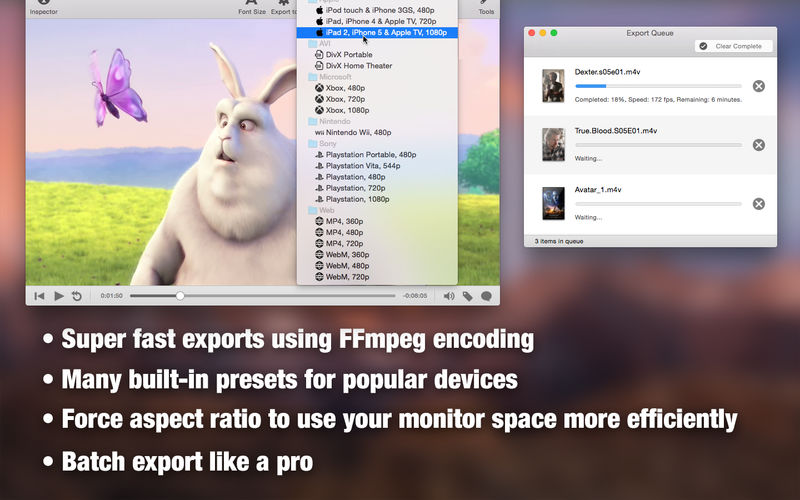
- Exporter presets for iPhone, iPod, iPad, Apple TV, Cellphone, PSP, PS3, Wii and Xbox 360.
- Force aspect ratio to 16:9, 4:3 or 3:2 to use your monitor space more efficiently.
- Watch subtitled movies in fullscreen without leaving the application.
- Merge multiple movies together using simple copy and paste.
- Localized in English, Italian, French, Finnish, Spanish, Greek, Portuguese/Brazilian, Dutch, German, Slovak, Russian, Polish, Traditional Chinese and Swedish.
Version 3.9
- Now using AVFoundation to export MPEG-4 files and FFmpeg for everything else.
- AVFoundation uses hardware encoding and it's really, really fast.
- FFmpeg is versatile and can export different formats like .MKV and .AVI
- There's a setting in Preferences to always use FFmpeg for export if wanted.
- FFmpeg updated to version 5.0 "Lorentz".
Frequently asked questions
How do I install the app?
Mount the image, drag the app into the "Applications" folder and launch it. If the system blocks the launch, allow it in "System Settings → Privacy & Security".
The app is damaged or won't launch
Reinstalling from a fresh image usually helps. Make sure your macOS version matches the one listed in the compatibility specs.
How do I update?
Download the new version from the site and install it over the current one — your settings will be preserved.
The download link doesn't work
Try a mirror or a download manager. For large files the browser often drops the connection.
How do I completely remove the app?
Use an uninstaller utility — it cleans up the service files that remain after moving the app to the trash.





Choose a download source
Submerge 3.9.1 · 53.8 MB
Previous versions
Submerge 3.9.1
Previous versions are available to registered users.