
iSubtitle 3.4.6
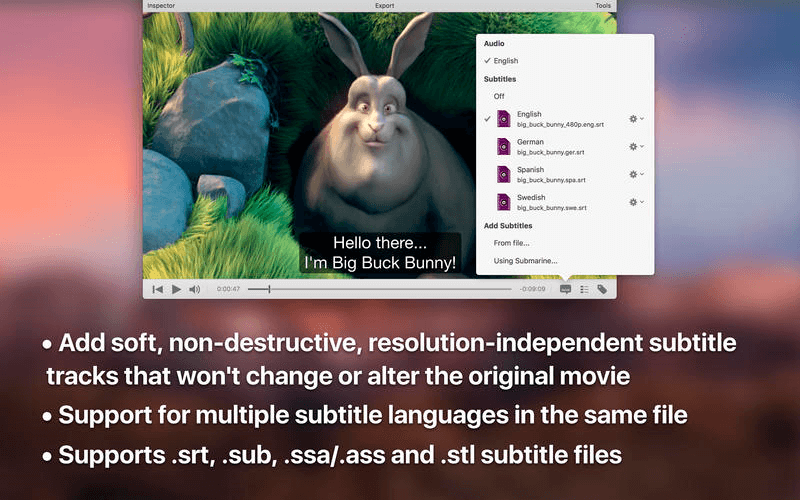

iSubtitle lets you create soft-subtitled movies for iPod, iPhone, iPad, Apple TV, iTunes or any AVFoundation/QuickTime-based player or app. It's the first and only application to take full advantage of Apple's soft-subtitle technology. The subtitle tracks are resolution-independent and rendered in real-time as you watch the movie.
Subtitles are always displayed at the best quality your device can perform. There are support for multiple languages in the same movie file and you can even switch language on the fly as you watch. If you already have a movie in a format that suits your needs there's no reason to re-encode it, just add the subtitles and use File->Save and you're good to go. If, on the other hand, your movie is not suited for your device you can batch re-encode it straight from within the application. You can also tag your file with metadata so it's easier to find in your growing library of TV shows and movies. Enjoy!
Main Features
- Add soft, non-destructive subtitles, that won't change or alter the original movie.
- Subtitles can be turned on/off using the interface of the device or application.
- Complete support for multiple languages in the same file.
- Supported devices are iPod, iPhone, iPad and Apple TV.
- Supported applications are iTunes, QuickTime Player or any app that can play a AVFoundation/QuickTime Movie.
- Built-in subtitle online search with automatic download, unarchive and parsing.
- Supports all major subtitle file formats like SubRip (.srt), SubViewer 1 and 2 (.sub), SubStation Alpha (.ssa/.ass), Spruce (.stl), Scenarist (.scc) and iTunes Timed Text (.itt).
- Matroska subtitles, like ssa/ass and srt, are automatically converted to soft subtitle tracks on import.
- Sync subtitles in real-time using the time offset stepper.
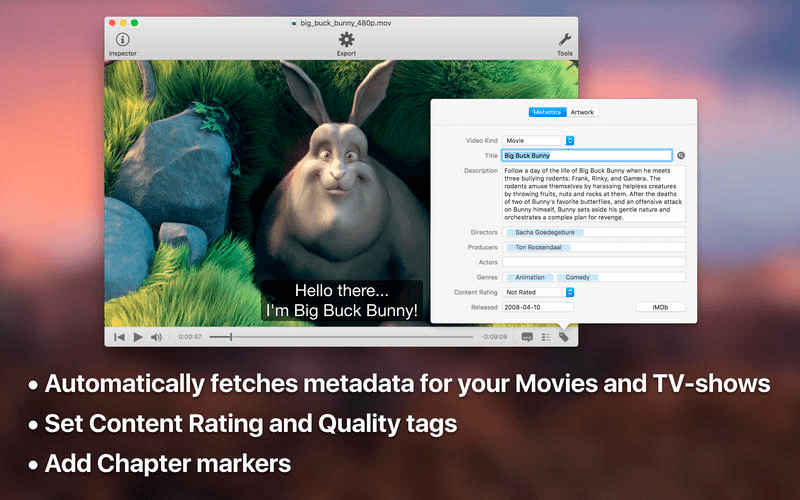
- Automatic and manual metadata tagging.
- Create chapter markers automatically or manually.
- Batch re-encode movies within the application to support your target device or application.
- Watch subtitled movies in fullscreen without leaving the application.
- Works perfect with 10.9 Mavericks.
- Please install Perian from http://goo.gl/cXtDPW to support more input formats like MKV and AVI.
- If you are having issues using iSubtitle, we want to help. Please contact us!
Version 3.4.6:
- Playback with hardware decoding on the GPU for H.264 and H.265 (HEVC) video tracks.
- Playback with hardware decoding also works for containers like .MKV
- Playback with hardware decoding saves battery life and CPU cycles.
- Easily plays 4K video when hardware decoding is available
Frequently asked questions
How do I install the app?
Mount the image, drag the app into the "Applications" folder and launch it. If the system blocks the launch, allow it in "System Settings → Privacy & Security".
The app is damaged or won't launch
Reinstalling from a fresh image usually helps. Make sure your macOS version matches the one listed in the compatibility specs.
How do I update?
Download the new version from the site and install it over the current one — your settings will be preserved.
The download link doesn't work
Try a mirror or a download manager. For large files the browser often drops the connection.
How do I completely remove the app?
Use an uninstaller utility — it cleans up the service files that remain after moving the app to the trash.




Choose a download source
iSubtitle 3.4.6 · 28.82 MB
Previous versions
iSubtitle 3.4.6
Previous versions are available to registered users.