Pimp My Picture 1.3.0
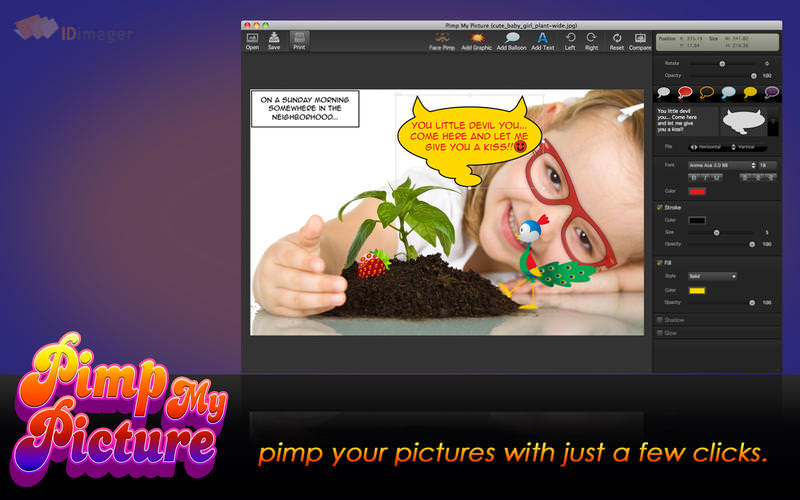
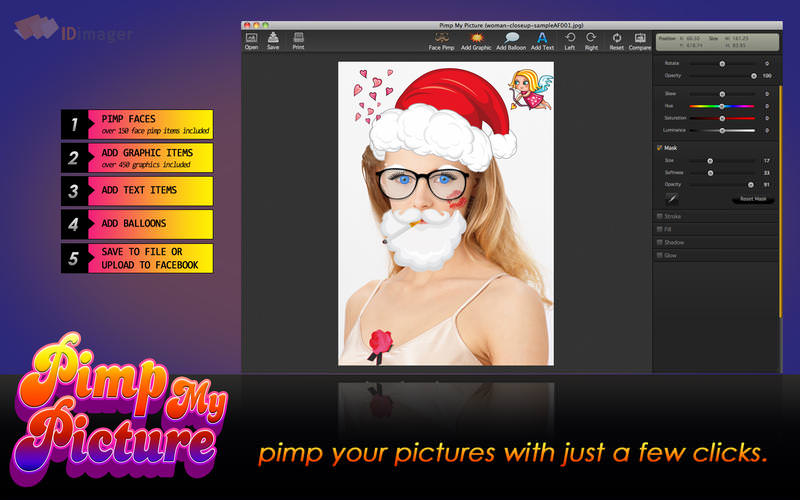

Pimp My Picture is a fun image editor that allows you to quickly customize your photos by adding amusing graphics, text balloons, or quotes.
Pimp My Picture includes a collection of 600+ graphics covering almost any occasion. The app allows you to add glasses or mustaches, text balloons, your own comments and more.
Main Features:
- Add graphics to pictures; from Comic Faces to Stickers
- Add face pimp effects to pictures, from mustaches to glasses
- Add text balloons with several supported shapes
- Add free text
- Rotate graphics
- Skewing
- Mask graphics by removing (parts) of the graphic
- Change fill properties like colors or opacity
- Change stroke properties
- Add shadow
- Add glow
- Comes with 600+ high quality graphics
Supports reading all most popular image formats, including JPG, PNG, PSD, TIF, DNG, and RAW formats
Version 1.3.0
- several performance improvements
- bug fixes
Frequently asked questions
How do I install the app?
Mount the image, drag the app into the "Applications" folder and launch it. If the system blocks the launch, allow it in "System Settings → Privacy & Security".
The app is damaged or won't launch
Reinstalling from a fresh image usually helps. Make sure your macOS version matches the one listed in the compatibility specs.
How do I update?
Download the new version from the site and install it over the current one — your settings will be preserved.
The download link doesn't work
Try a mirror or a download manager. For large files the browser often drops the connection.
How do I completely remove the app?
Use an uninstaller utility — it cleans up the service files that remain after moving the app to the trash.
VersionPimp My Picture 1.3.0
DeveloperIDimager Systems, Inc.
CompatibilityOS X 10.6.5 +
LanguageEnglish
IncludesPre-K'ed




Information
Visitors in the group Guests cannot leave comments on this publication.
Choose a download source
Pimp My Picture 1.3.0 · 22.07 MB