Vault 101 v1.4.9
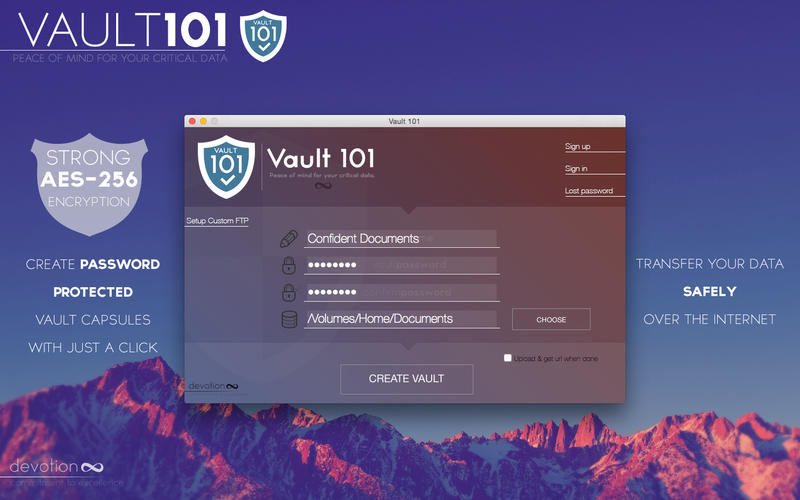
Vault 101 will help you keep your data protected via strong AES-256 encryption.
AES-256 is 256 bit Advanced Encryption Standard.
PROTECT YOUR CRITICAL DATA
Password protect files and folders in 3 easy steps: Choose source folder, set capsule name and password and click "Create".
ACCESS ENCRYPTED CAPSULE
- It's even easier to access your encrypted data.
- Since your capsule is encrypted, it's not possible for others to read it without your password.
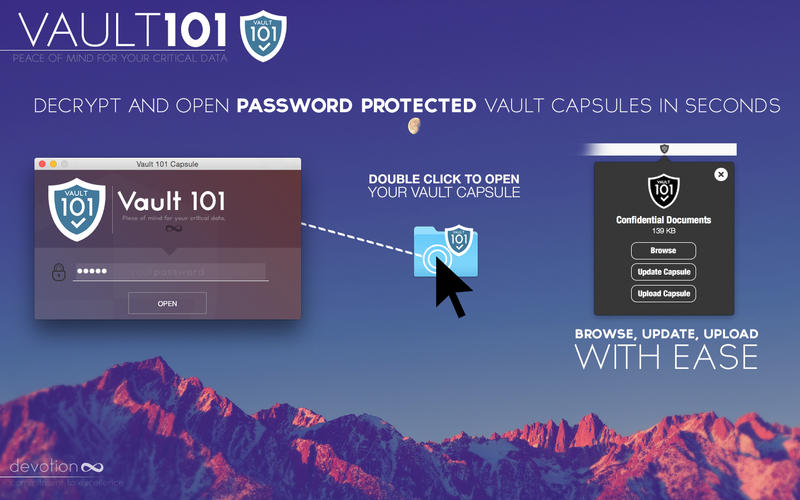
- To view a capsule, just double click on it, enter your password, click the "Open" button.
- Your data is now accessible and you can easily open, edit, add or remove files and folders.
- When you finish editing your capsule content you can easily update and encrypt it again from the menubar.
- Once updated you can upload it on the cloud with a single click.
EXCHANGE CAPSULES ONLINE
- You can optionally automatically upload your capsule on our server and send a download link via email to one recipient.
- Uploaded capsules are available for 48 hours. After that they are automatically deleted.
- Our server acts as a bridge between you and your recipient.
You can also setup your own FTP server and configure Vault 101 to work with it instead.
48h limitations will not apply on your own FTP server.
Vault 101 is the best way to transfer critical data over the internet (email, cloud, messenger, etc.).
Even if your Vault Capsule falls into wrong hands it remains completely inaccessible due to it's strong password based AES-256 encryption.
It's the best solution if you want to keep your critical data synced yet protected on cloud or FTP servers.
Features:
- protect files and folders with password via strong AES-256 encryption
- read-write support for the encrypted capsules
- easy management when capsule is opened (browse, update, upload)
- automatically upload your capsule on our server & get a download link after creation (optional)*
- automatically send an email with a download link to one recipient after upload (optional)
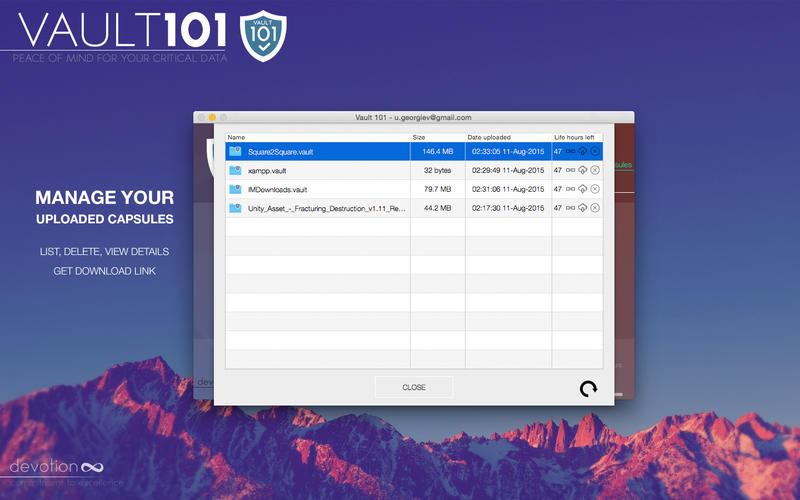
- manage uploaded capsules: list, delete, view details, download, get download link
- personal FTP server support
Version 1.4.9:
- Minor updates
Frequently asked questions
How do I install the app?
Mount the image, drag the app into the "Applications" folder and launch it. If the system blocks the launch, allow it in "System Settings → Privacy & Security".
The app is damaged or won't launch
Reinstalling from a fresh image usually helps. Make sure your macOS version matches the one listed in the compatibility specs.
How do I update?
Download the new version from the site and install it over the current one — your settings will be preserved.
The download link doesn't work
Try a mirror or a download manager. For large files the browser often drops the connection.
How do I completely remove the app?
Use an uninstaller utility — it cleans up the service files that remain after moving the app to the trash.
VersionVault 101 v1.4.9
DeveloperYuriy Georgiev
CompatibilityOS X 10.8 or later, 64-bit processor
LanguageEnglish
IncludesPre-K'ed

Information
Visitors in the group Guests cannot leave comments on this publication.
Choose a download source
Vault 101 v1.4.9