
MacScan 3.1
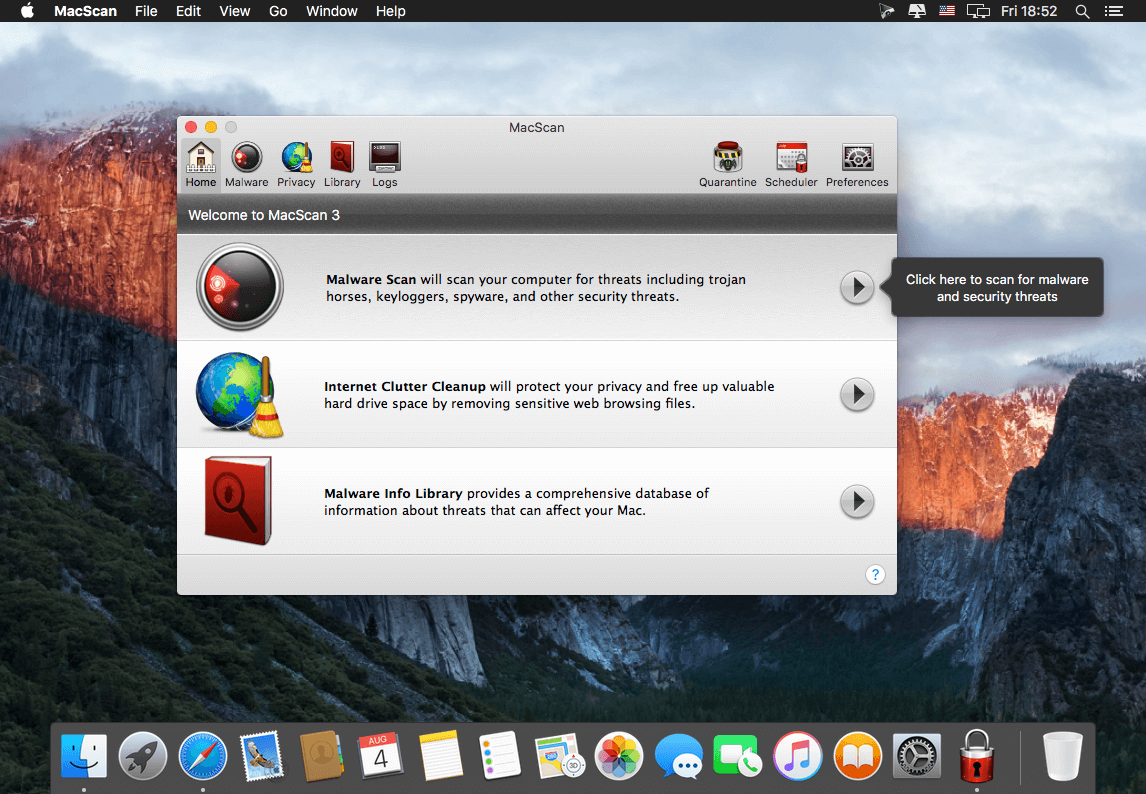
MacScan 3--designed exclusively for Mac OS X, and including full support for Apple's latest release of macOS 10.12--provides protection against the continued growth of malware by offering advanced detection and removal of security and privacy threats.
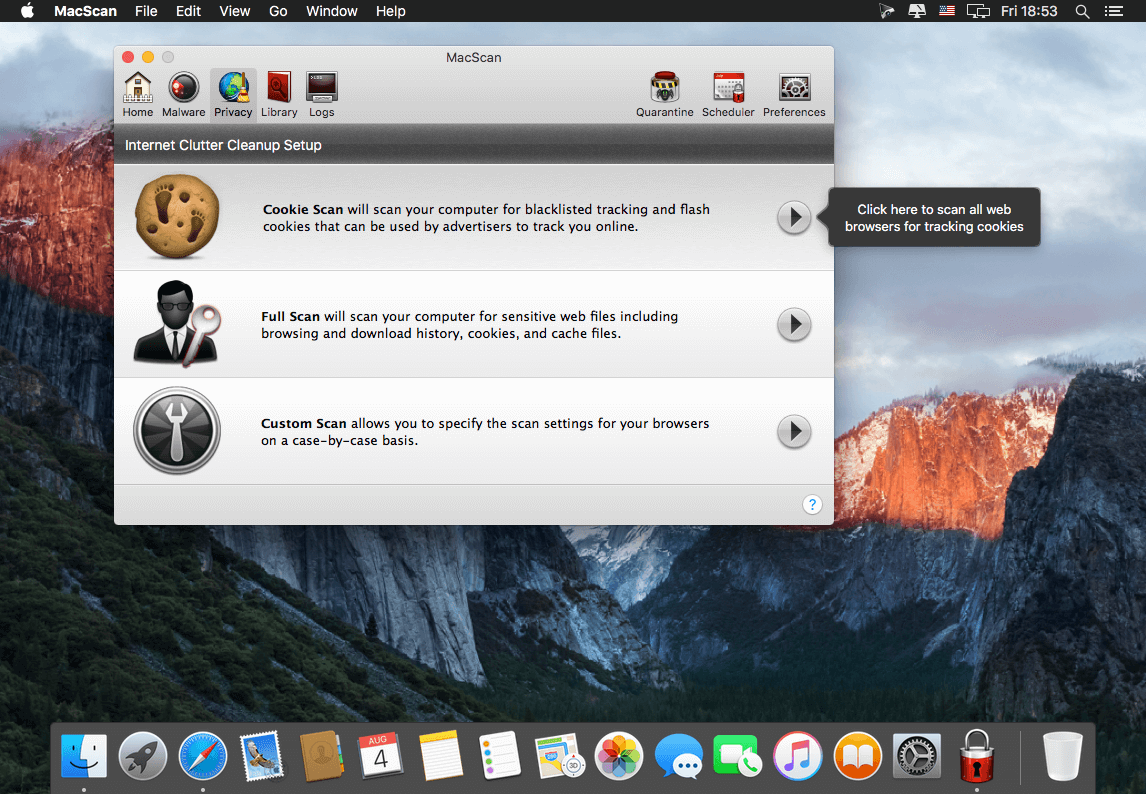
MacScan 3 makes it easy to protect against malware with an intuitive interface and enhanced scan capabilities. Automatic malware definition updates ensure that you're protected against the latest threats, and scheduled scans can keep tabs on your computer's security even when you're not there. When it comes to privacy threats, MacScan 3 can automatically remove blacklisted tracking cookies or clean files left behind by popular web browsers, saving disk space and erasing private data
Features
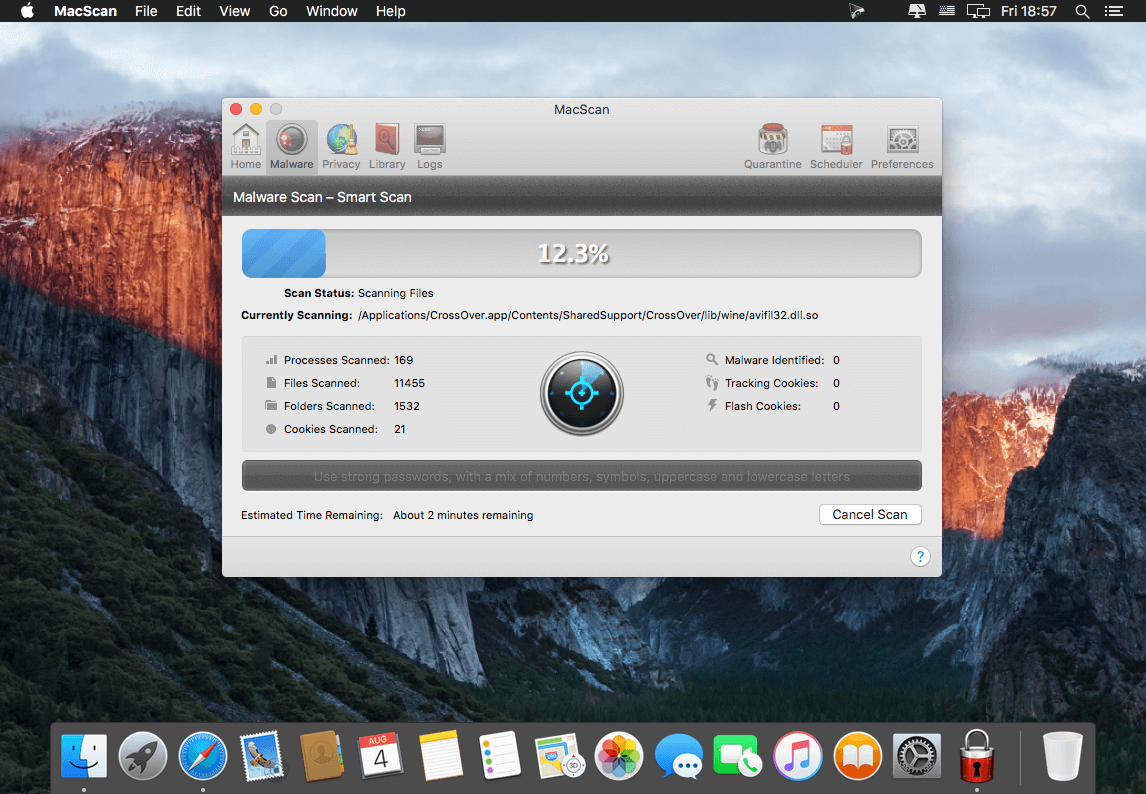
- Protection against Malware Threats: Avoid getting hit with malware. MacScan 3 offers four unique ways to scan for malware, including a new Smart Scan feature that targets locations where malware is known to hide, saving time and computer resources.
- Internet Clutter Cleanup: Remove unnecessary files left behind by web browsers to free up valuable hard drive space and eliminate private data. Expanded cleaning options give you complete control and customization when it comes to your privacy protection.
- Scheduled Scans and Automated Cleaning: MacScan 3 has a built-in scan scheduler that gives you complete control to choose when a scan should automatically run, and allows you to configure different scans to run at different times. If you're looking for a quick solution to tracking cookies, MacScan 3 has an automatic cookie cleaning feature that will target and remove blacklisted tracking cookies when you are done surfing the net, leaving the rest of your cookies in place -- no user interaction required!
- Malware Definition Updates: MacScan 3 automatically checks for malware definition updates before each scan, so you can easily stay up-to-date with protection against the latest Mac malware threats targeting OS X.
- Expanded Tracking Cookie Cleaning Options: MacScan 3 comes loaded with detection capabilities for a huge number of known tracking cookies (over 25,000 and counting!), with a database that is updated on a regular basis. If there is are specific cookies that you want to keep, or ones that you always want to remove, you can now specify a custom whitelist and blacklist for cookies on your system.
WHAT’S NEW
Version 3.1:
- Fixed a bug where errors could occur during update checks when running scheduled scans in some situations
- Fixed a bug where malware isolation errors could occur in rare cases
- User interface updates and improvements
SCREENSHOTS
Frequently asked questions
How do I install the app?
Mount the image, drag the app into the "Applications" folder and launch it. If the system blocks the launch, allow it in "System Settings → Privacy & Security".
The app is damaged or won't launch
Reinstalling from a fresh image usually helps. Make sure your macOS version matches the one listed in the compatibility specs.
How do I update?
Download the new version from the site and install it over the current one — your settings will be preserved.
The download link doesn't work
Try a mirror or a download manager. For large files the browser often drops the connection.
How do I completely remove the app?
Use an uninstaller utility — it cleans up the service files that remain after moving the app to the trash.
VersionMacScan 3.1
DeveloperSECUREMAC
CompatibilityOS X 10.8 or later
LanguageEnglish
IncludesK'ed by TNT




Information
Visitors in the group Guests cannot leave comments on this publication.
Choose a download source
MacScan 3.1 · 10.44 MB