
Combo Cleaner Premium 1.4.0
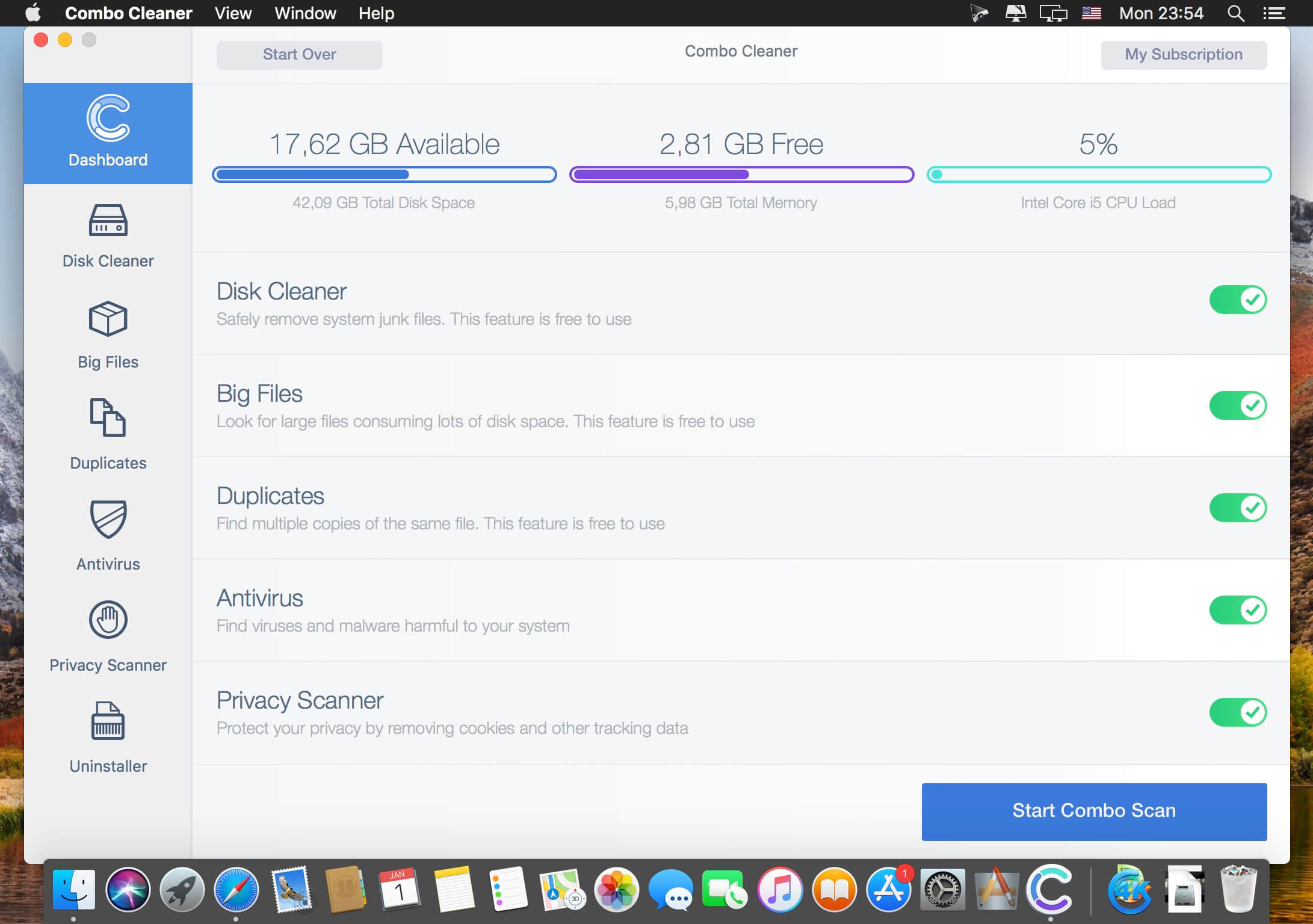
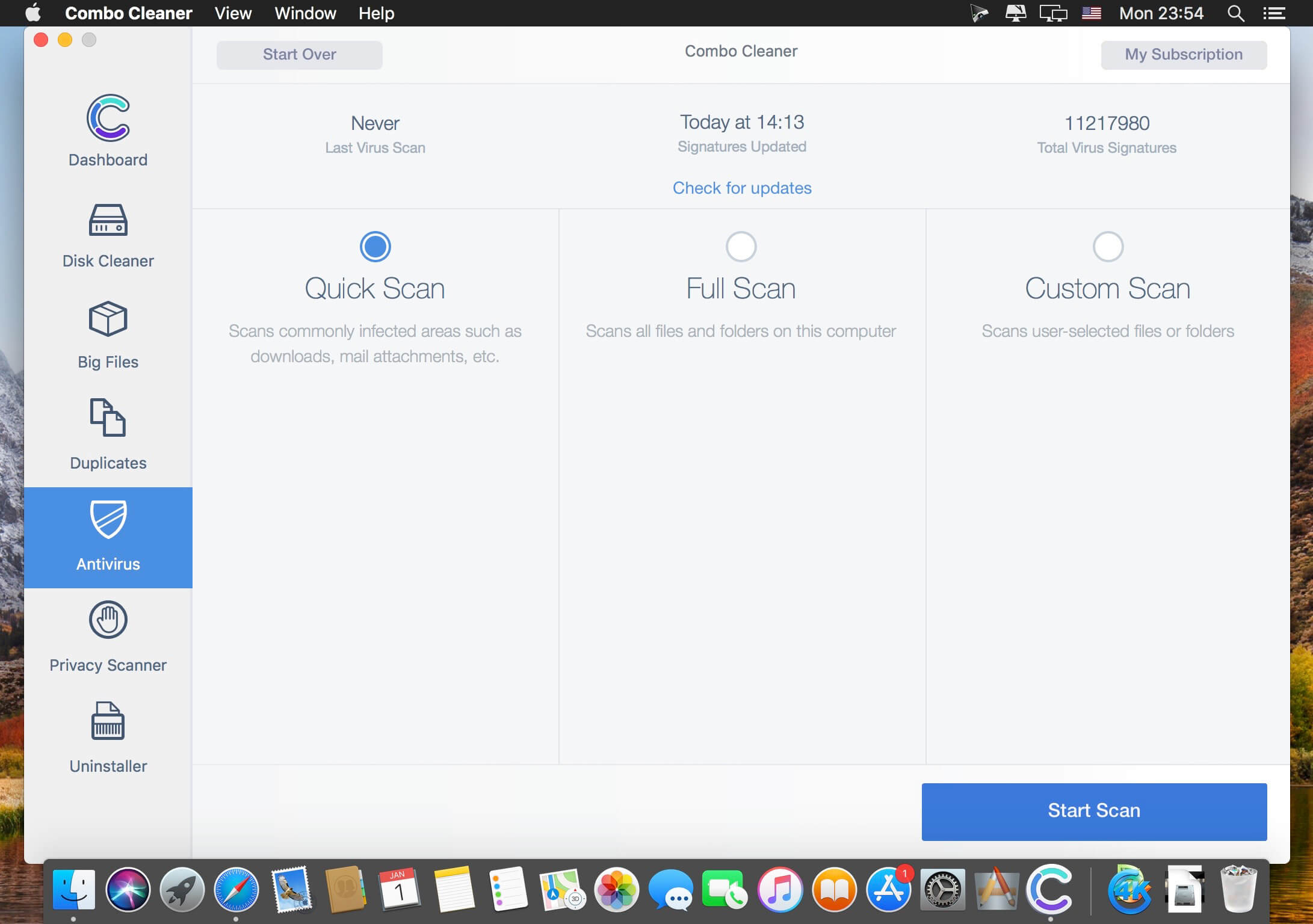
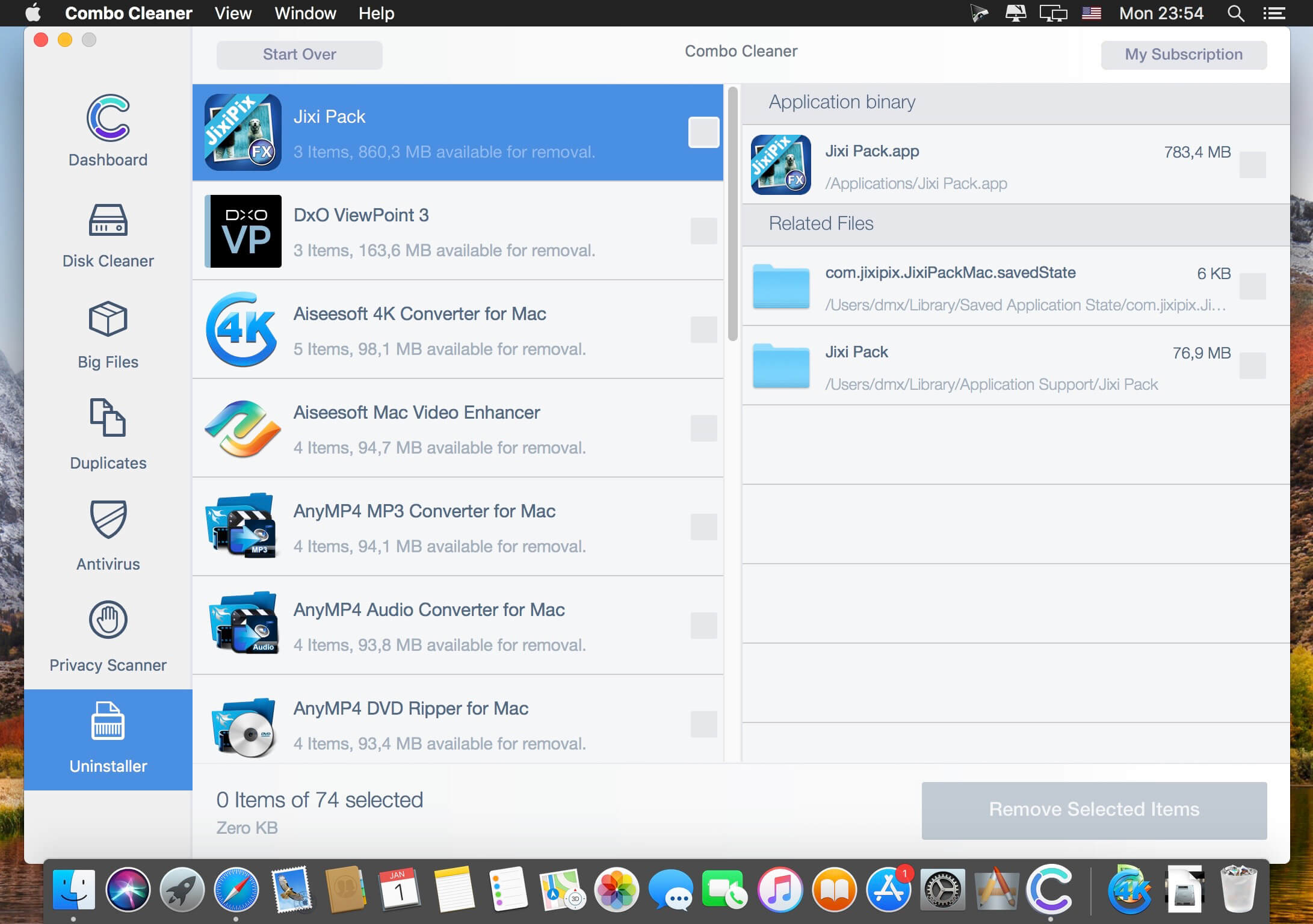
Your Mac is a masterpiece - keep it this way with Combo Cleaner. The most easy-to-use way to clean your Mac from junk files, viruses and malware. Our Anti-Malware engine is certified by OPSWAT Labs. Combo Cleaner will clean your disk of junk files and eliminate malware (including adware and potentially unwanted applications causing unwanted ads when browsing the Internet).
Combo Cleaner features:
- ANTIVIRUS - Combo Cleaner is equipped with an OPSWAT certified, award winning virus, malware, and adware scan engines. Hourly malware definition updates ensures that your Mac will be protected from the latest security threats.
- DUPLICATE FILE FINDER - Duplicate files are identical copies stored in various places on your hard drive. Combo Cleaner will find and eliminate these files that are a waste of valuable disk space.
- DISK CLEANER - Disk Cleaner ensures that your Mac is free of junk and obsolete files that can accumulate megabytes of wasted disk space.
- BIG FILES FINDER - Big Files Finder checks your local and external disks, immediately listing all files and folders larger than 100 megabytes (or any other user defined size).
- APP UNINSTALLER - When you remove applications from your Mac, many useless redundant files often remain on the system. Combo Cleaner will find such files and remove them.
- PRIVACY SCANNER - Scans installed browsers and enables you to easily remove stored browsing history, cookies, etc. Take privacy into your own hands.
In-App Purchases: Combo Cleaner Premium - included.
Version 1.4.0:
- Release notes were unavailable when this listing was updated
Frequently asked questions
How do I install the app?
Mount the image, drag the app into the "Applications" folder and launch it. If the system blocks the launch, allow it in "System Settings → Privacy & Security".
The app is damaged or won't launch
Reinstalling from a fresh image usually helps. Make sure your macOS version matches the one listed in the compatibility specs.
How do I update?
Download the new version from the site and install it over the current one — your settings will be preserved.
The download link doesn't work
Try a mirror or a download manager. For large files the browser often drops the connection.
How do I completely remove the app?
Use an uninstaller utility — it cleans up the service files that remain after moving the app to the trash.




Choose a download source
Combo Cleaner Premium 1.4.0 · 10.12 MB
Previous versions
Combo Cleaner Premium 1.4.0
Previous versions are available to registered users.