
Antivirus BitMedic Pro 3.1.3
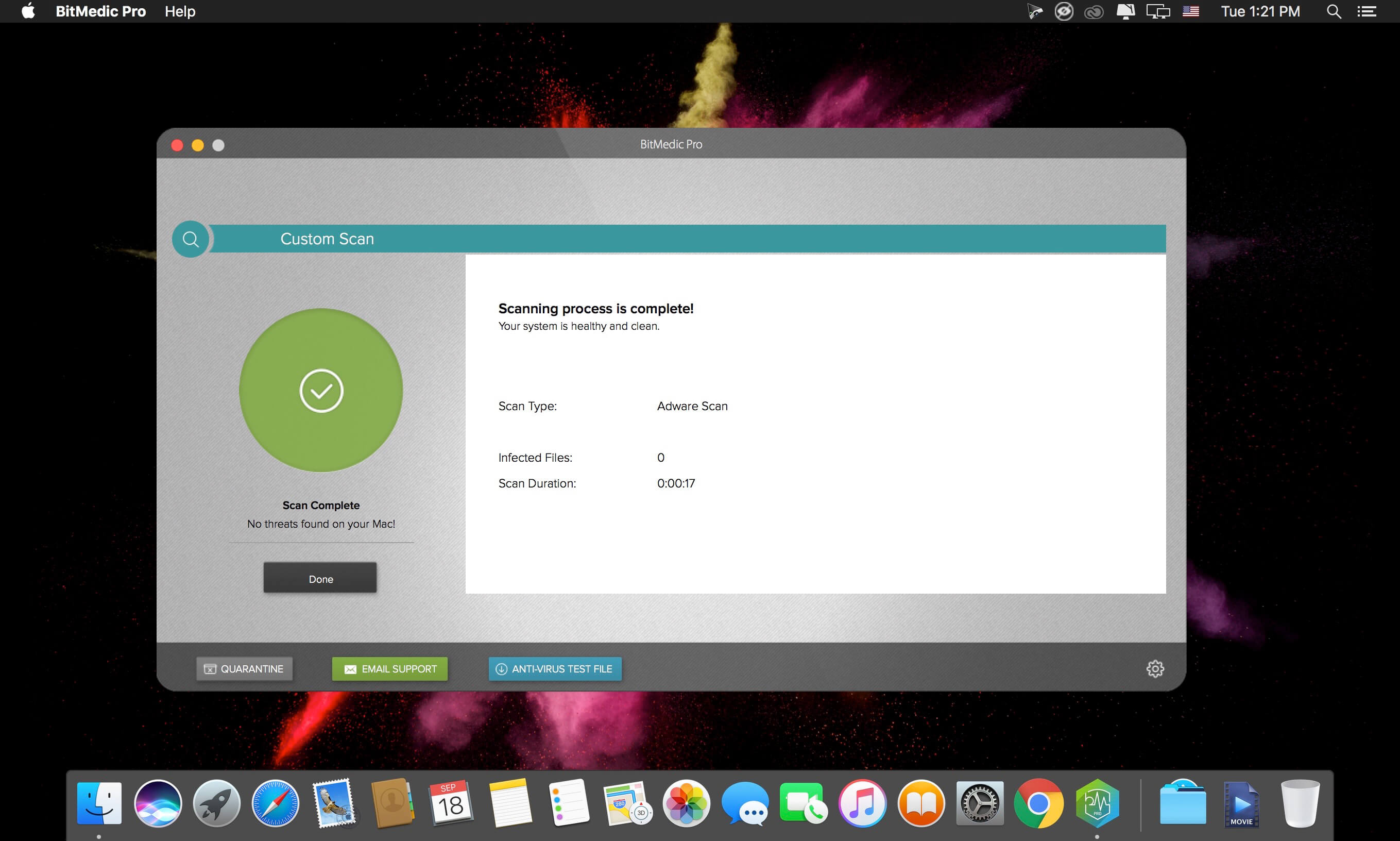

MacOS is considered one of the most secure operating systems available. But as popularity increases, they get targeted more by hackers and malware. Protect your Mac and protect your sensitive information. New threats target not only your Mac security, but your personal information and identity.
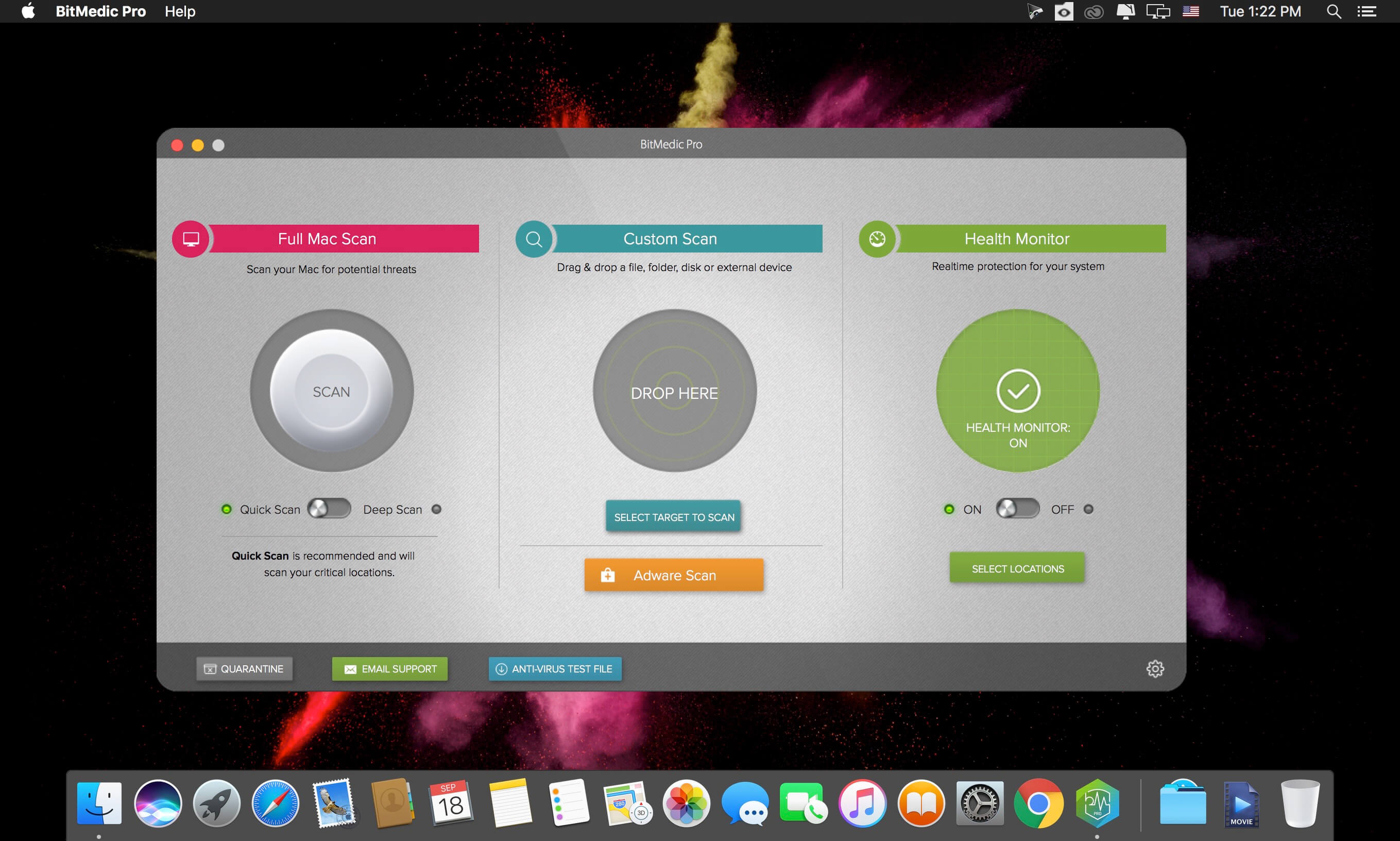
BitMedic® AntiVirus - Malware & Adware Security was designed specifically for the Mac and offers a full suite of protection. BitMedic® gives you simple 3-step protection to give you the utmost security and keep your Mac safe from attacks.
3 Step AntiVirus Protection
- Full Mac Scan - Quick Scan & Deep Scan
- Custom Scan - Drag & Drop File Scanner
- Health Monitor - 24/7 Real-time Protection
3 Step Adware Protection
- Adware Scanner! Good-bye pop-up adware scams!
- Remove adware browser add-ons that hijack your navigation.
- Reset your web browsers to default settings
Features
- Adware scanner
- High Performance Multi-threaded Virus Scanner
- Virus database automatic background updates
- 24/7 Real-time protection
- Optimized for performance
- Works silently in the background
- Supports all mail, archive, executable, and document files
- Multiple scanning options
- Exclude files/disks/folders to speed up scanning
- 1-click removal to send to quarantine or trash
- Easily schedule scans
- Drag & drop support
Version 3.1.3
- AV-TEST & AV-Comparatives database update from test results
- Bug fixes and improvements
- Brand new optimized GUI with new features and intuitive dashboard
- Even faster scanning
- Browser Privacy to clean sensitive information stored in your web browser
- Automated scheduled scans
- Easier 1-click real-time monitoring. Right-click your menubar icon.
- Whitelist support
- USB detection to automatically scan external drives
Frequently asked questions
How do I install the app?
Mount the image, drag the app into the "Applications" folder and launch it. If the system blocks the launch, allow it in "System Settings → Privacy & Security".
The app is damaged or won't launch
Reinstalling from a fresh image usually helps. Make sure your macOS version matches the one listed in the compatibility specs.
How do I update?
Download the new version from the site and install it over the current one — your settings will be preserved.
The download link doesn't work
Try a mirror or a download manager. For large files the browser often drops the connection.
How do I completely remove the app?
Use an uninstaller utility — it cleans up the service files that remain after moving the app to the trash.
VersionAntivirus BitMedic Pro 3.1.3
DeveloperPocket Bits LLC
CompatibilityOS X 10.9 or later, 64-bit processor
LanguageEnglish
IncludesK'ed by TNT





Choose a download source
Antivirus BitMedic Pro 3.1.3 · 210.65 MB
Previous versions
Antivirus BitMedic Pro 3.1.3
Previous versions are available to registered users.
Comments 2