
BitMedic AntiVirus - Malware & Adware Security 2.6

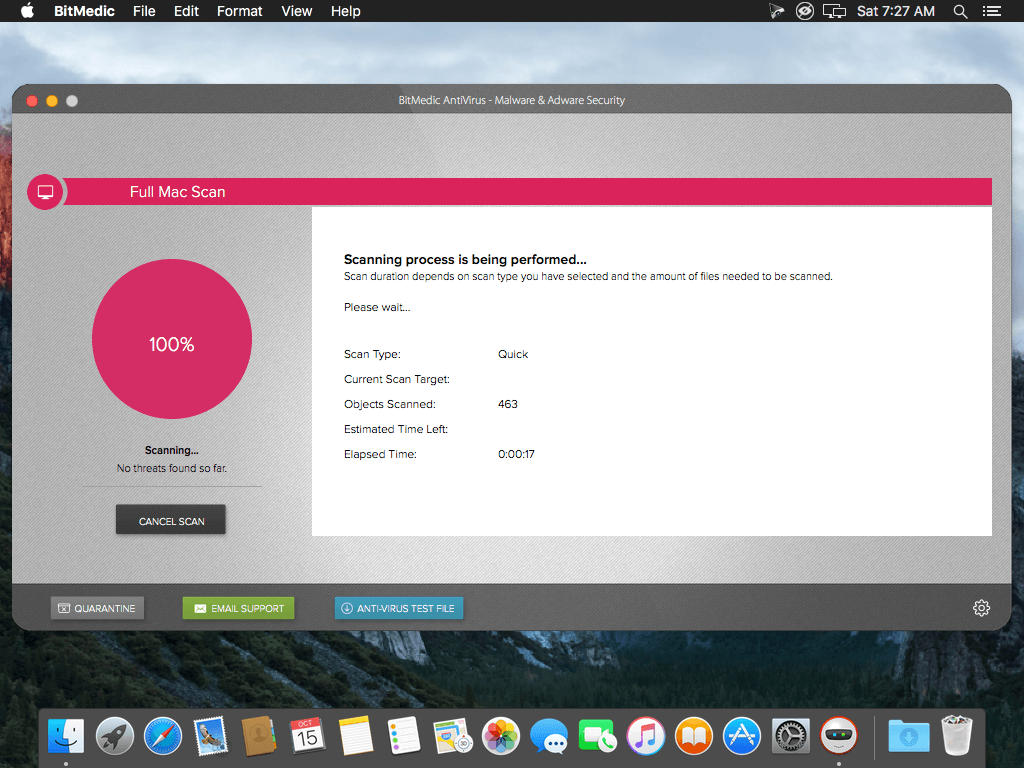

BitMedic AntiVirus - Malware & Adware Security was designed specifically for the Mac and offers a full suite of protection. BitMedic gives you simple 3-step protection to give you the utmost security and keep your Mac safe from attacks.
1 Fastest and most secure Real-time AntiVirus & Adware App on Mac App Store. Tested & certified.
Designed for Mac. Virus & adware database updated multiple times per day. 24/7 real-time protection!
As seen on OPSWAT Certified Products, Brothersoft, and many more! Awarded Best New AntiVirus App!
The Full Mac Scan offers 2 options. Quick Scan will quickly and efficiently scan the most critical locations of your Mac. Our proprietary algorithm makes this a painless and quick process, allowing you to conveniently scan your Mac more frequently. For maximum protection, deep scan will check every critical location for potential threats. Custom Scan supports drag & drop for ease of use. Health Monitor gives 24/7 real-time protection, scanning every change to the folders being monitored.
3 Step Adware Protection
- Adware Scanner! Good-bye pop-up adware scams!
- Remove adware browser add-ons that hijack your navigation.
- Reset your web browsers to default settings
BitMedic also offers Adware protection! Scan your Mac to remove adware. Advanced settings allow users to remove adware browser extensions and add-ons. You can also reset your web browser back to its default settings. Know that Adware and Malware are different! You'll need to use "Adware Scan" for Adware and Quick/Deep scan for Malware.
Feature
- Adware scanner
- High Performance Multi-threaded Virus Scanner
- Virus database automatic background updates
- 24/7 Real-time protection
- Optimized for performance
- Works silently in the background
- Supports all mail, archive, executable, and document files
- Multiple scanning options
- Exclude files/disks/folders to speed up scanning
- 1-click removal to send to quarantine or trash
- Easily schedule scans
- Drag & drop support
Version 2.6
- More bug fixes
- More optimization
Frequently asked questions
How do I install the app?
Mount the image, drag the app into the "Applications" folder and launch it. If the system blocks the launch, allow it in "System Settings → Privacy & Security".
The app is damaged or won't launch
Reinstalling from a fresh image usually helps. Make sure your macOS version matches the one listed in the compatibility specs.
How do I update?
Download the new version from the site and install it over the current one — your settings will be preserved.
The download link doesn't work
Try a mirror or a download manager. For large files the browser often drops the connection.
How do I completely remove the app?
Use an uninstaller utility — it cleans up the service files that remain after moving the app to the trash.
VersionBitMedic AntiVirus - Malware & Adware Security 2.6
DeveloperPocket Bits LLC
CompatibilityOS X 10.8 or later, 64-bit processor
LanguageEnglish
IncludesK'ed by TNT





Information
Visitors in the group Guests cannot leave comments on this publication.
Choose a download source
BitMedic AntiVirus - Malware & Adware Security 2.6 · 180.23 MB