Swift Converter 4.1.0
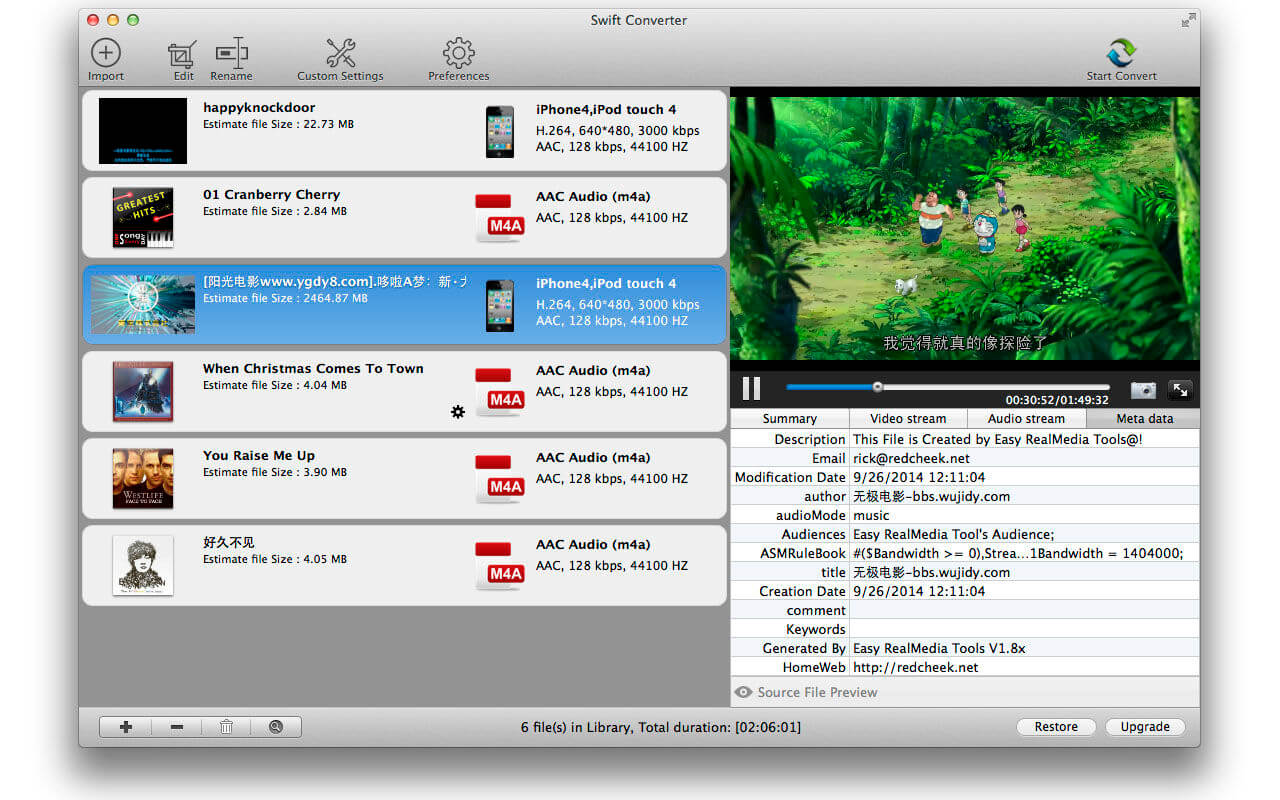
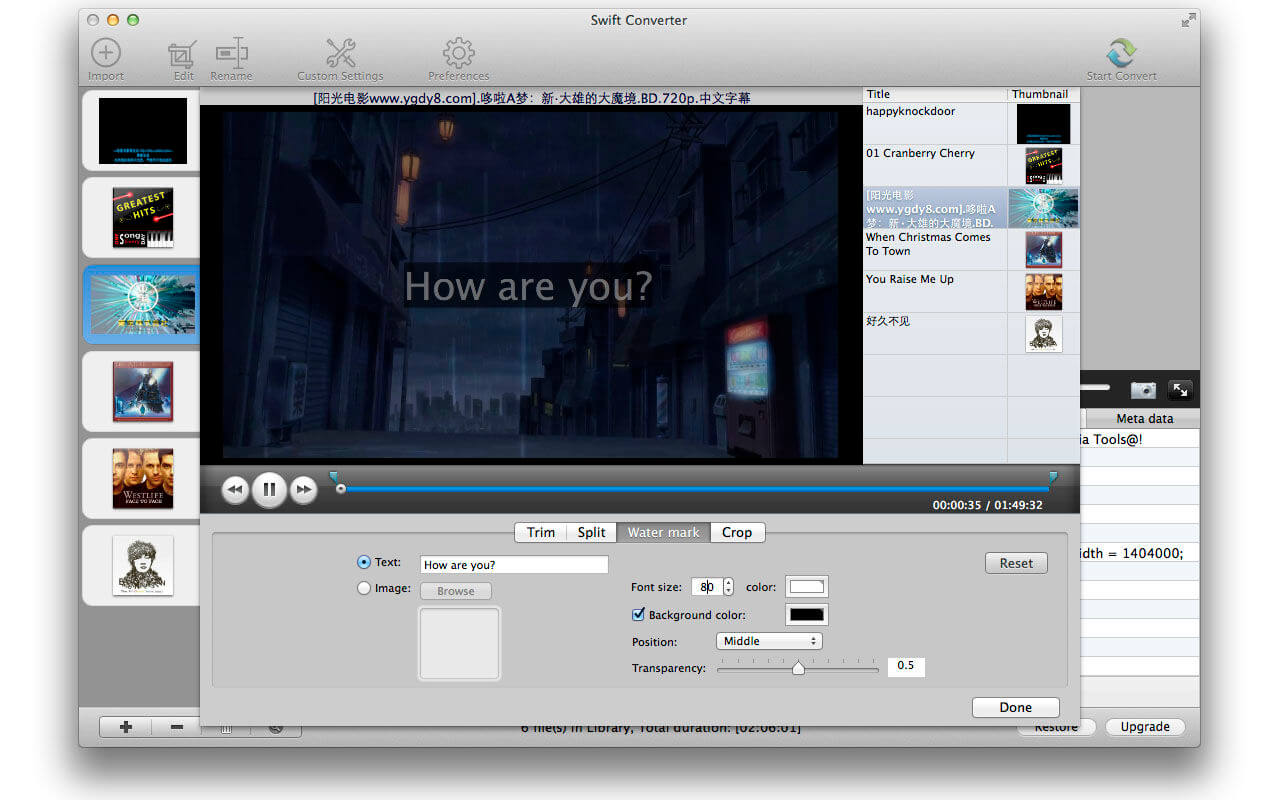

Swift Converter 4 is a video utility tool for converting formats from video to video, video to audio,audio to audio. you can easily edit(split,trim,add watermark,crop) and convert your video or audio with Swift Converter. Convert any formats to your apple device.
Also Swift Converter can help you easily extract and convert the audio content from video formats.
Video Import formats supported:
WMV, RM, RMVB, MPG, AVI, MKV, MOV, FLV, MP4, TS, MTS, 3GP, ASF and more.
Audio Import formats supported:
MP3, WAV, M4A, APE, OGG, FLAC and more.
Export formats:
Video: MP4, AVI, MKV, WMV, M4V, FLV, MPG(MPEG2), F4V
Audio: MP3, M4A(Apple Lossless), AAC, WMA
Devices: iPod, iPhone 4, iPad 1,2, new iPad
iBooks Author video fully supported.
Supported Encoding Codecs:
x264(H264), XVid, MPEG4, FLV, MPEG, MP2, AC3, MP3, AAC, WMAV1, WMAV2, WMV1, WMV2 ...
Main Features:
- Various import formats and output formats supported. Convert any formats to your apple device.
- With Swift Converter you can do simple editing. including Split you video or audio,Trimming ,Cropping, Adding watermark...
- Intuitive and easy settings of output formats.
- video to video,video to audio,audio to audio. easily extract and convert the audio content from video formats.
- A player included to previewing your video or audio before convert process, also you can use it as a useful player , create snapshots and so on.
- Multi Thread of converting tasks. Batch process converting.
- sync to iTunes when converting finished.
Version 4.1.0:
- Release notes were unavailable when this listing was updated.
Frequently asked questions
How do I install the app?
Mount the image, drag the app into the "Applications" folder and launch it. If the system blocks the launch, allow it in "System Settings → Privacy & Security".
The app is damaged or won't launch
Reinstalling from a fresh image usually helps. Make sure your macOS version matches the one listed in the compatibility specs.
How do I update?
Download the new version from the site and install it over the current one — your settings will be preserved.
The download link doesn't work
Try a mirror or a download manager. For large files the browser often drops the connection.
How do I completely remove the app?
Use an uninstaller utility — it cleans up the service files that remain after moving the app to the trash.

Choose a download source
Swift Converter 4.1.0 · 22.26 MB
Previous versions
Swift Converter 4.1.0
Previous versions are available to registered users.