Meta 2.5.9
Meta: batch tag editor for MP3, FLAC, and more
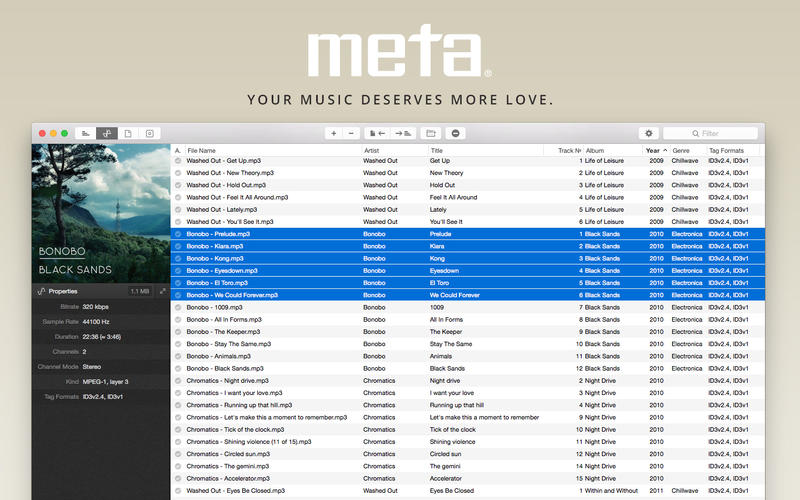
Meta is a metadata editor that helps you manage a growing digital music collection on your Mac. It lets you correct and fill in song details such as artist, title, album and cover art across most popular audio and tag formats. It suits anyone who wants a well-organised library, from listeners fixing a few tracks to collectors managing a large and growing collection.
Features
- Broad format support — MP3, MP4, M4A, FLAC, Ogg, OGA, SPX, WAV and AIFF files with ID3v1, ID3v2.3, ID3v2.4, iTunes MP4, Vorbis comments and APE tags
- Batch tag editing — write metadata to multiple files at once
- Album cover management — set or export covers via drag-and-drop, with optional automatic scaling, cropping and compression to keep file sizes small
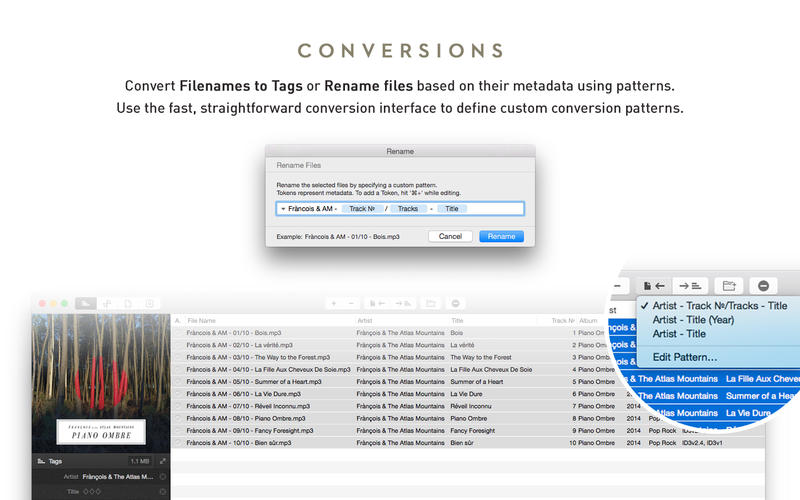
- Renaming and tag conversion — rename files based on their metadata or turn filenames into metadata
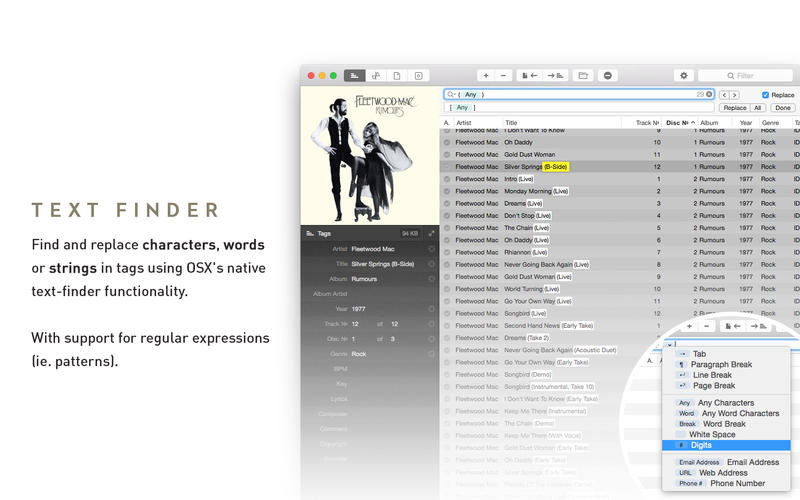
- Find and replace — change characters, words or strings in tags, with regular expression support
- Text case tools — capitalise, switch to upper, lower or title case and strip underscores
- Automatic track numbering — generate track numbers in one step
- Strip tags — remove all metadata from selected files
- iTunes integration — add tracks to iTunes or refresh their metadata with a keyboard shortcut
- Built-in file management — move, delete or reveal files in Finder
Version v2.5.9
- Restored quick conversion menu items (add/strip underscores)
- Restored missing Wildcards from the insertion menu, in Derive Tags
- Added drag and drop capabilities to the move destinations popover
- Added the ability to “Pick” a value, from tag context menus
- Improved “Compose Tag” to work with all tag types
Frequently asked questions
How do I install the app?
Mount the image, drag the app into the "Applications" folder and launch it. If the system blocks the launch, allow it in "System Settings → Privacy & Security".
The app is damaged or won't launch
Reinstalling from a fresh image usually helps. Make sure your macOS version matches the one listed in the compatibility specs.
How do I update?
Download the new version from the site and install it over the current one — your settings will be preserved.
The download link doesn't work
Try a mirror or a download manager. For large files the browser often drops the connection.
How do I completely remove the app?
Use an uninstaller utility — it cleans up the service files that remain after moving the app to the trash.

Choose a download source
Meta 2.5.9 · 12.44 MB
Previous versions
Meta 2.5.9
Previous versions are available to registered users.
Comments 1