
SQLPro Studio 2026.238
SQLPro Studio — Native Mac Database Manager for SQL Databases
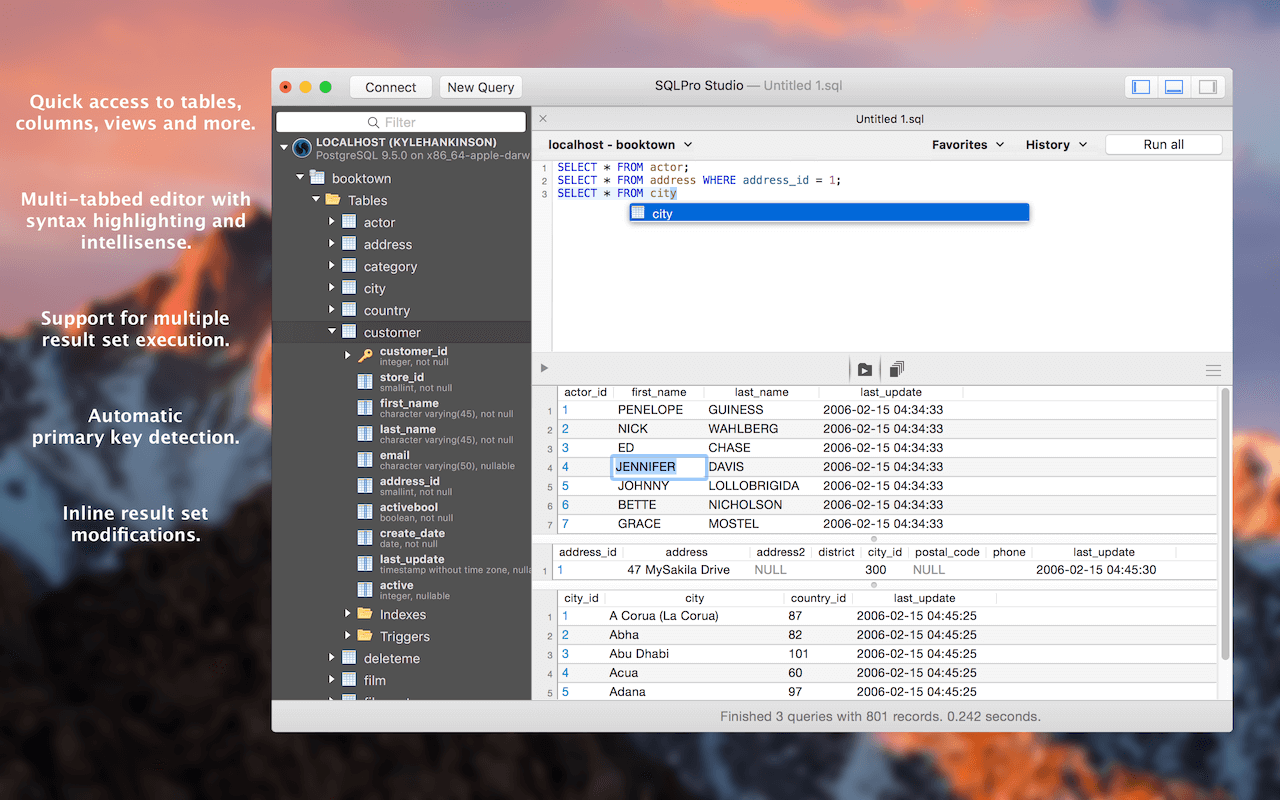
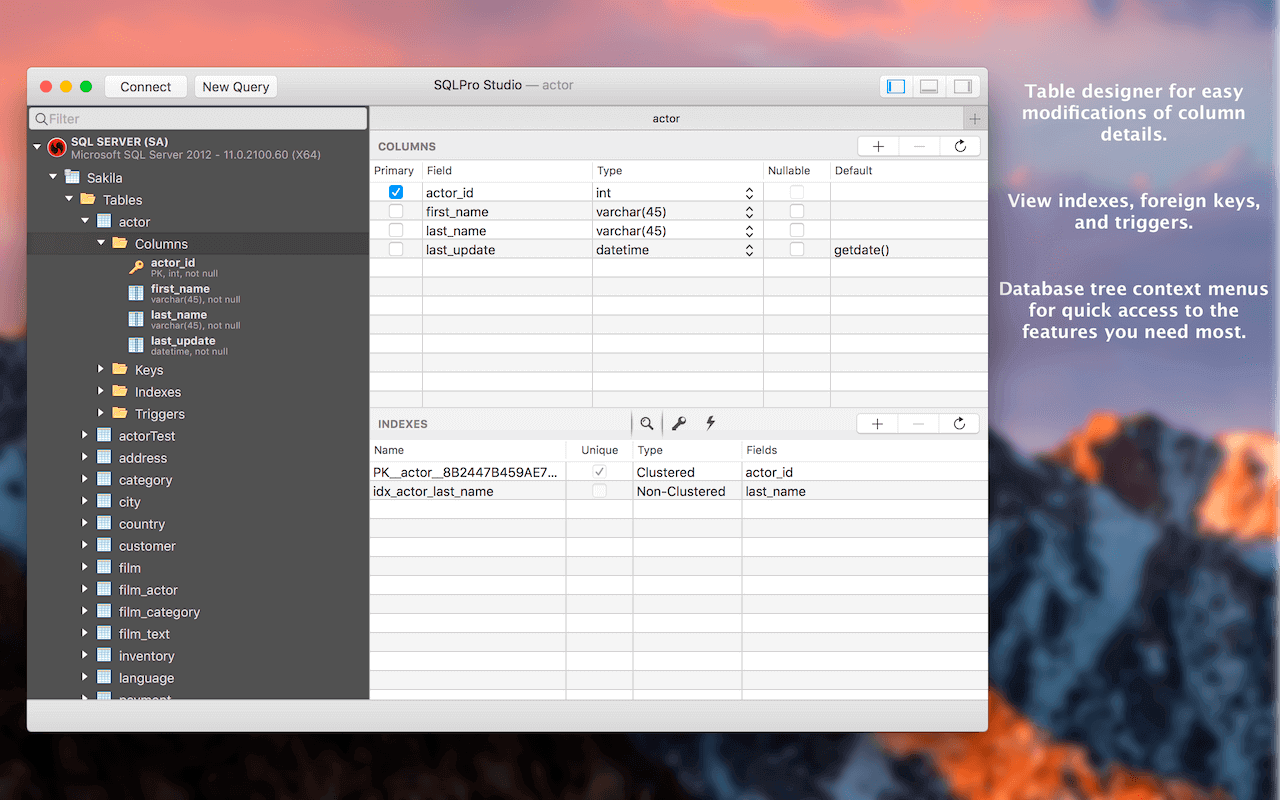

A simple, powerful database manager for macOS - SQLPro Studio is the premium database management tool for Postgres, MySQL, Microsoft Management Studio and Oracle databases.
Multiple database support
SQLPro supports many database types including MySQL, MariaDB, Postgres, Microsoft SQL Server (2005 and above) and Oracle (8i and above).
BEST AT THE BASICS
Table creation, custom queries, auto-complete and syntax highlighting are just some of the features you can expect. Updating or designing a table? We can help you out.
INTUITIVE INTERFACE
SQLPro boasts an intuitive interface, where the most basic to advanced database needs are easily accessible.
CLOUD SUPPORT
Working with cloud providers such as Amazon relational database service, Microsoft Azure or Heroku? No problem, SQLPro Studio supports most cloud based instances.
MULTIPLE RESULT SETS
Need to see the results for multiple tables at once? You can execute multiple queries and have the results for each displayed at the same time, including any errors and messages.
NO JAVA REQUIRED
SQLPro is a 100% native Mac app. This means it can and will outperform any of the other Java based database management interfaces.
SINGLE CELL SELECTION
Work with results using single (or multi) cell selection, similar as a spreadsheet. Rather than requiring full-row selection as many other tools use, SQLPro allows you to select one or more cells at a time.
Version 2026.238
- Snowflake: SSO sessions auto re-authenticate, concurrent logins share one session instead of a browser popup each
- MySQL: export window no longer comes up empty; view/FK ordering fixed
- SQLite: Data tab pages large tables instead of loading everything
- Oracle: no longer forces UTF8, so non-UTF8 databases decode correctly
- Query history: delete individual entries or clear all; credentials excluded from recording
- Postgres/Redshift, MSSQL: several crash fixes
- Query formatting preferences gained a live preview
- Stability: crash fixes across SQLite columns, trigger renames, grid backtab, window restore, query cancel
Frequently asked questions
How do I install the app?
Mount the image, drag the app into the "Applications" folder and launch it. If the system blocks the launch, allow it in "System Settings → Privacy & Security".
The app is damaged or won't launch
Reinstalling from a fresh image usually helps. Make sure your macOS version matches the one listed in the compatibility specs.
How do I update?
Download the new version from the site and install it over the current one — your settings will be preserved.
The download link doesn't work
Try a mirror or a download manager. For large files the browser often drops the connection.
How do I completely remove the app?
Use an uninstaller utility — it cleans up the service files that remain after moving the app to the trash.





Choose a download source
SQLPro Studio 2026.238 · 68.1 MB
Previous versions
SQLPro Studio 2026.238
Previous versions are available to registered users.