
TG Pro (Temperature Gauge Pro) v2.103
TG Pro: Mac temperature monitor and fan control
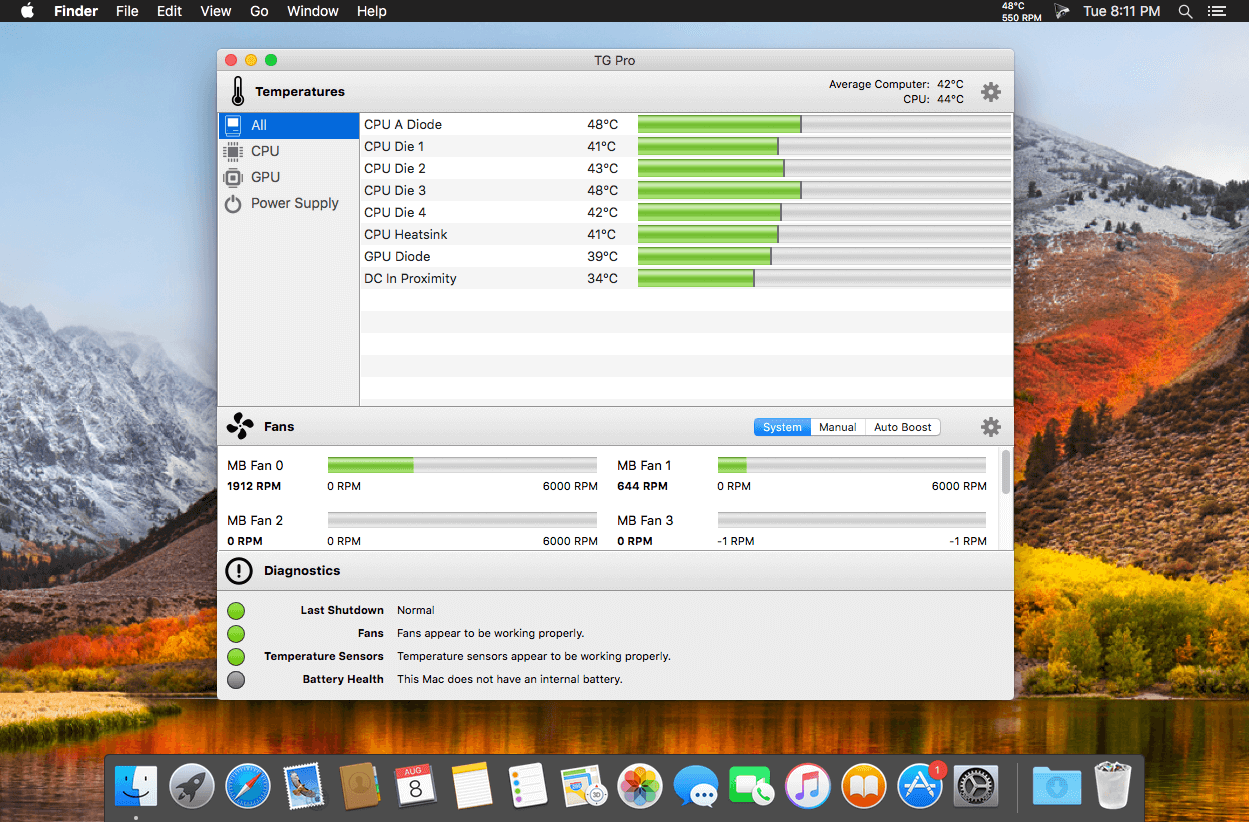
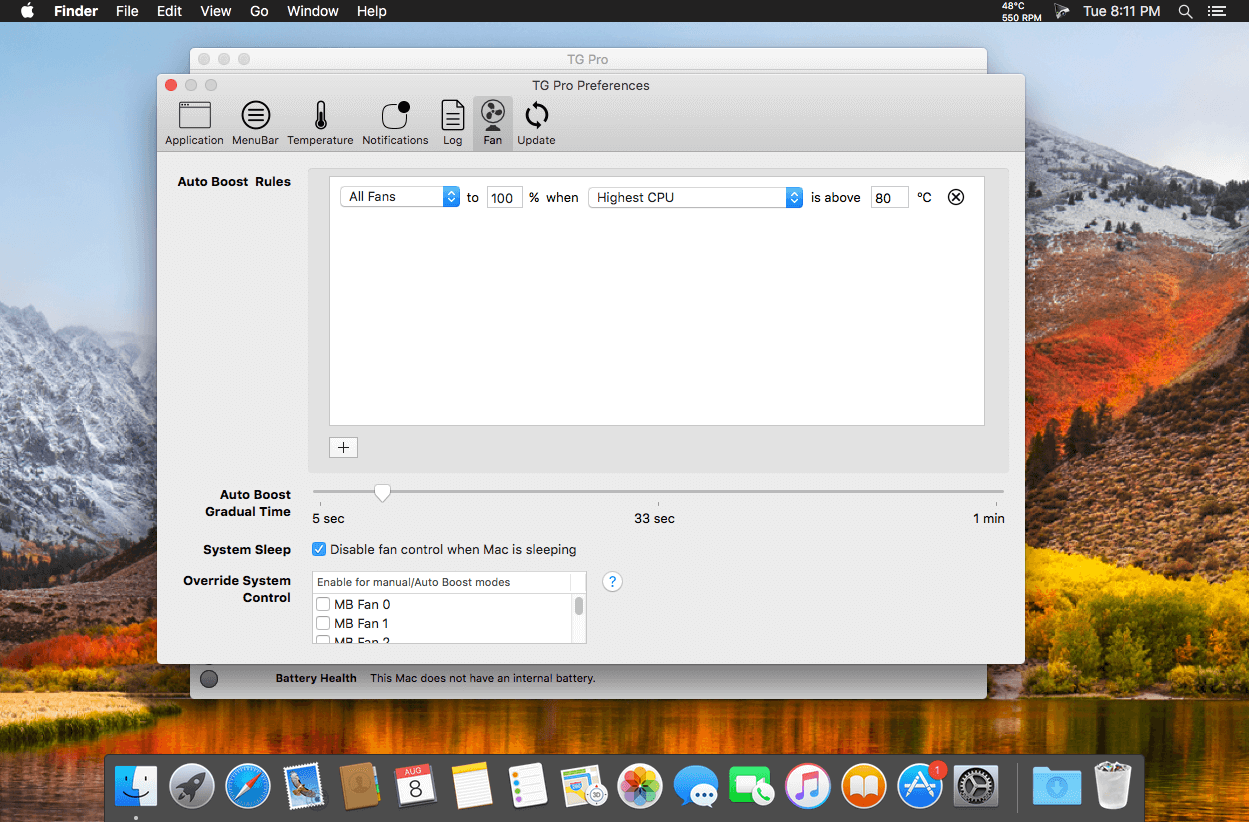
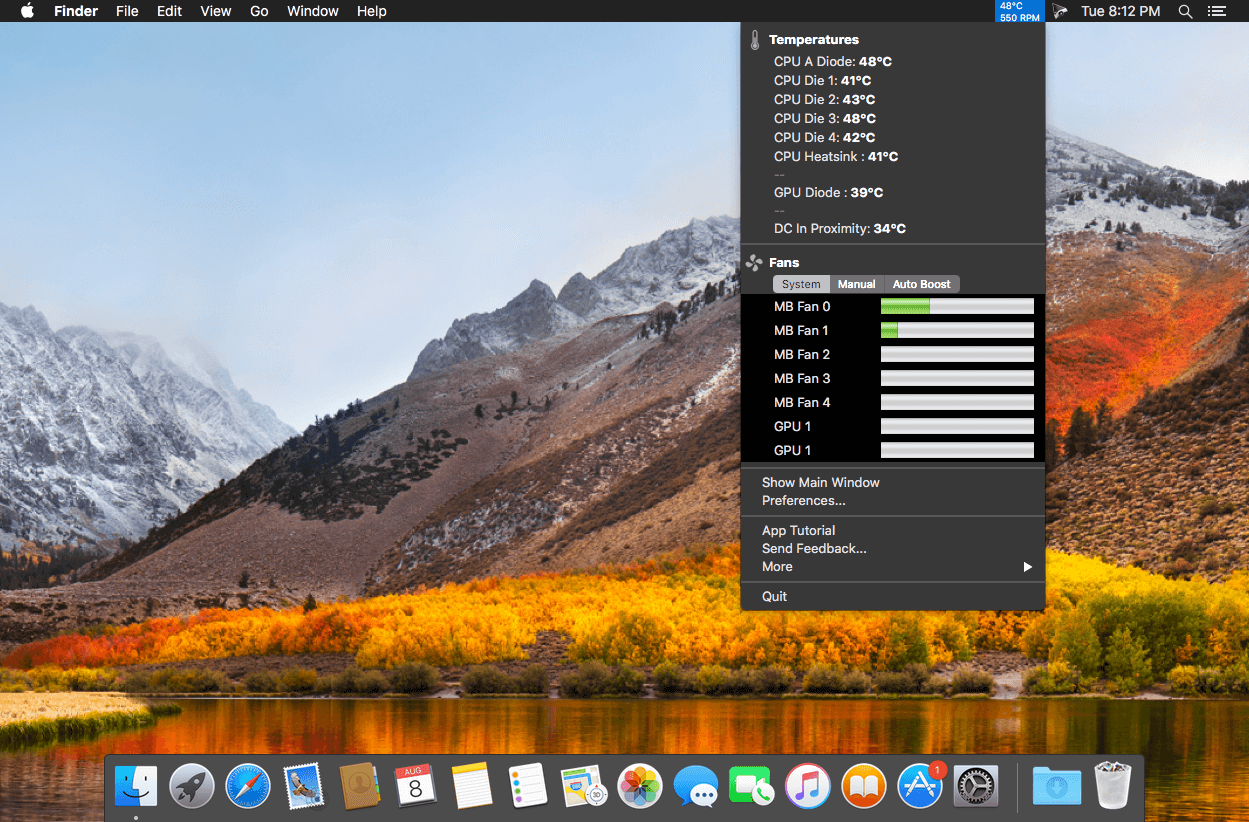
Temperature Gauge Pro will also show a notification through the Notification Center or Growl when a temperature is hit or Auto Boost is enabled. Also, log all information to a CSV for graphing in an external app. Works on all Macs, whether it's a laptop or desktop.
Temperature Gauge Pro is a must-have utility for every Mac user with three top features:
- Check up on your Mac by viewing the current and maximum recorded temperatures for every sensor. Choose between Celsius or Fahrenheit.
- Tune the fan speeds so that your Mac can run cooler with the manual fan control. Or have the fans spin at maximum speed with Auto Boost when a specific temperature is hit.
- Discover faulty fans and temperature sensors with the built-in diagnostics.
Version 2.103:
- [Fixed] Resolved an issue where Auto Boost rules could fail to activate correctly when switching between power sources (for example, AC adapter → battery → AC adapter).
- [Improvement] Refined the startup experience for new installations to ensure prompts appear in the correct order, along with a larger initial window size and a centered settings window.
Frequently asked questions
How do I install the app?
Mount the image, drag the app into the "Applications" folder and launch it. If the system blocks the launch, allow it in "System Settings → Privacy & Security".
The app is damaged or won't launch
Reinstalling from a fresh image usually helps. Make sure your macOS version matches the one listed in the compatibility specs.
How do I update?
Download the new version from the site and install it over the current one — your settings will be preserved.
The download link doesn't work
Try a mirror or a download manager. For large files the browser often drops the connection.
How do I completely remove the app?
Use an uninstaller utility — it cleans up the service files that remain after moving the app to the trash.



Choose a download source
TG Pro (Temperature Gauge Pro) v2.103 · 15.8 MB
Previous versions
TG Pro (Temperature Gauge Pro) v2.103
Previous versions are available to registered users.