

Deliver 2.7.13
File delivery for Mac with email notifications
Screenshots
Click to enlarge

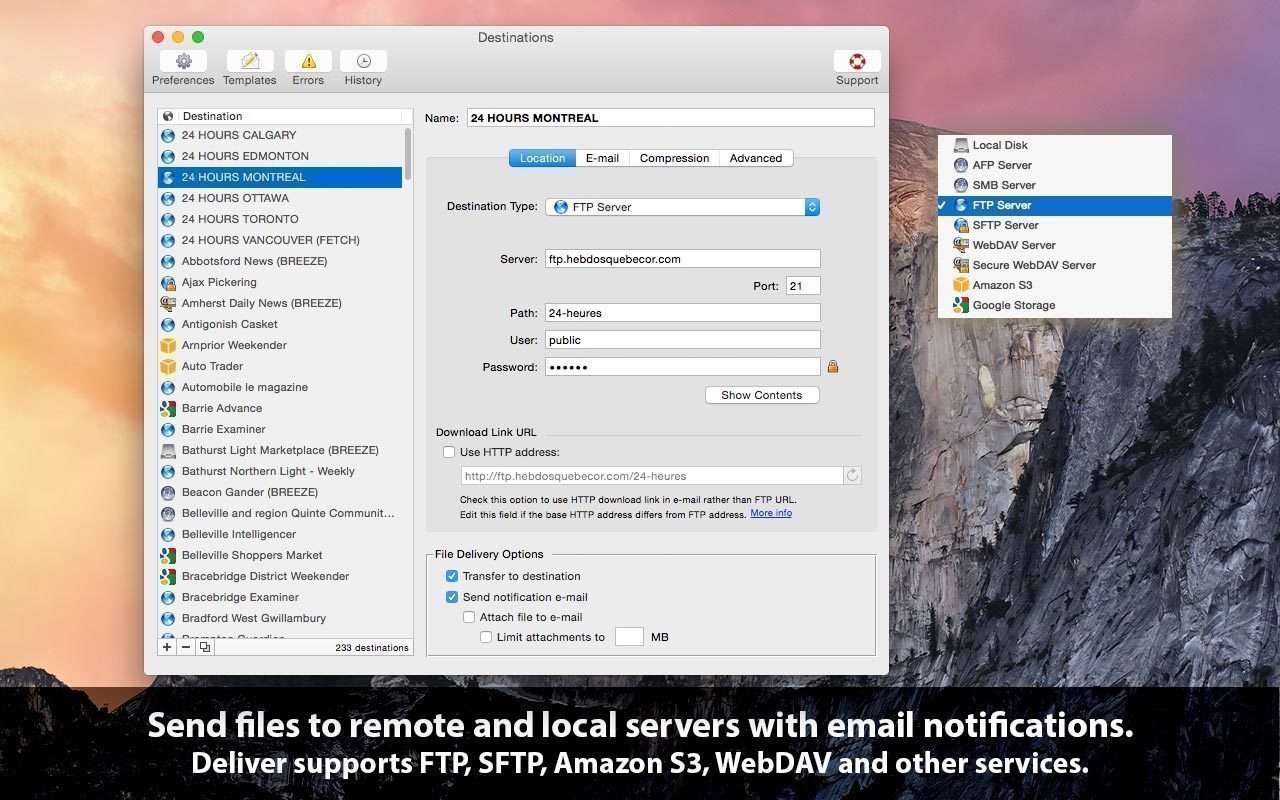
Deliver is a complete solution for sending files across the Internet and local networks with email notifications. It supports FTP, SFTP, Amazon S3 and other major services. Each delivery can trigger an automatic email containing the download link to your file and other delivery details.
Send files where you need them
Deliver works with FTP, SFTP, WebDAV, Google Storage, Amazon S3, AFP, SMB and local destinations. You can send a file to multiple destinations at once, and you can have files deleted automatically after a specified number of days.
Keep recipients informed
Notification messages are based on variable templates and include the download link to your file. You can add email addresses directly from Contacts, attach files from a specific subfolder to the email, or create a low-resolution PDF and attach it on the fly.
Prepare files before delivery
Compress files automatically as zip or dmg, and protect disk images with a password. A detailed history lets you review all your deliveries.
Features
- Multiple destinations: FTP, SFTP, WebDAV, Google Storage, Amazon S3, AFP, SMB and local destinations
- Email notifications: sent automatically after delivery
- Variable email templates: customize the notification messages
- Download link: included in the email for your file
- Simultaneous delivery: send files to multiple destinations at once
- Automatic deletion: remove files after a specified number of days
- Automatic compression: create zip or dmg archives
- Low-resolution PDF: create it and attach it to the email on the fly
- Subfolder attachments: attach files from a specific subfolder to the email
- Disk image encryption: protect disk images with passwords
- Delivery history: review detailed records of all deliveries
- Contacts integration: add email addresses from Contacts
Version 2.7.13:
- Updated: Updated icon to avoid the default icon disfigurement applied by macOS Tahoe.
Comments
No comments yet. Be the first.