
Juicy 1.5.6
Battery Guardian: Mac battery monitor with smart health alerts
Screenshots
Click to enlarge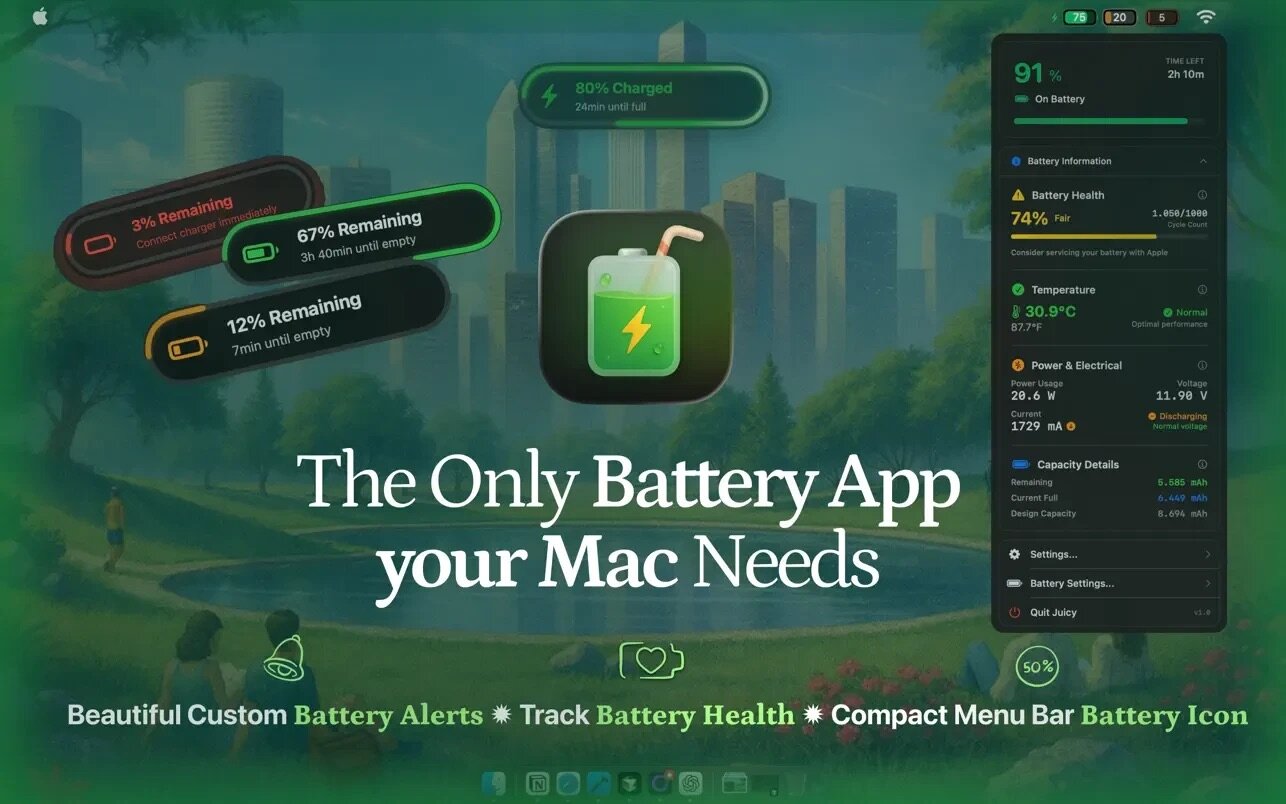
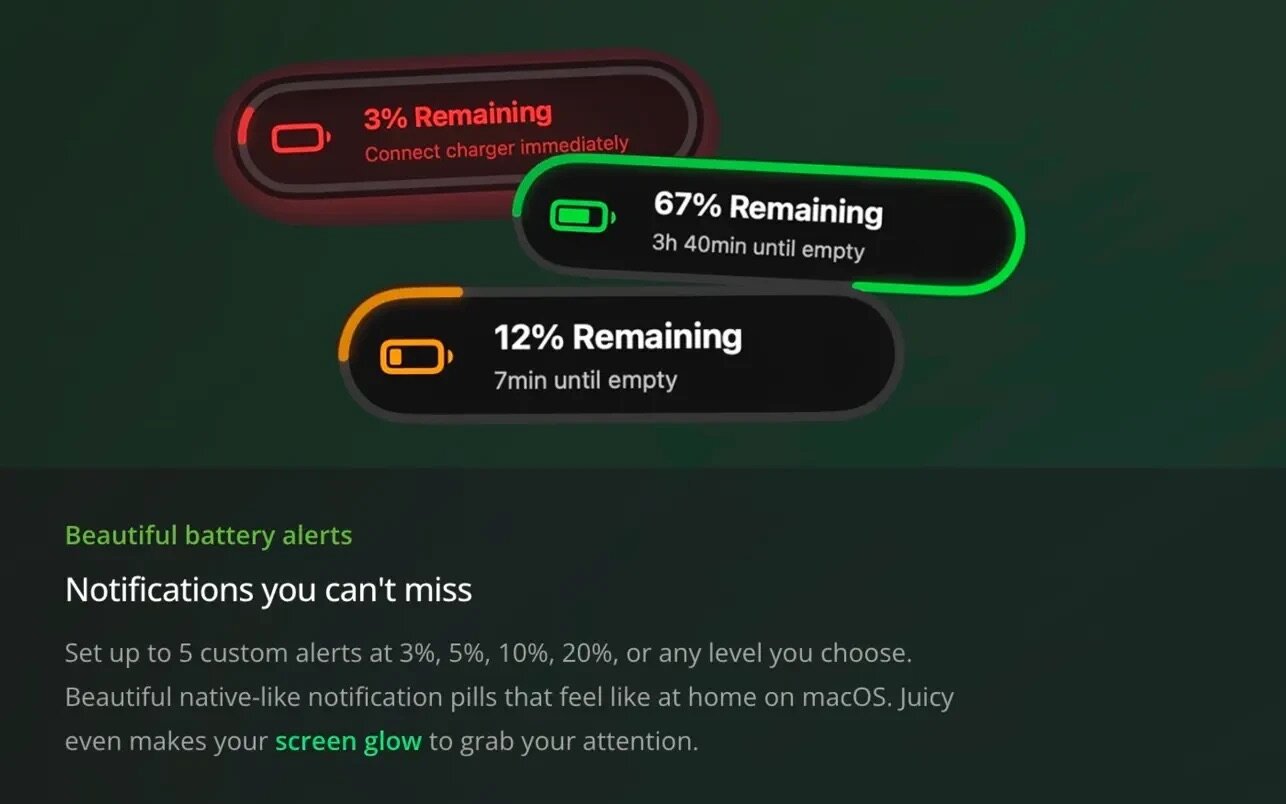
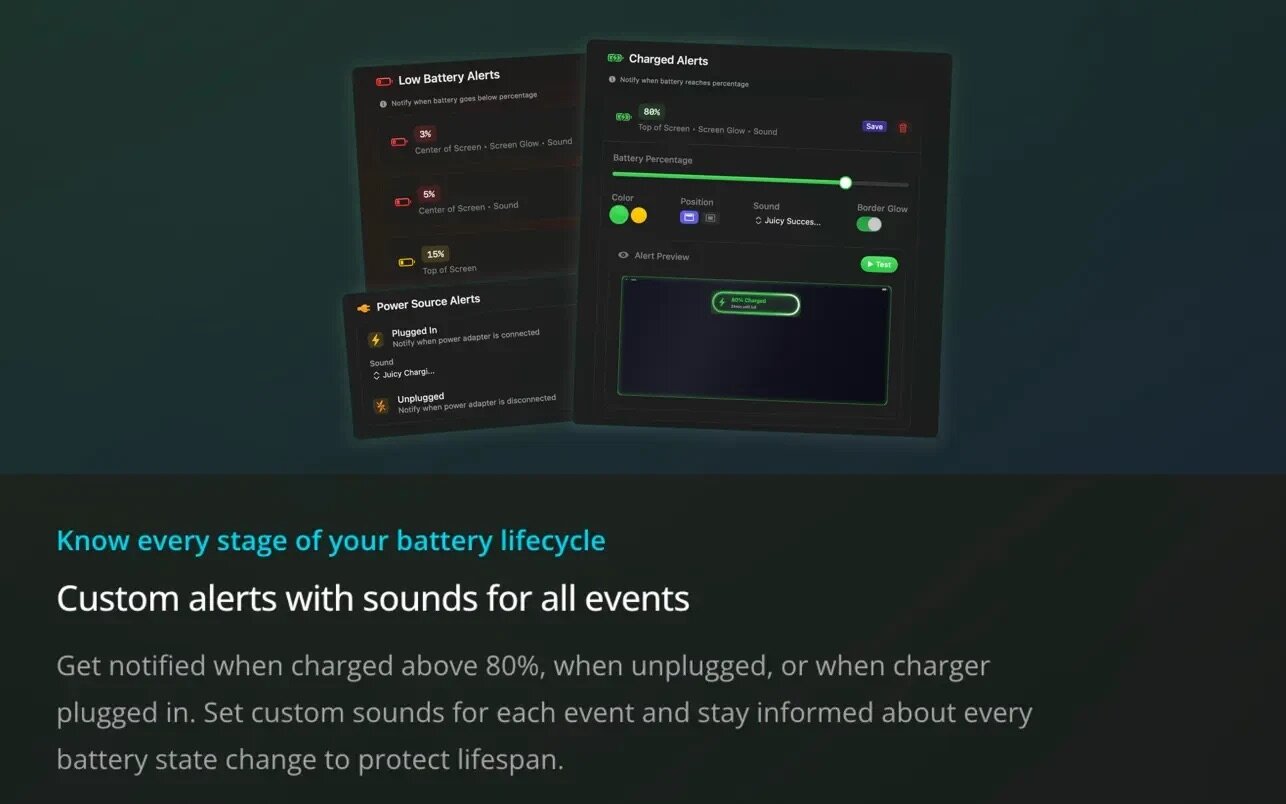
Get beautiful, customizable alerts that help preserve battery life and ensure uninterrupted operation at any charge level, and monitor the battery’s status and temperature. All this is done through a convenient icon in the menu bar.
Features:
SMART, CUSTOMIZABLE NOTIFICATIONS
- Customizable low-battery notifications (3%, 5%, 10%, 20%+—you choose!).
- Beautiful pop-up notifications with screen glow effects.
- Notifications when the device shuts down or powers back on.
- Notifications for high battery charge levels to extend battery life (e.g., above 80%).
- Audible notifications to grab your attention.
Advanced Battery Health Tracking
- Real-time battery health percentage and capacity.
- Number of charge cycles with recommendations from Apple Service Centers.
- Temperature monitoring with overheating warnings.
- Real-time power consumption in watts and charging status.
Battery Icons in the Menu Bar
- A stylish iPhone-style battery icon with the percentage inside—compact, uses smart colors, and saves space in the menu bar compared to the standard battery icon display.
- Seamless integration with the menu bar that looks like a native macOS feature.
Power Management Features
- Multiple notification profiles for different workflows.
- Customizable notification and screen colors • Seamless integration with the menu bar and real-time battery status icon.
- Dark mode support with dynamic battery icons.
- Charging optimization tips to extend battery life.
- Processing is done entirely locally—no cloud, no tracking.
Perfect for MacBook Pro and Air users who:
- Can’t afford unexpected shutdowns during important work.
- Want to extend battery life through intelligent health monitoring.
- Need reliable battery status notifications that really grab your attention.
- Prefer beautiful, native Mac apps over generic utilities.
Enjoy a beautiful, privacy-focused Mac app designed specifically for battery care!
Version 1.5.6
Your devices, right in the menu bar.
- PIN DEVICES TO THE MENU BAR
Keep your keyboard, mouse, or AirPods battery next to the Juicy icon, no clicking required. Add and reorder them in Settings > Menu Bar. - KEYBOARD SHORTCUTS
Open Juicy from anywhere with ^ TJ, then tap single keys to move around the menu: I for battery info, D for devices. Rebind everything in Settings > Shortcuts. - REARRANGE THE DROPDOWN
Drag the info cards by their headers and put the section you actually use on top. Juicy remembers the order. - ALERTS THAT CATCH UP AFTER SLEEP
If your Mac sleeps through one of your alert levels, Juicy now tells you the moment it wakes, with the real battery level. - TIME AND PERCENTAGE TOGETHER
A new menu bar display shows both at once, like 1:30 • 32%. - FIXES
Battery Health and Capacity Details read correctly again on macOS 27. The menu bar icon now takes only the space it needs, and toggles animate more smoothly.
Comments
No comments yet. Be the first.
Information
Visitors in the group Guests cannot leave comments on this publication.