
NXPowerLite Desktop 11.5.0
Compress PDF and Office files on Mac, offline
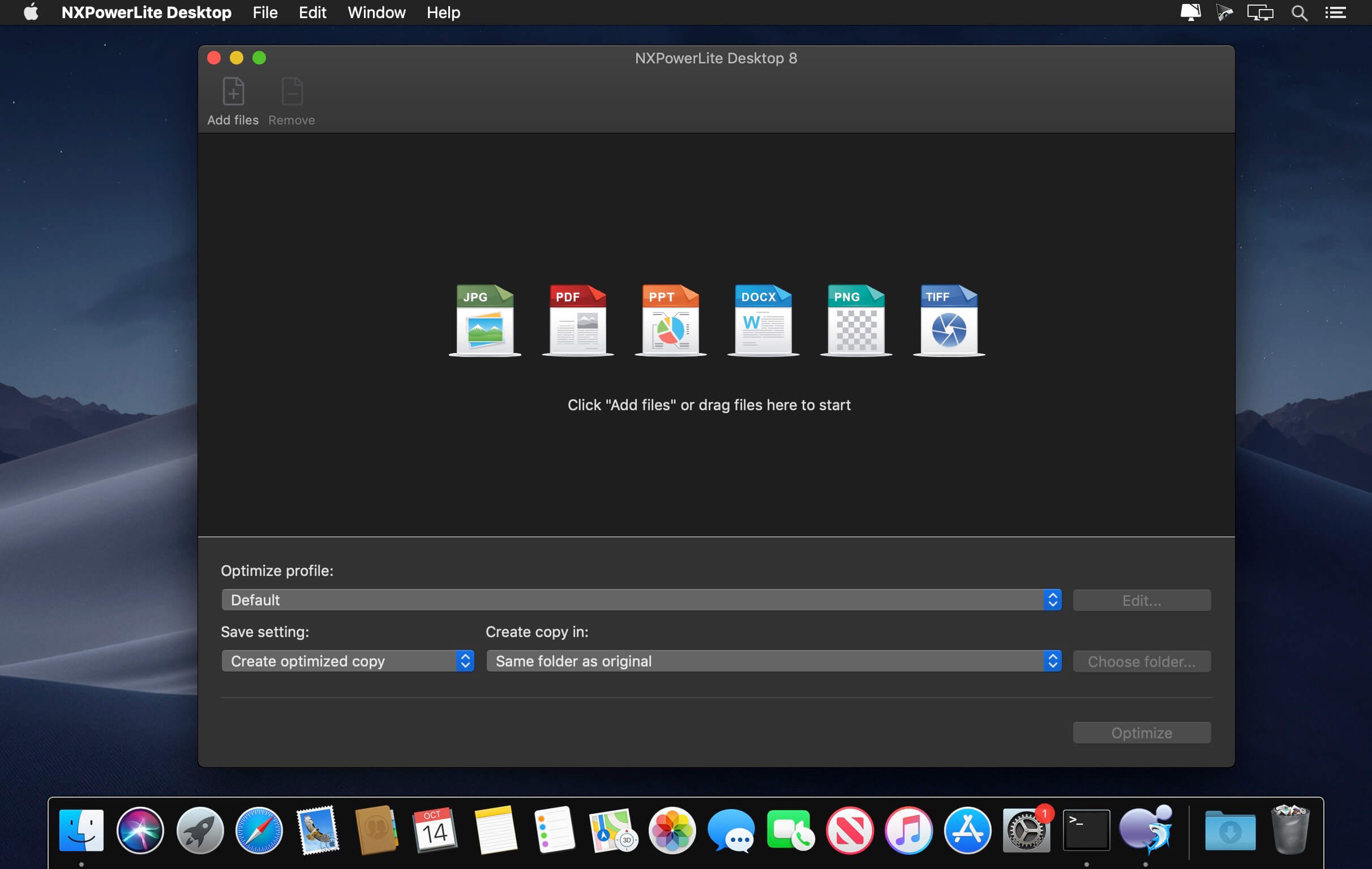
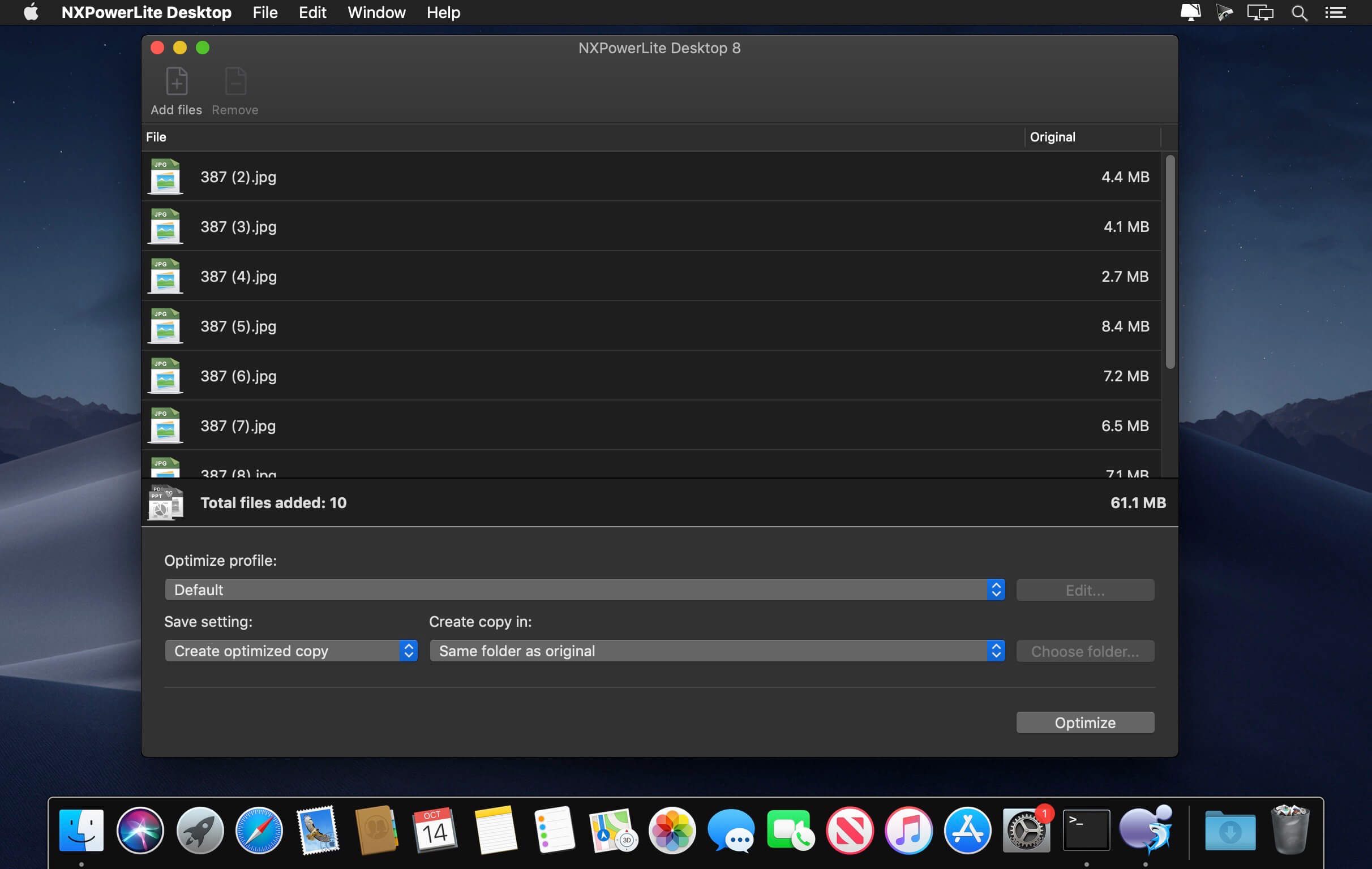
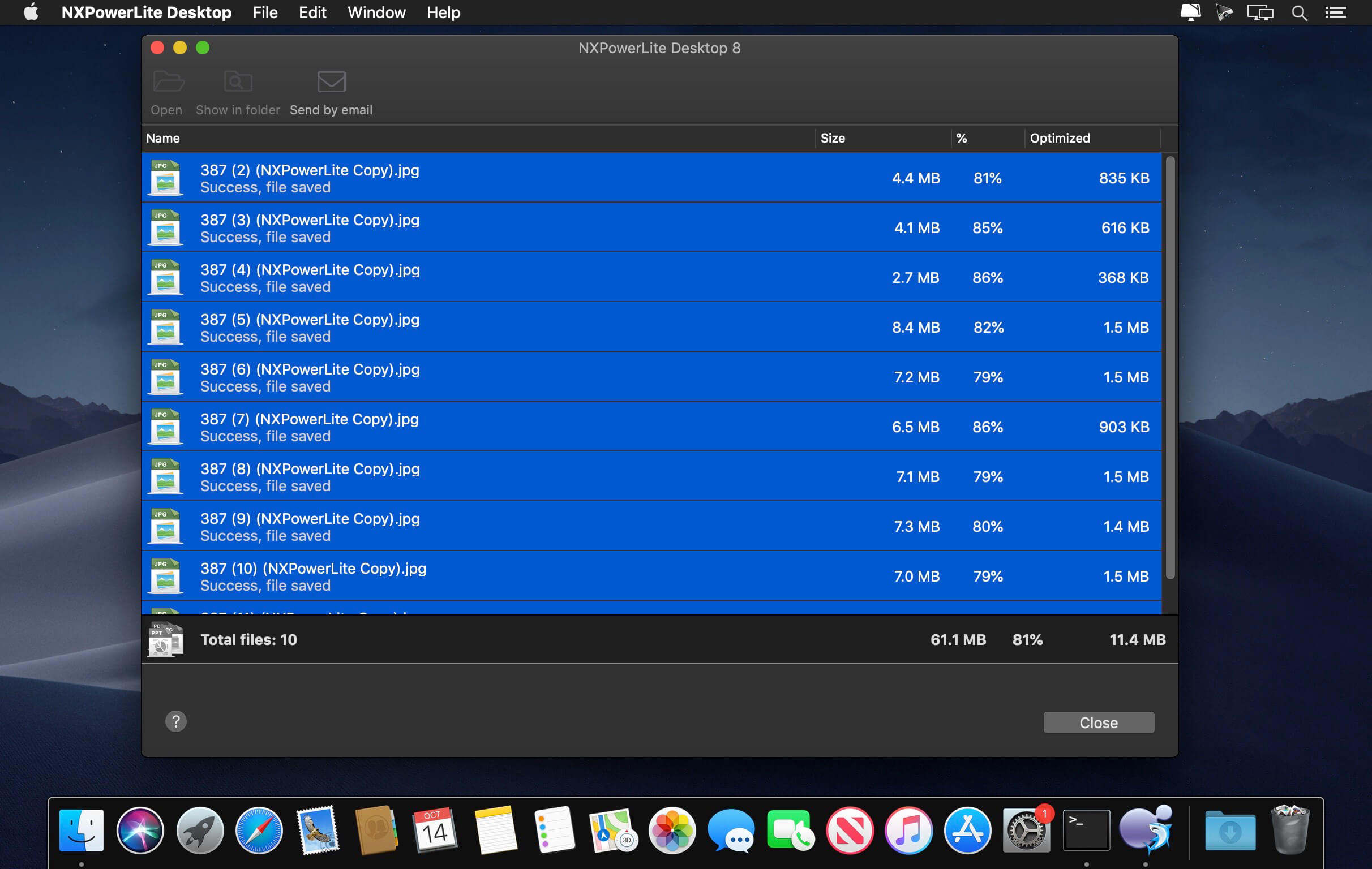
NXPowerLite Desktop is an offline file compression utility for Mac, created by Neuxpower. It shrinks PDF, Microsoft Office (PowerPoint, Word, Excel) and image files (JPEG, PNG, TIFF) by up to 95% while keeping them in their original format and file extension.
Smaller files, same format
Unlike standard ZIP compression, NXPowerLite Desktop keeps each compressed file in the same format with the same extension. You don't need NXPowerLite to open compressed files.
Compression that stays on your Mac
All compression takes place offline on your Mac. Your files are not shared online.
Key features
- Batch compression: compress up to 10,000 files at a time, which is useful for quickly processing small folders of content.
- Finder integration: compress files directly from Finder using the right-click menu options.
- Custom profiles: create your own settings profiles and select them quickly from the home screen.
- Replace, copy or backup: replace the original with the optimized version, or create a new copy or a backup of the original instead.
- File size breakdown: use the file size audit tool for Microsoft Office and PDF files to identify what contributes to file size and which content prevents compression.
Supported file types
Compress PDF, PowerPoint, Word, Excel, JPEG, PNG and TIFF files with NXPowerLite Desktop.
Version 11.0:
Frequently asked questions
How do I install the app?
Mount the image, drag the app into the "Applications" folder and launch it. If the system blocks the launch, allow it in "System Settings → Privacy & Security".
The app is damaged or won't launch
Reinstalling from a fresh image usually helps. Make sure your macOS version matches the one listed in the compatibility specs.
How do I update?
Download the new version from the site and install it over the current one — your settings will be preserved.
The download link doesn't work
Try a mirror or a download manager. For large files the browser often drops the connection.
How do I completely remove the app?
Use an uninstaller utility — it cleans up the service files that remain after moving the app to the trash.


Choose a download source
NXPowerLite Desktop 11.5.0 · 80.86 MB
Previous versions
NXPowerLite Desktop 11.5.0
Previous versions are available to registered users.
Comments 1