Microsoft Word for Mac 16.113.2
Word processor for Mac with smart grammar and style

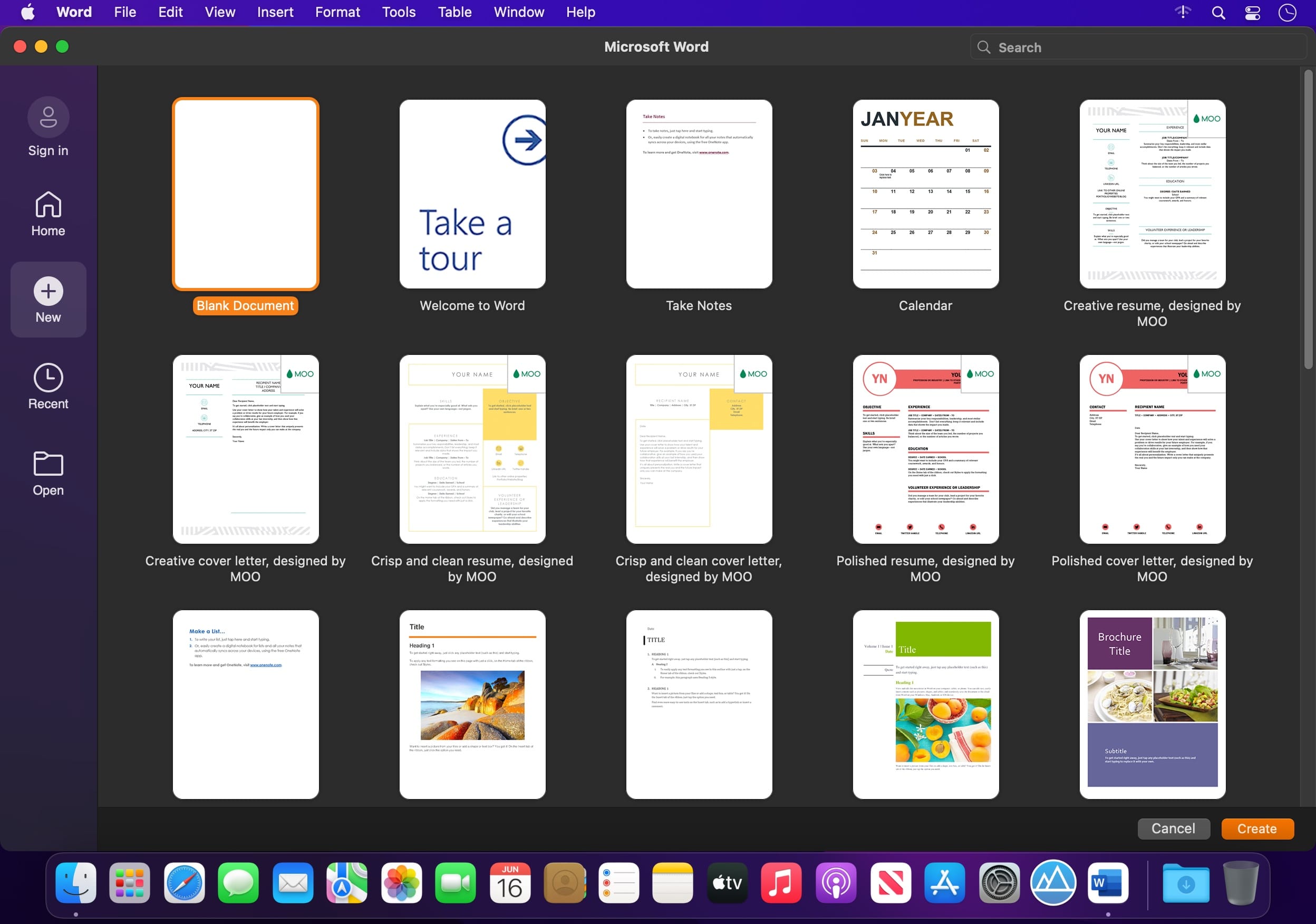
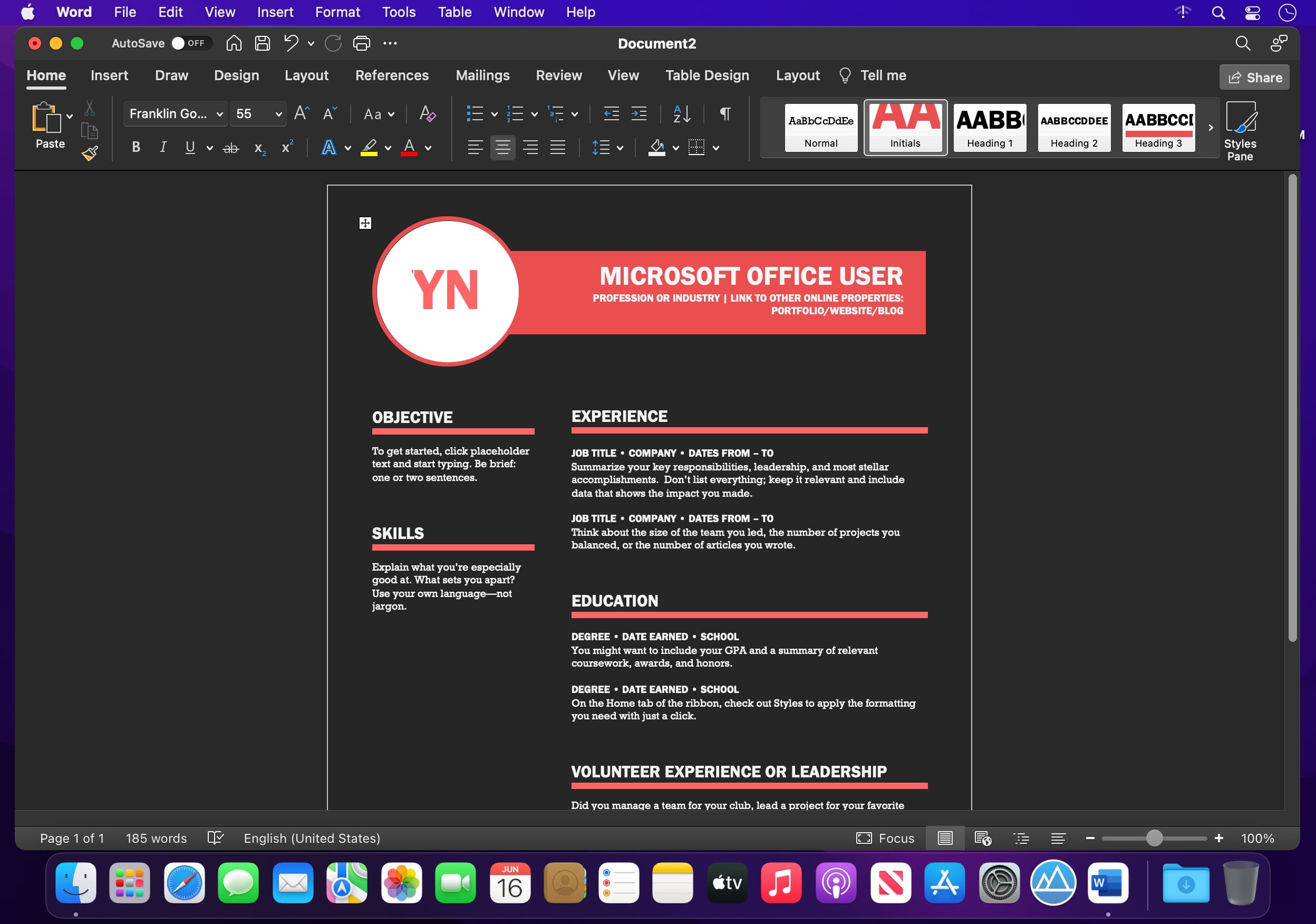
Word lets you create, edit, view, and share documents quickly and easily, and even open and edit Office files attached to your emails. Whether you're a blogger, writer, journalist, student, or project manager, Word adapts to the way you work, and your documents move with you.
Designed for Mac
- Fully optimised for macOS Golden Gate 27, so Word looks and feels right at home on the latest Mac.
- Full Touch Bar support on MacBook Pro puts the most relevant Word features at your fingertips.
- Dark Mode support helps you focus on your writing and shut out distractions.
Create with confidence
- Jump-start projects, assignments, letters, blogs, scripts, notes, and CVs with beautifully designed modern templates.
- Rich formatting and layout options help you shape your ideas exactly the way you want.
- Your formatting stays pristine on every device.
Put your best words forward
- Intelligent tools help with spelling, grammar, and style suggestions as you write.
- Go from pen and paper to digital inking, and edit naturally.
Stay in the flow
- Find cited research and other information without leaving Word.
- Pull in insights from LinkedIn to help you craft a standout CV.
Work better together
- Collaborate in real time, wherever you are, with live co-editing and comments.
- Language and accessibility options let everyone contribute their way.
Sharing made simple
- Invite others to view or edit in just a few taps, and manage permissions with ease.
- See who's working in a document at any moment.
- Copy content into an email with formatting intact, or send your document as an attachment.
Word: your words, beautifully done, wherever you are.
Version 16.113.2:
- Quality and performance improvements.
Frequently asked questions
How do I install the app?
Mount the image, drag the app into the "Applications" folder and launch it. If the system blocks the launch, allow it in "System Settings → Privacy & Security".
The app is damaged or won't launch
Reinstalling from a fresh image usually helps. Make sure your macOS version matches the one listed in the compatibility specs.
How do I update?
Download the new version from the site and install it over the current one — your settings will be preserved.
The download link doesn't work
Try a mirror or a download manager. For large files the browser often drops the connection.
How do I completely remove the app?
Use an uninstaller utility — it cleans up the service files that remain after moving the app to the trash.




Choose a download source
Microsoft Word for Mac 16.113.2 · 1.31 GB
Previous versions
Microsoft Word for Mac 16.113.2
Previous versions are available to registered users.